

Our Top Picks
 Philips 24 Inch Computer Monitor FHD 100Hz VA24 inch 100Hz8.7 x 21.3 x 16.4 Inches6.4 poundsCheck on Amazon
The best monitor for eye strain is one that shows text sharply at your real sitting distance, resists glare and lets you set a comfortable brightness; among these eight 1080p screens, the 24-inch IPS models are the safest starting point. No display can promise relief, and labels such as low blue light or flicker-free are seller claims you should confirm on the listing. What you control is size, pixel density, panel type, stand and room lighting. Every model below is a budget-to-mid office screen, so the choice is mostly screen size against sharpness, plus warranty length and which inputs you need. A short worked example further down shows why a bigger 1080p screen needs more sitting distance.
Eye-care monitors at a glance

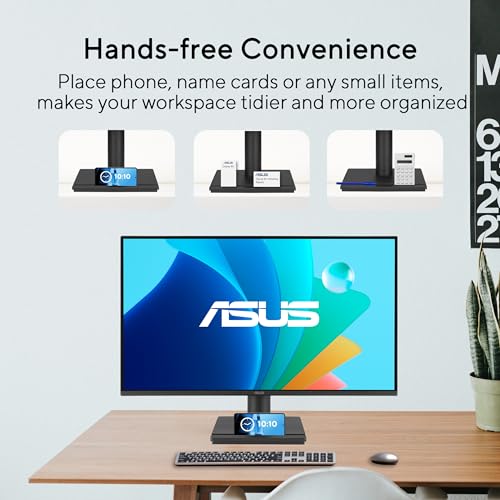
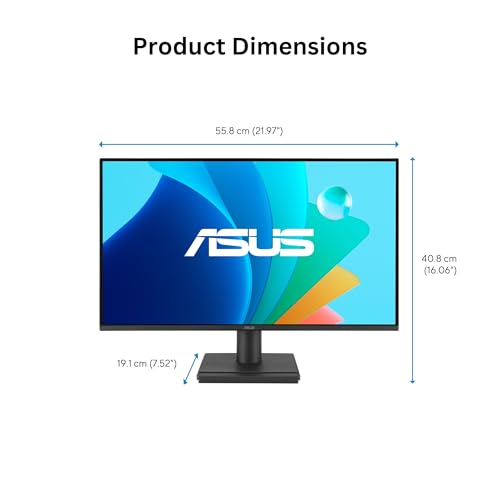
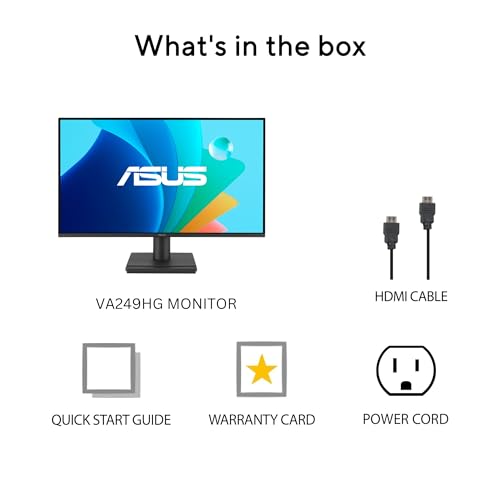
ASUS VA249HG 24 Inch 1080P 120Hz Eye Care Gaming Monitor, HDMI, VGA | IPS, Full HD, 99% sRGB, Frameless, Adaptive-Sync, 1ms, Low Blue Light, Flicker Free, VESA Wall Mount, 3 yr warranty, EPEAT





As an Amazon Associate we earn from qualifying purchases. Product prices and availability are accurate as of the date/time indicated.
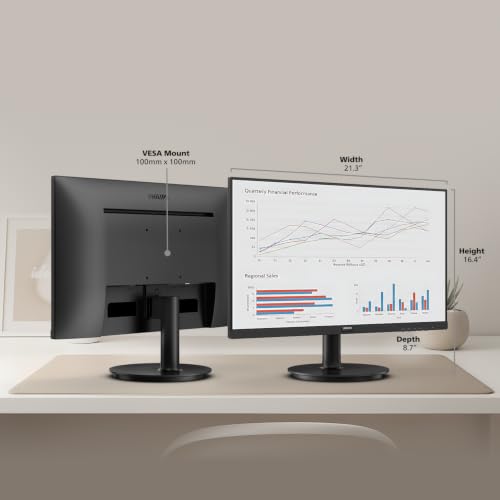
Philips 27" Computer Monitor FHD 100Hz VA VESA Eye Care, 271V8LB | 1920×1080 LED Monitor, 4ms GtG, HDMI 1.4, VGA, Adaptive Sync, Flicker-Free, Low Blue Light, 4yr Advance Replacement Warranty




As an Amazon Associate we earn from qualifying purchases. Product prices and availability are accurate as of the date/time indicated.

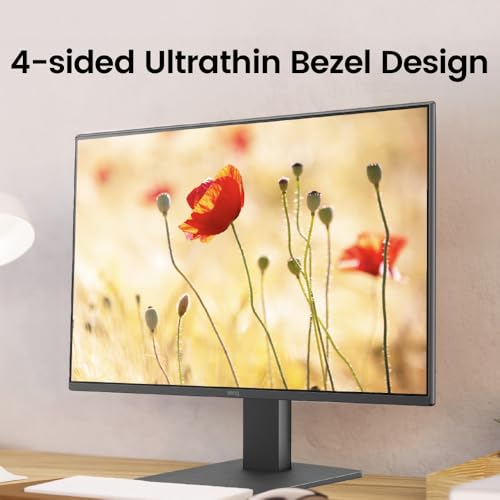
BenQ GW2491 23.8” 1080p FHD 100Hz IPS Eye-Care Monitor, HDMI, DisplayPort, 1080x1920, Ultra Slim Bezel, TUV-Certified, Flicker-Free, Low Blue Light Plus, Eye-CareU




As an Amazon Associate we earn from qualifying purchases. Product prices and availability are accurate as of the date/time indicated.

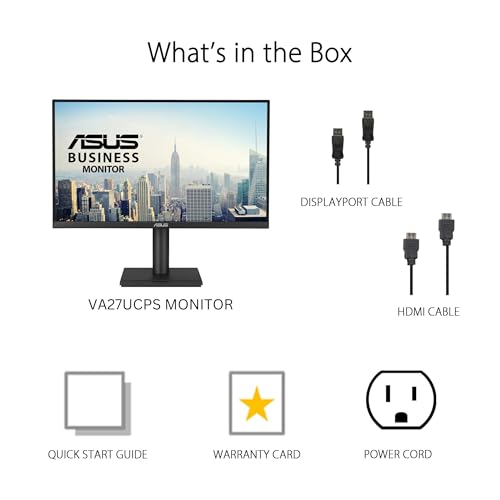
ASUS VA249QG 24 Inch 1080P 120Hz Eye Care Gaming Monitor, HDMI, DisplayPort | IPS, Full HD, 99% sRGB, VGA, Frameless, Adaptive-Sync, 1ms, Speakers, Low Blue Light, Flicker Free, VESA Wall Mount



As an Amazon Associate we earn from qualifying purchases. Product prices and availability are accurate as of the date/time indicated.
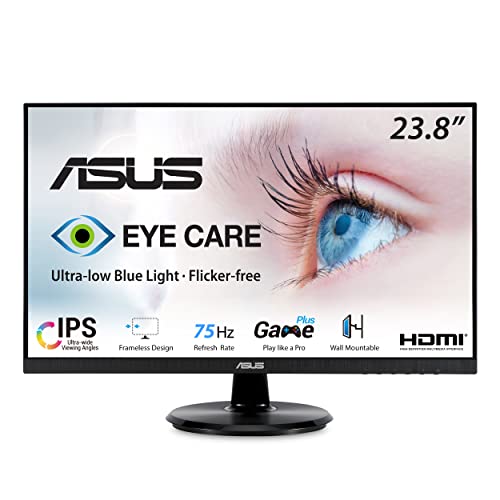
ASUS VA24DQ 24 Inch 1080P Computer Monitor, HDMI, DisplayPort, VGA, Speaker | IPS, Full HD, Adaptive-Sync/FreeSync, Eye Care, Low Blue Light, Frameless, Flicker Free, VESA Wall Mount, Tilt Adjustable


As an Amazon Associate we earn from qualifying purchases. Product prices and availability are accurate as of the date/time indicated.
Philips 24 Inch Computer Monitor FHD 100Hz VA VESA Flicker-Free, 241V8LB | 1920×1080 LED Monitor, 4ms GtG, Adaptive Sync, HDMI 1.4, Tilt Adjust, Low Blue Light, 4yr Advance Replacement Warranty
As an Amazon Associate we earn from qualifying purchases. Product prices and availability are accurate as of the date/time indicated.

ASUS VP227HF 22 Inch 1080P FHD 100Hz Computer Monitor, HDMI, VGA | Full HD, 99% sRGB, Frameless, 100Hz, Adaptive-Sync, 1ms, HDMI, Eye Care, Low Blue Light, Flicker Free, VESA Wall Mount


As an Amazon Associate we earn from qualifying purchases. Product prices and availability are accurate as of the date/time indicated.

ASUS VA279HG 27 Inch 1080P 120Hz Eye Care Gaming Monitor, HDMI, VGA | IPS, Full HD, 99% sRGB, Frameless, 1ms, Adaptive-Sync, Low Blue Light, Flicker Free, VESA Wall Mount, 3 yr warranty, EPEAT


As an Amazon Associate we earn from qualifying purchases. Product prices and availability are accurate as of the date/time indicated.
| Model | Key point from title | Price tier | Best for |
|---|---|---|---|
| ASUS VA249HG | 24-inch IPS, 120Hz, HDMI and VGA, 3-year warranty | Budget | First upgrade on a tight budget |
| Philips 241V8LB | 24-inch VA, 100Hz, 4-year advance replacement | Budget | Buyers who value warranty cover |
| ASUS VP227HF | 22-inch, 100Hz, 99% sRGB, HDMI and VGA | Budget | Small desks and close viewing |
| Philips 271V8LB | 27-inch VA, 100Hz, HDMI 1.4 | Mid-range | Large screen, far sitting distance |
| BenQ GW2491 | 23.8-inch IPS, HDMI and DisplayPort, TUV-certified | Mid-range | DisplayPort desktops |
| ASUS VA249QG | 24-inch IPS, 120Hz, HDMI and DisplayPort, speakers | Mid-range | Flexible multi-device desks |
| ASUS VA24DQ | 24-inch IPS, three inputs, tilt-adjustable | Premium | Needs VGA plus DisplayPort |
| ASUS VA279HG | 27-inch IPS, 120Hz, HDMI and VGA | Premium | IPS at 27 inches |
The eight listings, one by one
ASUS VA249HG
The title describes a 24-inch 1080p IPS panel at 120Hz with HDMI and VGA inputs, 99% sRGB, Adaptive-Sync and a 1ms response claim. The eye-care wording covers low blue light and flicker-free modes, both seller descriptions to verify in the feature notes. VESA wall-mount support and a three-year warranty are named, which is generous at the low end of this set. No DisplayPort appears in the title, so a graphics card with only DisplayPort outputs would need an adapter; check the box contents. By our arithmetic from the stated size, density is about 92 pixels per inch, which is workable at a normal desk distance.
Pros
- Three-year warranty named in the title
- IPS panel with a 99% sRGB claim
Cons
- No DisplayPort listed
- Stand adjustments beyond tilt are not stated
Who it’s for: someone replacing an old 60Hz screen who connects over HDMI.
Philips 241V8LB
This 24-inch Full HD listing names a VA panel, 100Hz, 4ms GtG, Adaptive Sync and HDMI 1.4, plus flicker-free and low blue light wording. VA panels usually trade narrower viewing angles for stronger contrast than IPS, so it suits sitting square-on to the screen. The headline feature is the four-year advance replacement warranty, the longest in this set, where the maker ships a replacement before collecting the faulty unit; read the terms. HDMI 1.4 is an older revision, fine for 1080p but a reason to check refresh options before assuming 100Hz over HDMI. Tilt adjustment is the only stand feature named, and speakers are not mentioned.
Pros
- Four-year advance replacement warranty
- Low price tier
Cons
- Only HDMI 1.4 listed as an input
- Tilt is the only stand adjustment named
Who it’s for: buyers who want long warranty cover and sit directly in front of the screen.
ASUS VP227HF
A 22-inch 1080p screen with 100Hz, 99% sRGB, a 1ms claim, HDMI and VGA inputs, frameless edges and VESA wall-mount support. The title does not name the panel type, so check the listing before assuming IPS. Its small size is the useful part: about 100 pixels per inch, the sharpest text per inch in this group, because the same 1080p pixels are spread over less glass. That helps anyone who sits close or runs small fonts, though 22 inches feels cramped for side-by-side windows. Warranty length is not in the title; confirm it. Eye-care and flicker-free labels are seller wording.
Pros
- Highest pixel density in the set
- Compact footprint for small desks
Cons
- Panel type not stated in the title
- No DisplayPort listed
Who it’s for: small-desk users, or anyone who sits close and wants crisp text.
Philips 271V8LB
The 27-inch sibling of the 241V8LB lists the same 100Hz VA panel, 4ms GtG, Adaptive Sync, HDMI 1.4, VGA and four-year advance replacement warranty. The title gives no tilt or height details, so check the stand. The catch is the same 1920 x 1080 resolution stretched over 27 inches, roughly 82 pixels per inch, so edges of letters look coarser than on a 24-inch screen unless you sit further back. The extra canvas helps with a wide spreadsheet or two narrow windows. Treat flicker-free and low blue light as seller claims. A monitor arm lets you push it back to a comfortable distance.
Pros
- Biggest canvas at a lower tier
- Four-year advance replacement
Cons
- Lowest pixel density in the set (tied with the VA279HG)
- HDMI 1.4 and VGA only
Who it’s for: people who sit about 30 inches back and want size above sharpness.
BenQ GW2491
BenQ lists a 23.8-inch IPS screen at 100Hz with HDMI and DisplayPort, an ultra-slim bezel, TUV certification, flicker-free and Low Blue Light Plus modes, and its Eye-CareU wording, which are the maker’s own feature names, so read what each mode changes. The title also contains an odd 1080×1920 line that reads like a transposed resolution; confirm 1920 x 1080 landscape on the listing. TUV certification scope varies, so open the listing to see which standard is meant. It is one of only three models here with DisplayPort, which makes it easier to connect a modern desktop graphics card. Stand details are not in the title.
Pros
- HDMI and DisplayPort both listed
- Named third-party certification
Cons
- Resolution line in the title is ambiguous
- Stand adjustments not stated
Who it’s for: desktop owners who need DisplayPort and like a certified eye-care label.
ASUS VA249QG
This 24-inch IPS listing is close to the VA249HG but adds DisplayPort and built-in speakers to the HDMI and VGA inputs, keeping 120Hz, 99% sRGB, Adaptive-Sync and the 1ms claim. Three input types mean a desktop, a laptop and an older machine can share one screen. The title names VESA wall mount and the usual low blue light and flicker-free settings, again as seller claims. Speakers rarely beat a headset or desk speakers, so do not pay for them alone. Warranty length is not in the title. At its price tier, the added port is the main reason to choose it over the VA249HG.
Pros
- DisplayPort plus HDMI
- 120Hz IPS at 24 inches
Cons
- Speakers add cost but little for most users
- Warranty not stated in the title
Who it’s for: shared desks where a desktop and a laptop take turns on one screen.
ASUS VA24DQ
The title lists a 24-inch 1080p IPS panel with HDMI, DisplayPort, VGA, a speaker, Adaptive-Sync/FreeSync, eye-care features, a frameless design, VESA wall mount and a tilt-adjustable stand. Plainly, it states less than its siblings: no refresh rate, no sRGB coverage and no warranty length, yet it sits at a higher tier than the VA249QG here. That may reflect pricing rather than quality, but on paper it is the weakest value in the set. It makes sense only if you want all three inputs at a sale price. Adaptive-Sync/FreeSync support is named, which suits a PC. Check the listing for refresh rate before ordering.
Pros
- Three input types
- Tilt adjustment is stated
Cons
- Refresh rate not stated in the title
- Costs more than siblings that list more
Who it’s for: buyers who must have VGA and DisplayPort and find it discounted.
ASUS VA279HG
This is the large IPS option: 27 inches, 1080p, 120Hz, 99% sRGB, a 1ms claim, HDMI and VGA, VESA wall mount, a three-year warranty and EPEAT listing. IPS panels generally keep colours steadier when viewed off-axis, which matters at 27 inches where the screen edges sit at an angle. The cost is density: about 82 pixels per inch, so text looks coarser than on a 24-inch panel at the same distance. No DisplayPort is listed. It is the highest tier here, mainly because of size and warranty, so decide first whether you need 27 inches at all.
Pros
- IPS panel at 27 inches
- Three-year warranty named
Cons
- Lowest density tier for text
- Top price tier for a 1080p screen
Who it’s for: people who need a large IPS screen and sit at least 30 inches away.
How we picked these
This is a desk-research roundup built from published specifications, manufacturer documentation and buyer reviews. Nobody on the team used or measured these units. We read each title, noted what it states and what it leaves out, and treated flicker-free, low blue light and response-time wording as seller claims. Where a figure is missing, the entry says to check the listing. Price tiers are relative inside this set of eight, not across the whole market, and the pixel-density figures are our own arithmetic from the stated screen sizes.
What to look for in an eye-care monitor
Text size and pixel density
Comfort at a screen mostly comes down to how large and clear the letters are where you sit. Pixels per degree (PPD) describes how many pixels fall inside one degree of your view; higher means finer text. Assumption for the table: you sit 27 inches (about 69 cm) from the screen, and all four sizes use 1920 x 1080.
| Screen size | Pixels per inch | PPD at 27 inches |
|---|---|---|
| 22″ | 100 | 47.2 |
| 23.8″ | 93 | 43.6 |
| 24″ | 92 | 43.3 |
| 27″ | 82 | 38.5 |
Moving from 24 to 27 inches drops PPD from 43.3 to 38.5. To get the 27-inch screen back to the 24-inch figure, sit about 30 inches away, around three inches farther. These are estimates, not measurements of any listed unit.
Glare, brightness and room light
Coating is not stated in any of the titles, so check the listing for matte or glossy wording. Place the screen at right angles to windows, then set brightness near the level of the room: a white page should neither glow like a lamp nor look grey. A light behind or above the screen can reduce the contrast between a bright panel and a dark wall; see our guide to monitor light bars for glare-free desk lighting.
Flicker-free and low blue light labels
Both phrases appear on all eight listings, so they separate nothing. Treat them as seller descriptions and look for the certification body or report the maker links. Low blue light modes warm the colour, which hurts colour accuracy for photo work. None of this replaces breaks away from the screen, and persistent discomfort deserves a visit to an eye professional.
Inputs and cables
Only three of the eight titles list DisplayPort: the BenQ GW2491, ASUS VA249QG and ASUS VA24DQ. If your graphics card or dock outputs DisplayPort or USB-C only, check for adapters, because VGA is analog and HDMI 1.4 is an older revision.
Stand, height and mounting
A common ergonomic guideline puts the top edge of the screen at or just below eye level, roughly an arm’s length away. Several titles name only tilt, so you may need books, a riser or an arm. Before buying one, compare the VESA pattern and the monitor’s weight against the arm’s rated range; the monitor arms guide covers the checks.
Mistakes buyers make
- Trusting the badge. Low blue light and flicker-free appear on every model here, so they say little about which one suits you.
- Going big at 1080p. A 27-inch Full HD screen looks coarser than a 24-inch one unless you sit further back.
- Ignoring the cable. Several listings offer HDMI and VGA only. VGA is analog, so use HDMI or DisplayPort where possible and check the refresh rate you actually get.
- Maxing the brightness. Match brightness to the room instead of leaving factory defaults.
- Skipping the stand. A tilt-only base can leave the top edge too high or low; budget for a monitor stand or arm if needed.
- Forgetting breaks. No screen replaces regular time looking at distant objects; the familiar 20-20-20 habit is a general comfort tip, not medical advice.
Verdict
For most desks, start with a 24-inch IPS listing. The ASUS VA249HG is the low-cost pick if HDMI is enough, the BenQ GW2491 suits DisplayPort users who want a named certification, and the Philips 241V8LB is the choice if long warranty cover matters. Pick the 27-inch models only if you sit far back, and consider the VP227HF if your desk is small. Treat the VA24DQ as a bargain-only option, because its title lists less than its cheaper siblings. Whichever you choose, set text scaling and brightness before judging it.
Frequently asked questions
Can a monitor cause or prevent eye strain?
A monitor can make comfortable viewing easier, but screen choice is only one factor. Text size, glare, brightness, viewing distance and time without breaks all matter. No listing here can promise relief, and eye-care labels are seller claims. If you have persistent discomfort, headaches or vision changes, see an eye professional rather than relying on hardware.
Is a low blue light mode enough?
Low blue light modes shift the display toward warmer colours, which some people find more pleasant in the evening. They are a setting, not a cure, and they alter colour accuracy, so turn them off for photo or video work. All eight listings mention it, so use size, glare control and the stand to decide between them.
Is IPS or VA better for comfort?
Neither is automatically more comfortable. IPS panels usually hold colour and brightness better when viewed from an angle; VA panels usually offer stronger contrast but narrower viewing angles. At a desk where you sit square-on, either works. Pick on text size, matte or glossy coating, and brightness range, and check the listing for the panel type.
What size and resolution suit long work sessions?
At 1080p, a 22 to 24-inch screen gives the sharpest text for a normal desk distance, about 92 to 100 pixels per inch. A 27-inch Full HD screen drops near 82 pixels per inch, which suits a longer sitting distance. If you want 27 inches and finer text, look at a higher-resolution model outside this set.
Does a higher refresh rate reduce eye strain?
There is no reliable basis here to say it does. A 100Hz or 120Hz screen mainly makes scrolling and cursor movement look smoother, which some people simply prefer. It is a nice extra at these prices, but it should not outrank text size, glare and a stand that puts the screen at the right height.





Write Your Review
No reviews yet. Be the first to share your experience!