

Our Top Picks
 ViewSonic VP2756-4K 27 Inch 4K UHD ColorPro Monitor27 Inches24.1 x 8.5 x 21.27 inches15.1 PoundsCheck on Amazon
 ViewSonic VP3256A-4K 32 Inch 4K UHD ColorPro Monitor16.7" x 28.1" x 2.6"10.4 x 28.2 x 20.23 inches24.3 poundsCheck on Amazon
The best monitor for graphic design in this group is the BenQ PD3226G, because it is the only listing that pairs a 32-inch 4K IPS panel with a P3 gamut claim, software calibration and Thunderbolt 4 in one title. The two ViewSonic ColorPro models are the closest alternatives: both name Pantone validation and 100% sRGB, and both can charge a laptop over USB-C. The remaining five are general-purpose 4K screens, and we say so plainly instead of dressing them up as color tools.
All eight share the same resolution, so the real decision is the color claim you need, the size your desk can hold, and how the screen connects to your computer.
Quick comparison of all eight

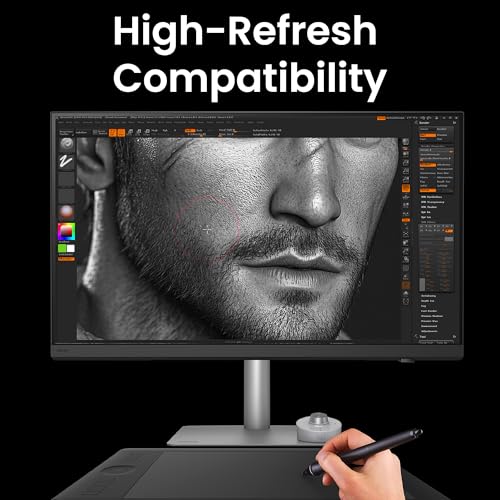
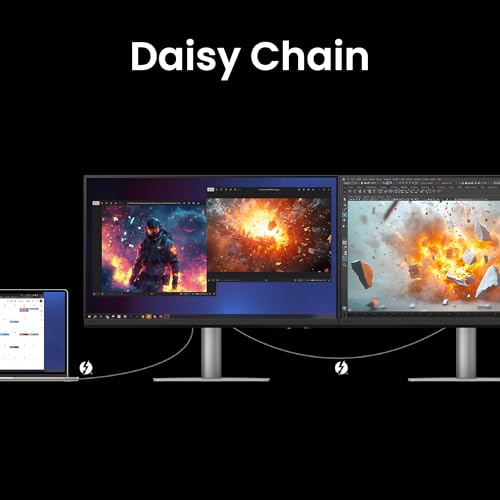
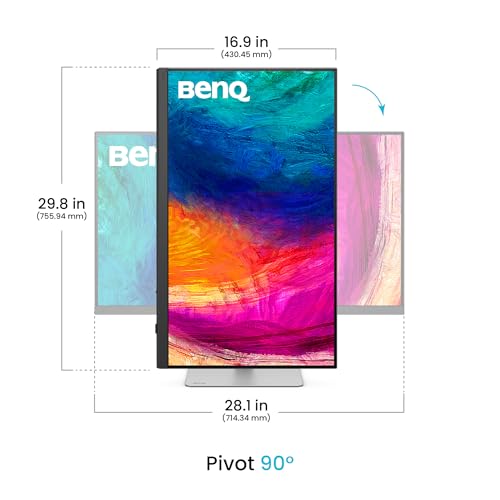
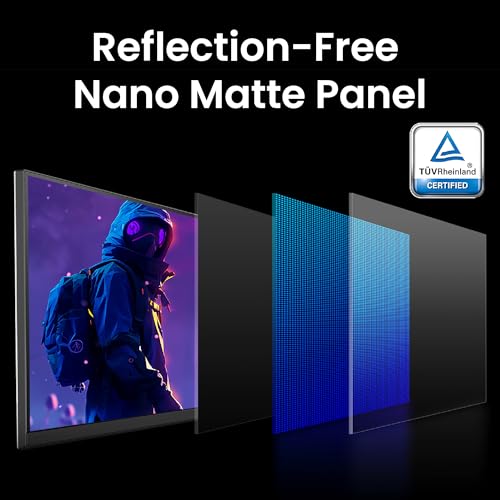
BenQ PD3226G 32” 4K UHD (3840x2160) 144Hz Monitor for Designers, IPS, 95% P3, 100% sRGB, 90W Thunderbolt 4, Software Calibration, KVM, Daisy Chain, Reflection-Free Nano Matte Panel, Height Adjustable





As an Amazon Associate we earn from qualifying purchases. Product prices and availability are accurate as of the date/time indicated.
ViewSonic VP2756-4K 27 Inch 4K UHD ColorPro Monitor, 60W USB C, sRGB | 4K UHD, 100% sRGB, Pantone Validated, 60W USB C, HDMI, DisplayPort, USB Hub, Color Accurate, Photo Editing, Video, Design


As an Amazon Associate we earn from qualifying purchases. Product prices and availability are accurate as of the date/time indicated.
ViewSonic VP3256A-4K 32 Inch 4K UHD ColorPro Monitor, 100W USB C, Pantone | 4K UHD, 100W USB C, 100% sRGB, Pantone Validated, HDMI 2.1, DisplayPort, USB Hub, Color Accurate, Photo Editing, Design, Mac


As an Amazon Associate we earn from qualifying purchases. Product prices and availability are accurate as of the date/time indicated.

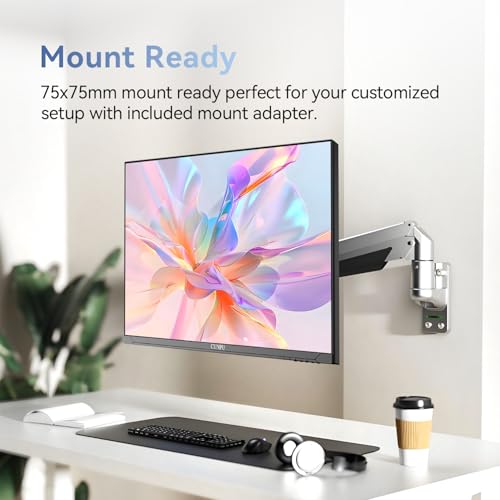
CUNPU 32 Inch 4K UHD VA Computer Monitor, 100% sRGB Color-Accurate, 1.07B Color, PIP/PBP Split Screen, Flicker-Free, VESA 75x75 Ready, HDMI, DisplayPort for Gaming, Office & Streaming



As an Amazon Associate we earn from qualifying purchases. Product prices and availability are accurate as of the date/time indicated.

msi PRO MP273U, IPS 3840 x 2160 (UHD) Computer Monitor, 4K, 60 Hz, Adaptive-Synch, HDMI, DisplayPort, 4ms (GTG), Black


As an Amazon Associate we earn from qualifying purchases. Product prices and availability are accurate as of the date/time indicated.
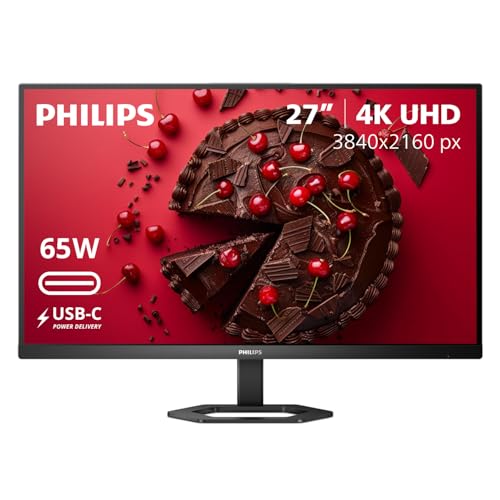
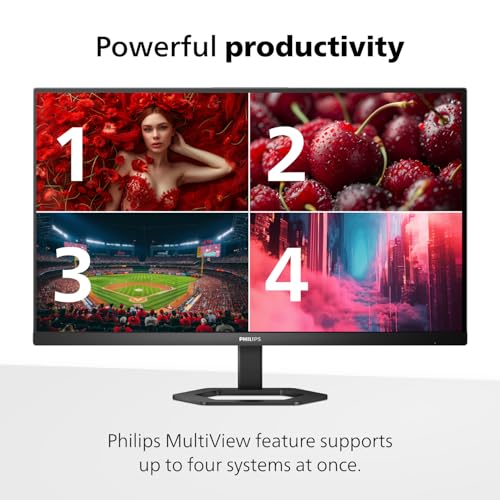
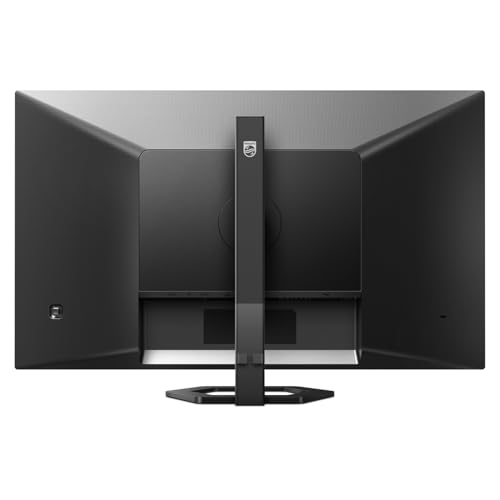
Philips 27" Computer Monitor 4K UHD IPS USB-C Charging HDR400, 27E1N5900R | 3840×2160 LED Monitor, USB-C 65W PD, HDMI 2.0, DisplayPort 1.2, USB 3.2 Hub, Adaptive Sync, 4yr Advance Replacement Warranty




As an Amazon Associate we earn from qualifying purchases. Product prices and availability are accurate as of the date/time indicated.

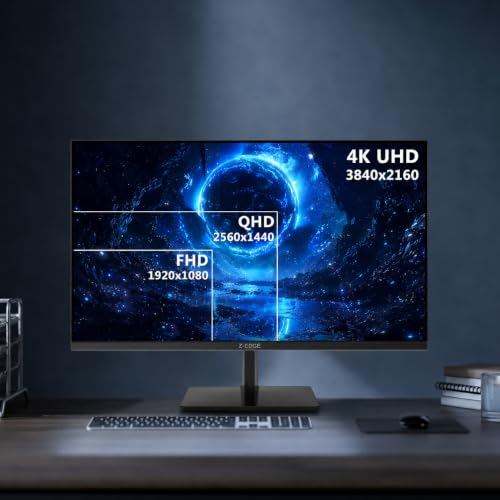
4K Monitor, Z-Edge 28 inch IPS Monitor, UHD 3840x2160 IPS | Computer Monitor, 300 cd/m², 144Hz Refresh Rate, 1ms MPRT Response Time, U28I4K Ultra-Thin Bezel for Designer, Business


As an Amazon Associate we earn from qualifying purchases. Product prices and availability are accurate as of the date/time indicated.

Philips 27" Computer Monitor 4K UHD IPS HDR Built-in Speakers, 27E1N1800A | 3840×2160 LED Monitor, HDMI 2.0, DisplayPort 1.4, VESA, HDR10, LowBlue, Flicker-Free, 4yr Advance Replacement Warranty


As an Amazon Associate we earn from qualifying purchases. Product prices and availability are accurate as of the date/time indicated.
| Model | Key point from title | Price tier | Best for |
|---|---|---|---|
| BenQ PD3226G | 32-inch 4K IPS, 144Hz, 95% P3 and 100% sRGB claims, 90W Thunderbolt 4, software calibration | Premium | Wide-gamut work on a Thunderbolt laptop |
| ViewSonic VP3256A-4K | 32-inch 4K, 100% sRGB, Pantone Validated, 100W USB-C, HDMI 2.1 | Mid-range | Large sRGB canvas with one-cable charging |
| ViewSonic VP2756-4K | 27-inch 4K, 100% sRGB, Pantone Validated, 60W USB-C | Mid-range | Compact desks, photo and web work |
| Philips 27E1N5900R | 27-inch 4K IPS, 65W USB-C, HDR400, USB 3.2 hub, 4-year replacement warranty | Budget | Docking a laptop on a tight budget |
| Z-Edge U28I4K | 28-inch 4K IPS, 144Hz, 300 cd/m², 1ms MPRT | Budget | Mixed design and gaming use |
| Philips 27E1N1800A | 27-inch 4K IPS, HDR10, speakers, DisplayPort 1.4 | Budget | General 4K screen for light design |
| MSI PRO MP273U | 27-inch 4K IPS, 60Hz, 4ms (GTG), Adaptive-Sync | Budget | Layout and office tasks, not color-critical |
| CUNPU 32 Inch 4K | 32-inch 4K VA, 100% sRGB claim, PIP/PBP, VESA 75×75 | Budget | Reference or secondary screen |
The eight listings, one by one
BenQ PD3226G
This is the one listing built around designers in its own title. It combines a 32-inch 4K IPS panel with 95% P3 and 100% sRGB claims, software calibration and a 90W Thunderbolt 4 port, so a single cable can carry video, data and laptop charging. KVM and daisy-chain support are also listed, which helps if two computers share one desk. The 144Hz figure is a bonus for design work, but 4K at that rate depends on the port and cable you use, so confirm compatibility with your machine. The nano matte coating is described as reflection-free, which is a seller claim.
Pros
- Wide-gamut (P3) claim plus sRGB
- One-cable Thunderbolt 4 with 90W power
- Height-adjustable stand, KVM and daisy chain listed
Cons
- Highest price in this set
- Calibration hardware is not mentioned in the title
Who it’s for: Illustrators, photographers and designers on a Thunderbolt-equipped laptop who want one desk-ready, color-managed screen.
ViewSonic VP3256A-4K
A 32-inch 4K ColorPro monitor with 100W USB-C, HDMI 2.1, DisplayPort and a USB hub, plus 100% sRGB and Pantone Validated wording. The word Mac in the title suggests a Mac-friendly pitch; check the listing for specifics. At 32 inches the pixel density is about 138 ppi, which gives a roomy artboard for layout work. No wide-gamut figure appears in the title, so treat it as an sRGB-focused monitor: well suited to web, social and screen deliverables, less obviously suited to print-oriented P3 work.
Pros
- Large canvas with 100W USB-C charging
- HDMI 2.1 and DisplayPort for several sources
- sRGB and Pantone validation wording
Cons
- No P3 or Adobe RGB claim in the title
- Costs far more than the budget 4K group
Who it’s for: Designers delivering mostly to screens who want a big sRGB workspace and single-cable laptop charging.
ViewSonic VP2756-4K
The 27-inch sibling in the ColorPro line: 4K, 100% sRGB, Pantone Validated, 60W USB-C, HDMI, DisplayPort and a USB hub, with photo editing, video and design named in the title. A 27-inch 4K panel works out to about 163 ppi, tied for the sharpest density in this set, so fine type and vector edges look crisp at 150% scaling. The 60W USB-C rating will top up many thin laptops, but a performance laptop may draw more under load, so compare it with your charger. Like its larger sibling, it lists no wide-gamut figure.
Pros
- Sharp pixel density (about 163 ppi)
- USB-C plus HDMI, DisplayPort and a hub
- Compact footprint for shallow desks
Cons
- 60W may not fully power high-performance laptops
- sRGB-only claim in the title
Who it’s for: Photo and web designers who want validated sRGB on a compact 27-inch screen.
Philips 27E1N5900R
A 27-inch 4K IPS monitor with 65W USB-C power delivery, a USB 3.2 hub, HDMI 2.0, DisplayPort 1.2 and adaptive sync, backed by a four-year advance-replacement warranty. The HDR400 label is an entry-level HDR tier; for design work, standard-range accuracy matters more, and the title makes no sRGB, P3 or calibration claim. DisplayPort 1.2 and HDMI 2.0 both carry 4K at 60Hz with 8-bit color, which is all most design work needs. The warranty length is the standout feature.
Pros
- USB-C 65W and a USB 3.2 hub in a budget-tier model
- Four-year advance replacement warranty
Cons
- No color-gamut or accuracy figure in the title
- HDR400 adds little for color-critical work
Who it’s for: Cost-conscious designers who dock a laptop and verify final colors elsewhere.
Z-Edge U28I4K
A 28-inch 4K IPS monitor that lists 300 cd/m², a 144Hz refresh rate and 1ms MPRT, with designers and business users named as the audience. The pixel density is about 157 ppi. The 1ms MPRT number is a motion-clarity figure, not the gray-to-gray response time other listings quote, and it is a seller claim. Running 4K at 144Hz also needs a port and cable with enough bandwidth, and the title does not list the ports, so check the listing. There is no gamut, calibration or validation language, so this reads as a general 4K screen that happens to be marketed to designers.
Pros
- High refresh rate if you also game
- Dense 28-inch 4K picture
- Thin-bezel design for side-by-side setups
Cons
- No color-gamut or calibration claim
- Ports and cable requirements are unclear from the title
Who it’s for: People who split time between design and gaming and mainly want a sharp, fast 4K screen.
Philips 27E1N1800A
A 27-inch 4K IPS monitor with HDR10 input support, built-in speakers, HDMI 2.0, DisplayPort 1.4, VESA mounting and LowBlue and flicker-free modes, plus the same four-year advance-replacement warranty as its Philips sibling. Unlike the 5900R it has no USB-C in the title, so it connects by HDMI or DisplayPort only. HDR10 signals the screen can accept HDR content; it does not promise high brightness or accurate wide-gamut color. Treat it as a general-purpose 4K display for layout and sketching, with final color checked elsewhere.
Pros
- Inexpensive 4K IPS option with a long warranty
- DisplayPort 1.4 and VESA mounting
Cons
- No USB-C, so laptop charging needs a separate charger
- No gamut or calibration claim
Who it’s for: Designers who want an inexpensive 4K screen for non-critical work and plan to mount it on an arm.
MSI PRO MP273U
This 27-inch 4K IPS monitor lists 60Hz, Adaptive-Sync, HDMI, DisplayPort and 4ms (GTG). It is the plainest listing here: no color-gamut claim, no USB-C, no calibration language and no extras beyond the basics. The 163 ppi density is the same as the other 27-inch 4K models, and 60Hz is perfectly adequate for static design work. If you want it for a design workflow, plan to check color against a calibrated reference, and treat it as an office-grade second or backup screen rather than a color-critical primary.
Pros
- Same 163 ppi density as pricier 27-inch 4K models
- Straightforward HDMI and DisplayPort connections
Cons
- Nothing in the title supports color-critical work
- No USB-C or hub
Who it’s for: Layout, office and general creative tasks where color is not signed off on this screen.
CUNPU 32 Inch 4K UHD VA
This one is off-type for a design shortlist. It is a 32-inch 4K VA monitor aimed at gaming, office and streaming, with a 100% sRGB claim, 1.07B colors, PIP/PBP split screen, flicker-free and VESA 75×75 mounting. VA is a different panel type from the IPS panels elsewhere in this set, so viewing angles and color consistency across the screen are worth checking in the listing and buyer feedback. The 1.07B figure normally describes a 10-bit signal, but the title does not say whether it is native or dithered.
Pros
- Large 32-inch 4K canvas at the lowest price tier
- PIP/PBP can show two sources at once
Cons
- VA panel is a weaker match for color-critical work
- Marketed for gaming and streaming, not design
Who it’s for: A secondary reference screen or a budget first monitor for non-critical work.
How we picked these
We worked from the Amazon listings for this keyword and compared titles line by line: panel size, resolution, panel type, gamut claims, USB-C power and any calibration or validation wording. Our basis is published specifications, manufacturer documentation and buyer reviews. Nobody on the team used or measured these units. Every figure in the product sections is therefore a seller claim or a labeled estimate, and listings that read like general-purpose monitors are placed in the budget group rather than presented as design tools. Price tiers are relative within this set.
What to look for in a design monitor
Gamut claims: what sRGB and P3 mean for your work
sRGB is the standard for the web and most screen delivery, so 100% sRGB is the baseline for design. P3 is wider, roughly a quarter more area by common estimates, and matters for wide-gamut photo and video. A coverage figure says how much of a gamut the panel can show, not how accurately it shows it. Accuracy comes from factory or user calibration, which is a separate question. Pantone Validated is a vendor program, so the listing should say exactly what it covers.
A worked example: pixel density and print-size zoom
A 4K panel is 3840 by 2160 pixels, a diagonal of about 4,407 pixels. Divide by the screen size: roughly 163 ppi at 27 inches, 157 at 28 and 138 at 32. Assume a file prepared at 300 ppi. At 100% zoom, one image pixel is one screen pixel, so the file appears about 1.84 times its printed size on a 27-inch 4K (300 divided by 163) and about 2.17 times on a 32-inch. To preview at true print size, zoom to roughly 54% on the 27-inch and 46% on the 32-inch. These are estimates that ignore operating-system scaling.
Scaling and screen size
At 4K, most systems run 150% scaling on a 27-inch screen, which gives an effective 2560 by 1440 workspace with sharp text. A 32-inch at 125% gives about 3072 by 1728, more room for panels and artboards but smaller interface elements. Choose by the workspace you need, and sit about an arm’s length away.
Connections and bandwidth
4K at 60Hz with 8-bit color fits within HDMI 2.0 and DisplayPort 1.2. 4K at 144Hz needs far more, generally relying on DisplayPort 1.4 with compression or HDMI 2.1, so check both ends of the cable. For USB-C, compare the wattage with your laptop charger: 60W, 65W, 90W and 100W are very different budgets.
Panel type, coating and calibration
IPS panels generally hold color better off-axis than VA, which matters when two people look at a screen together. A matte coating reduces reflections; glossy looks punchier in dim rooms. If you do client work, ask what the listing says about calibration reports or software, and plan for a colorimeter if color matching is part of the job. A good light bar can also cut desk glare, as covered in our guide to monitor light bars.
Mistakes buyers make
- Reading coverage as accuracy. A 100% sRGB claim describes range, not whether colors are correct out of the box.
- Paying for HDR labels. HDR400 and HDR10 do little for SDR design files, so do not let them drive the decision.
- Skipping the charger check. A 60W USB-C port will not keep a power-hungry laptop topped up under load.
- Assuming 144Hz works at 4K on any cable. Bandwidth limits apply; verify the port version first.
- Forgetting the mount. A 32-inch monitor needs a stand or monitor arm rated for its weight, with a matching VESA pattern; the listing should state the weight.
- Ignoring the room. A bright window next to the screen changes how color looks, so control ambient light before you judge a monitor.
Verdict
If color decisions drive your income and you can afford it, the BenQ PD3226G is the only listing here whose title speaks directly to P3, calibration and Thunderbolt. For sRGB-focused work, the ViewSonic VP2756-4K suits compact desks and the VP3256A-4K suits those who want a bigger canvas. The Philips 27E1N5900R is the budget docking pick. The MSI, CUNPU, Z-Edge and Philips 27E1N1800A are fine 4K screens, but nothing in their titles supports color-critical work. Check the live listing for weight, ports and what ships in the box before ordering.
Related guides
Frequently asked questions
Do I need a 4K monitor for graphic design?
Not strictly, but it helps. A 27-inch 4K screen packs about 163 pixels per inch, so type, vector edges and fine detail look noticeably sharper than on a 27-inch 1440p screen at about 109 ppi. Every listing here is 4K, so resolution is not the deciding factor; color claims and connections are.
Is sRGB coverage enough, or do I need P3?
It depends on where your work ends up. Web, social and most screen deliverables are built for sRGB, so a 100% sRGB claim covers that. P3 is a wider gamut, useful for wide-gamut photo, video and some print-oriented workflows. In this set only the BenQ PD3226G lists a P3 figure (95%), and it is a seller claim.
Do I need a hardware calibrator as well?
A colorimeter is a separate device that reads the screen and builds a correction profile. Titles here mention software calibration (BenQ) or Pantone validation (ViewSonic), but none say a sensor is included. If client color matching matters, budget for a calibrator and check what ships in the box, since software alone cannot read the screen.
Can a gaming-style 4K monitor work for design?
Sometimes, for lighter work. The Z-Edge and CUNPU listings lean toward gaming or general use and make no calibration or validation claims. They can serve as a second screen for reference files, but we would not rely on them alone for color decisions a client will judge. The ViewSonic and BenQ titles speak to design far more directly.
Is 27 inches or 32 inches better for design work?
Size is mostly about desk depth and workflow. At 4K, a 32-inch screen runs near 138 ppi and offers more canvas for panels and artboards; a 27-inch runs near 163 ppi and looks crisper at the same scaling. On a shallow desk, 27 inches is easier to live with, while a deep desk handles 32 inches comfortably.





Write Your Review
No reviews yet. Be the first to share your experience!