
Ultrawide vs Dual Monitor: Which Setup Fits Your Desk?
Ultrawide vs dual monitor compared: width and pixel math, seams, ports, desk space and use-case picks to help you choose one setup in under 10 minutes.
ChartGet is reader-supported. When you buy through links on our site, we may earn a commission at no extra cost to you. As an Amazon Associate, we earn from qualifying purchases. Learn more ›
Monitors for spreadsheets, charts and multitasking.
Ultrawide vs dual monitor compared: width and pixel math, seams, ports, desk space and use-case picks to help you choose one setup in under 10 minutes.

Monitor color calibration explained: use free OS tools and on-screen menu settings first, then learn when a hardware colorimeter is worth buying.
Best ultrawide monitor picks: seven 34 and 49 inch screens compared by pixel density, refresh claims, ports and the cable bandwidth each one needs.
Best monitor for photo editing: eight listings compared on gamut claims, resolution, USB-C power and pixel density, with 100% zoom maths for a 24MP file.
Best monitor for mini PC: eight listings compared by input ports, pixel density and VESA fit, with bandwidth maths for 1080p at 60, 100 and 144Hz.
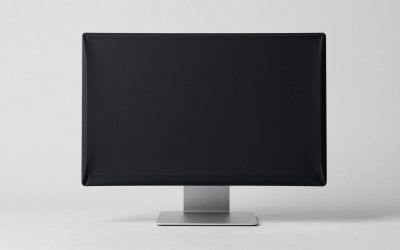
Best monitor dust cover picks: seven SZBRO, DEEP DEER and kwmobile listings matched to 19 to 35 inch screens, with a sizing method to avoid a bad fit.
Best monitor calibrator guide: eight Calibrite, Datacolor and ASUS colorimeters and kits compared by display count, bundle contents and skill level.
Best monitor for graphic design: eight 4K listings compared on sRGB and P3 claims, USB-C power and calibration wording, plus a pixel-density worked example.
Best monitor for eye strain: eight 22 to 27-inch eye-care screens compared on panel, ports, warranty and a pixel-density example for your sitting distance.
The best gaming monitors in 2026 are the ones that match your graphics card and...