

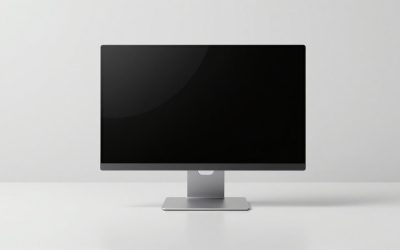
The best 5K monitors for most people are the Apple Studio Display for Mac-focused work, the Samsung ViewFinity S9 for a more flexible modern setup, and the LG UltraFine 5K when you find it at a strong price; all three deliver 5120 × 2880 resolution at roughly 218 pixels per inch on a 27-inch panel.
Our top picks
 Samsung 27" ViewFinity S8
- SAMSUNG’S 27" VIEWFINITY S8 (S80HF) HIGH-RESOLUTION MONITOR: Delivers…
- 5K RESOLUTION (5120x2880) WITH HIGH PIXEL DENSITY OF…
- HDR10+: Optimizes contrast, offering a gamut of accurate…
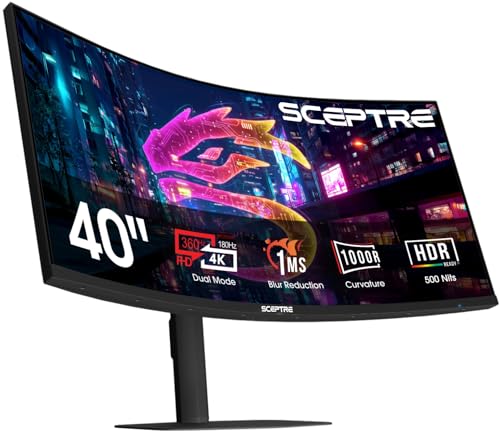 New! Sceptre Curved 39.7-inch 5K2K 5120 x
- 【EXPAND YOUR VIEW】With a 21:9 Ultrawide Aspect Ratio,…
- 【BE THE POWER USER】Stop compromising
- 【EASY ON THE EYES】 Protect your eyes and…
 INNOCN 34" 5K 120Hz 5120 x 2160P
- 【Super Clarity 5K Ultrawide Monitor】This new-gen rare 34…
- 【Productivity & Office Multitasking】Perfect for remote workers and…
- 【Fully Accessible Connectivity - HDMI + DisplayPort +…
| Product | Key specs | |
|---|---|---|
| Samsung 27" ViewFinity S8 | SAMSUNG’S 27" VIEWFINITY S8 (S80HF) HIGH-RESOLUTION MONITOR: Delivers… 5K RESOLUTION (5120x2880) WITH HIGH PIXEL DENSITY OF… HDR10+: Optimizes contrast, offering a gamut of accurate… | Check price |
| New! Sceptre Curved 39.7-inch 5K2K 5120 x | 【EXPAND YOUR VIEW】With a 21:9 Ultrawide Aspect Ratio,… 【BE THE POWER USER】Stop compromising 【EASY ON THE EYES】 Protect your eyes and… | Check price |
| INNOCN 34" 5K 120Hz 5120 x 2160P | 【Super Clarity 5K Ultrawide Monitor】This new-gen rare 34… 【Productivity & Office Multitasking】Perfect for remote workers and… 【Fully Accessible Connectivity - HDMI + DisplayPort +… | Check price |
 Dell UltraSharp 34 Monitor Dell UltraSharp 34 Monitor | Anti-glare Ambient Light Sensor Picture by Picture | Check price |
As an Amazon Associate we earn from qualifying purchases at no extra cost to you.
At a glance: the best 5K monitors
| Monitor | Screen and density | Color and brightness | Computer connection | Power delivery | Best fit |
|---|---|---|---|---|---|
| Apple Studio Display | 27 in, 5120 × 2880, 218 ppi | 600 nits; P3 wide color | Thunderbolt 3; three USB-C ports | Up to 96W | Mac users who want a polished all-in-one desk display |
| Samsung ViewFinity S9 | 27 in, 5120 × 2880, 218 ppi | Up to 600 nits; 99% DCI-P3 | Thunderbolt 4, DisplayPort, USB-C | Up to 90W | Mac and Windows users needing broader input options |
| LG UltraFine 5K 27MD5KL | 27 in, 5120 × 2880, 218 ppi | 500 nits; P3 wide color | Thunderbolt 3; three USB-C ports | Up to 94W | Mac-first creative work at a discounted price |
| 27-inch 5K professional monitor | 27 in, 5120 × 2880, 218 ppi | Typically 400–600 nits; sRGB or P3 | USB-C, DisplayPort, sometimes Thunderbolt | Usually 65–100W | Buyers comparing newer USB-C options by specification |
Market prices vary substantially by region, stand configuration, and discounting. A realistic range for a new 27-inch 5K display is approximately $1,000–$1,600, while older or refurbished models can cost less. A monitor sold as “5K2K,” such as a 5120 × 2160 ultrawide, is not equivalent: it has the same horizontal pixel count but substantially fewer vertical pixels and a lower pixel density at common screen sizes.
1. Apple Studio Display: best for an integrated Mac workspace
The Apple Studio Display is the easiest recommendation for someone using a MacBook or Mac desktop who wants crisp text, dependable color, and minimal setup decisions. Its 27-inch 5K panel gives macOS enough resolution to render a sharp “looks like 2560 × 1440” workspace while retaining the fine detail of the native pixel grid.
Its 600-nit brightness and P3 color gamut suit photo editing, design applications, office work, and video timelines. The built-in camera, speakers, and microphone can also reduce desk clutter, although they are not a substitute for a dedicated camera or audio setup when recording professionally.
The main limitation is connectivity. The display is designed around Thunderbolt 3, and it does not provide a full range of HDMI, DisplayPort, or KVM features. It is therefore most attractive when your primary computer is a recent Mac. A MacBook can connect with one cable while receiving up to 96W of charging, but you should still check the laptop’s actual charging needs during demanding workloads.
Choose it if
- You use macOS every day and value a clean one-cable connection.
- You need strong text clarity at a normal 27-inch desk distance.
- You want an integrated webcam and speakers without adding peripherals.
2. Samsung ViewFinity S9: best for mixed-device flexibility
The Samsung ViewFinity S9 is the more versatile choice when a 5K monitor may be shared between a Mac, Windows PC, laptop, or tablet. It combines a 27-inch 5K panel with Thunderbolt 4, DisplayPort, and USB-C connectivity, making it less dependent on one computer ecosystem than the Apple and LG alternatives.
Its stated 99% DCI-P3 coverage is useful for wide-gamut creative work, while the matte display treatment can be preferable in a bright office. Matte coatings scatter reflections, however, so text and dark images may look slightly less glass-like than on a glossy screen. Neither finish is universally better: prioritize room lighting and your tolerance for reflections.
The monitor can supply up to 90W over USB-C or Thunderbolt, enough for many productivity laptops. Check the port specification on your computer before assuming that every USB-C cable will carry 5K video. A USB-C connector can support charging, data, video, or only some of those functions depending on the device and cable.
Choose it if
- You switch between macOS and Windows.
- You want DisplayPort as a fallback input.
- Your workspace is bright and you prefer a matte surface.
3. LG UltraFine 5K: best value when discounted
The LG UltraFine 5K remains a compelling Mac-oriented option because its core specification is still strong: 5120 × 2880 resolution, 218 ppi, P3 wide color, 500-nit brightness, and Thunderbolt 3 connectivity with laptop charging up to 94W.
It is less flexible than newer displays. Its connection choices are centered on Thunderbolt and USB-C rather than offering a broad set of video inputs, and availability can be less predictable. Before buying, confirm the exact model, included stand, warranty, and condition rather than assuming every listing has identical accessories.
For creative applications, the difference between 500 and 600 nits is usually less important than consistent color management, suitable room lighting, and a calibrated workflow. The LG can be the sensible purchase when its price is meaningfully below the Apple Studio Display and you do not need the Apple display’s camera, speakers, or ecosystem integration.
How 5K resolution changes everyday work
A 27-inch 5K screen has 14.7 million pixels. Compared with a 27-inch 4K display, it has 1.8 times as many pixels while occupying the same physical area. That extra density is valuable for small text, high-resolution photographs, vector artwork, and video previews.
The practical benefit comes from scaling. At a “looks like 2560 × 1440” setting, a 5K panel uses a 2× pixel relationship: interface elements remain comfortable while text edges and icons are drawn with extra detail. Running the panel at an extremely small, near-native desktop scale technically provides more workspace but can make menus and text tiring to read.
A 32-inch 4K monitor has about 138 ppi, compared with roughly 218 ppi for a 27-inch 5K display. The 32-inch screen offers larger physical windows, but the 5K 27-inch screen usually looks sharper at the same viewing distance. Choose size when timeline width and large canvases matter more than compact pixel density.
Decision matrix: which type suits your desk?
| Your situation | Best direction | Reason |
|---|---|---|
| MacBook is your only computer | Apple Studio Display or LG UltraFine 5K | One-cable video, charging, and high-density macOS scaling |
| Mac and Windows share the monitor | Samsung ViewFinity S9 | More input options and less reliance on Apple-specific connectivity |
| Desk is only 100–120 cm wide | 27-inch 5K | High detail without the physical width of a 32-inch or ultrawide display |
| Frequent color-critical work | Display with verified P3 coverage and calibration support | Gamut claims alone do not guarantee accurate factory color |
| Mostly documents and spreadsheets | 5K only if text sharpness is a priority | A cheaper 4K display may provide better value if color and density are secondary |
Desk-space and connection checks before buying
Allow roughly 65 cm of desk width for a 27-inch panel, plus room for speakers, a laptop, and cable access. A deep stand can consume 20–25 cm of front-to-back space, so measure from the rear cable area to the front edge of the desk rather than measuring only the screen.
For a simple MacBook setup, connect the computer to the monitor’s Thunderbolt or USB-C input, then attach keyboard, mouse, storage, and networking devices to the monitor where supported. This can turn one cable into the laptop’s entire desk connection. For a desktop PC, verify that the graphics hardware and cable can output 5120 × 2880 at the intended refresh rate. Adapters that work for 4K do not automatically support 5K.
Ownership realities
The first things that tend to cause frustration are not the pixels but cables, input limitations, and scaling choices. Keep a certified high-bandwidth cable available, avoid routing heavy cables through a sharply bent connector, and do not clean the panel with window cleaner or abrasive cloths. Use a clean microfiber cloth, with minimal moisture applied to the cloth rather than sprayed onto the display.
Check for image retention if the monitor will show a static toolbar or editing interface all day, and use sleep settings when practical. Brightness also affects heat and energy use: running at maximum brightness is rarely necessary in a controlled office. Finally, treat the monitor’s USB hub as a convenience rather than a complete docking station unless it explicitly supports the ports and features you need.
Final recommendation
Pick the Apple Studio Display for the most cohesive Mac desk, the Samsung ViewFinity S9 for mixed-device connectivity and a matte creative workspace, and the LG UltraFine 5K when its older port design is acceptable and the price is substantially lower. For sharp text and detailed creative work, the 27-inch 5K format remains unusually effective: it combines a manageable footprint with the pixel density needed to make scaled interfaces look exceptionally clean.



Write Your Review
No reviews yet. Be the first to share your experience!