

Our Top Picks
 QIXZOCV MWE 32 Inch Indoor Digital Signage Display32 Inch1.06 x 18.15 x 48.87 inches47.5 PoundsCheck on Amazon
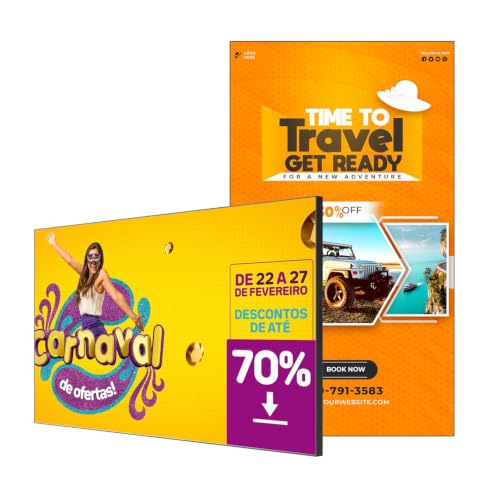 Canlarriz 32" Digital Signage Display 700-Nit Android Commercial['32']1.38 x 16.21 x 28.18 InchesCheck on Amazon
Which monitor suits digital signage depends first on one choice: should the screen play content by itself, or should it be a plain display fed by a separate player? For a small shop or cafe, the best monitor for digital signage is usually a unit with a built-in media player and content manager, which in this set means the Canlarriz and QIXZOCV listings; the LG 4K models suit buyers who already own a player. The eight listings range from 15.6 to 50 inches, and three are touchscreen kiosks rather than pure signage. Brightness, runtime and CMS claims are all seller claims, and we flag the typos and vague wording as they come up.
Side-by-side summary

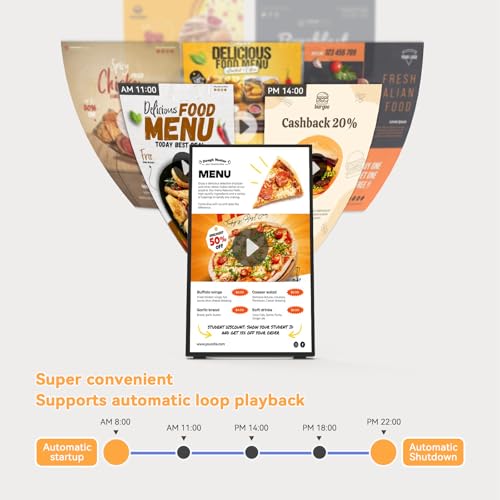
Canlarriz 18.5" Digital Signage Display, 700 Nits Digital Menu Board | Built-in CMS for Restaurants, Retail Stores, Cafes, Hotels, Business Advertising, Menu Display, Plug & Play via USB or HDMI




As an Amazon Associate we earn from qualifying purchases. Product prices and availability are accurate as of the date/time indicated.

15.6" Digital Signage Display, Touchscreen Monitor with Mobile Stand


As an Amazon Associate we earn from qualifying purchases. Product prices and availability are accurate as of the date/time indicated.
QIXZOCV MWE 32 Inch Indoor Digital Signage Display Monitor, LCD Digital Kiosk, Advertising Display Poster, Android Kiosk with Auto Media Player, HDMI/USB (Plug-in use)


As an Amazon Associate we earn from qualifying purchases. Product prices and availability are accurate as of the date/time indicated.

UL3Q-E 16:9 4K Ultra HD Digital Signage Commercial LCD Display, 50"


As an Amazon Associate we earn from qualifying purchases. Product prices and availability are accurate as of the date/time indicated.

43 inch Wall Mount Digital Signage, FHD Touchscreen 43" Monitor Android 14


As an Amazon Associate we earn from qualifying purchases. Product prices and availability are accurate as of the date/time indicated.
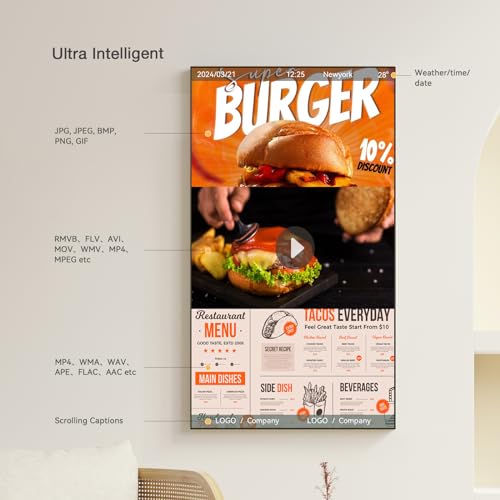
Canlarriz 32" Digital Signage Display 700-Nit Android Commercial Display | Free CMS for remote content management across retail, hospitality, office and restaurant locations.




As an Amazon Associate we earn from qualifying purchases. Product prices and availability are accurate as of the date/time indicated.

LG 43" 4K UHD LCD Digital Signage Display - Black


As an Amazon Associate we earn from qualifying purchases. Product prices and availability are accurate as of the date/time indicated.
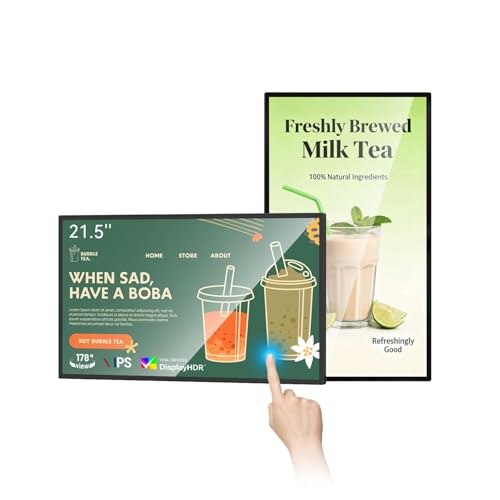
21.5 inch Wall Mount Digital Signage, Touchscreen Industrial Monitor | Multi-Touch Screen Smart Split, Commercial Advertising Display, Time Switch, CMS Management, HD-MI/ USB/ WiFi/ for Windows
As an Amazon Associate we earn from qualifying purchases. Product prices and availability are accurate as of the date/time indicated.
| Model | Key point from title | Price tier | Best for |
|---|---|---|---|
| Canlarriz 18.5-inch | 18.5-inch, 700 nits claim, built-in CMS, USB or HDMI | Budget | Counter menu board |
| PWR4GTR 15.6-inch | 15.6-inch touchscreen with mobile stand | Budget | Portable touch kiosk |
| QIXZOCV MWE 32-inch | 32-inch Android kiosk, auto media player, HDMI/USB | Premium | Retail window or wall |
| LG UL3Q-E 50-inch | 50-inch 4K UHD commercial LCD | Mid-range | Large venues with an external player |
| RIXZSIW 43-inch | 43-inch FHD touchscreen, wall mount, Android 14 claim | Premium | Interactive wayfinding |
| Canlarriz 32-inch | 32-inch, 700-nit claim, Android, free CMS | Mid-range | Multi-site menu or promo screen |
| LG 43-inch 4K | 43-inch 4K UHD LCD signage display | Mid-range | Sharp wall signage with a player |
| RIXZSIW 21.5-inch | 21.5-inch touch, time switch, CMS, HDMI/USB/WiFi | Mid-range | Small touch kiosk or check-in |
The eight displays
Canlarriz 18.5-inch menu board
The title lists an 18.5-inch display with a 700-nit claim, a built-in CMS and plug-and-play playback from USB or HDMI, aimed at restaurants, cafes and retail. That makes it the simplest way to put a looping menu on a counter. Resolution and orientation are not named, so check the listing. At 18.5 inches, readable text will only reach a few feet, which suits a till-point rather than a wall across the room. Ask the seller how content is loaded and whether the CMS needs an internet connection.
Pros
- Built-in CMS and USB playback in one box
- Small enough for a counter
Cons
- Resolution is not in the title
- Too small for viewers beyond a few feet
Who it’s for: A cafe or shop that wants a self-contained counter menu.
PWR4GTR 15.6-inch touchscreen on mobile stand
This title mentions a 15.6-inch touchscreen and a mobile stand, but not a media player, CMS, brightness or resolution. It reads more like a portable touch kiosk than signage, so confirm whether it plays content on its own or needs a connected computer. The mobile stand is a convenience for events, though check how stable it is on carpet and with children nearby. For loop signage on a wall, the other listings fit better. Also check what powers the touchscreen and whether a cable to a computer is included.
Pros
- Mobile stand suits events and pop-ups
- Touch input for interactive use
Cons
- No player or CMS named in the title
- Small screen limits viewing distance
Who it’s for: A pop-up stall that wants a movable touch display.
QIXZOCV MWE 32-inch Android kiosk
A 32-inch indoor LCD kiosk with an Android system and an auto media player, with HDMI and USB inputs. The title also says “(Plug-in use)”, which is vague; check whether it means plug-and-play USB playback. Resolution and brightness are not in the title. In this set it sits in a higher price tier than the 32-inch Canlarriz, so compare the extra features the listing claims before paying the difference. Ask which video and image formats the built-in player accepts.
Pros
- Auto media player built in
- 32-inch size reads well across a small shop
Cons
- Brightness and resolution not in the title
- Higher tier than the other 32-inch listing
Who it’s for: A retail window or interior wall in a small shop.
LG UL3Q-E 50-inch 4K
The title states a 50-inch 16:9 4K Ultra HD commercial LCD, with no player, brightness or hours-of-use figure. It is a plain, larger display, so plan on an external media player or stick. At 50 inches, 4K spreads about 88 pixels per inch (estimate: 4406 diagonal pixels divided by 50), so text stays crisp from a reasonable distance. Check mounting pattern, weight and the supported orientation before buying a wall bracket. The title lists no brightness figure, so judge it for indoor use unless the listing says more.
Pros
- 4K on a 50-inch panel
- Commercial-grade positioning by LG
Cons
- Needs an external media player
- Weight and mounting details are not in the title
Who it’s for: A larger venue where you already have a player or CMS.
RIXZSIW 43-inch wall-mount touchscreen
A 43-inch full-HD touchscreen with wall mounting and an Android 14 claim in the title. Full HD at 43 inches works out to roughly 51 pixels per inch (estimate), which looks soft up close, and touch screens are used up close. That is the key trade-off here: the interactive features cost more, but the panel is the least sharp per inch of the listings whose resolution is stated. Check the player, CMS and brightness on the listing, and ask how long the seller supports firmware updates.
Pros
- Touch plus wall mount for interactive use
- Large 43-inch viewing area
Cons
- Roughly 51 pixels per inch is soft at arm’s length
- Premium tier within this set
Who it’s for: An interactive directory in a lobby, where viewers stand a few feet back.
Canlarriz 32-inch Android display
The 32-inch sibling of the first Canlarriz listing: a 700-nit claim, Android commercial display and free CMS for managing content remotely across several sites. For a business with more than one shop, remote control matters more than extra inches. The title does not list resolution or hours-of-use ratings, so ask the seller. It sits in a lower tier than the other 32-inch listing, which makes it the better-value starting point if you do not need the QIXZOCV extras. Ask whether the CMS manages several screens from one account.
Pros
- Free CMS for remote content updates
- 700-nit claim aimed at bright rooms
Cons
- Nit rating is a seller claim
- Resolution and runtime rating are not stated
Who it’s for: A small chain managing several menu or promo screens.
LG 43-inch 4K UHD signage display
The title is short: a 43-inch 4K UHD LCD digital signage display, in black, with no model number. That is a warning sign for a commercial purchase, so confirm the exact model, warranty and supported inputs on the listing. At 43 inches, 4K gives about 102 pixels per inch (estimate), sharper than the full-HD touch units here. Like the other LG, it needs a separate player. Look at the warranty length and whether the seller is authorized.
Pros
- 4K sharpness on a mid-size panel
- Familiar brand with commercial positioning
Cons
- No model number in the title
- External player needed
Who it’s for: A shop wall where image sharpness matters more than built-in apps.
RIXZSIW 21.5-inch wall-mount touch monitor
This listing mixes signals. The title describes a wall-mount industrial touch monitor with multi-touch smart split, a time switch, CMS management and “HD-MI/ USB/ WiFi/ for Windows” connectivity, with a typo in “HD-MI”. “For Windows” is ambiguous: it may mean Windows compatibility rather than a built-in Windows system, so confirm. It is a family match of the 43-inch RIXZSIW, smaller and cheaper, and works as a check-in or kiosk screen. Ask whether the time switch and split screen work without a computer.
Pros
- Time switch and CMS named in the title
- Compact size for kiosks and counters
Cons
- Typo and vague “for Windows” wording
- Touch-first design, not a pure signage screen
Who it’s for: A reception check-in kiosk or small interactive point.
Loop-size worksheet
Before choosing a built-in-player screen, estimate how big your content loop will be, because the internal storage and Wi-Fi link must carry it. The assumptions are rough: 1080p H.264 video at about 8 Mbps and 4K at about 25 Mbps, with your own encoder settings changing the result.
| Loop length | 1080p file size | 4K file size |
|---|---|---|
| 10 minutes | about 0.6 GB | about 1.9 GB |
| 30 minutes | about 1.8 GB | about 5.6 GB |
Worked example: ten screens each receive a 10-minute 1080p loop. That is about 6 GB in total. On a shop connection with 20 Mbps of upload (about 2.5 MB per second), the transfer takes about 40 minutes, so schedule updates for after closing. A full-HD display such as the 43-inch RIXZSIW gains nothing from a 4K file, so export 1080p for it and save the space. Always confirm the storage size and supported formats on the listing.
How we picked these
We compared the eight listings on published specifications, manufacturer documentation and buyer reviews, reading each title for size, resolution, player, CMS and touch features. Nobody on the team used or measured these units. Brightness, runtime and Android claims are seller claims. Price tiers are relative inside this set, and where a title is silent we say “check the listing”. We also note near-duplicates and off-type items, because three of these are touch kiosks rather than conventional signage.
What to look for in a signage display
Player and content management
Decide whether you want an all-in-one unit or a plain screen. Built-in CMS listings simplify setup but tie you to the seller’s software, so check how it handles updates, offline playback and what happens if the vendor changes its service. A plain screen with a separate player gives more freedom to swap either part later.
Viewing distance and text size
A common sign-making rule of thumb gives about one inch of letter height for every ten feet of viewing distance. Treat it as an estimate. A viewer six feet from the counter needs letters of roughly 0.6 inch; a lobby wall read from 30 feet needs about 3 inches, which is easy on 43 inches or larger and awkward on 18.5 inches.
Brightness and placement
A window-facing screen competes with daylight, so brightness claims matter. Compare the nit figures and treat all of them as seller claims, since the conditions behind them are rarely given. Keep screens away from direct sun, and leave ventilation gaps behind wall-mounted units.
Touch or no touch
Touch adds a surface to clean and a reason for people to stand close, which exposes low pixel density. If viewers only watch, skip touch and gain sharper images per dollar.
Mounting and hours of use
Wall units need a bracket rated above the weight; for small counter units, a monitor stand or monitor arm can raise the screen into the eye line if the VESA pattern matches. Ask about rated hours per day, since the titles here rarely state them.
Orientation, schedule and warranty
Menu boards often run in portrait, and not every display is rated for it, so look for an orientation statement on the listing. A time switch, named in the RIXZSIW title, can power screens on and off with your opening hours, which saves wear and electricity. Finally, read the warranty terms for commercial use, because consumer-grade coverage can exclude signage.
Mistakes buyers make
- Reading a 700-nit claim as proof of sunlight-readable output, when the listing gives no measurement conditions.
- Putting a Full HD touchscreen where people read from three feet, then noticing the pixels.
- Skipping the model number check on a title that has none, which makes warranty claims harder.
- Sending 4K files to a 1080p panel, which fills storage for no visible gain.
- Buying a touch kiosk when nobody will touch it, and paying for features that only collect fingerprints.
- Forgetting a schedule, so screens run all night with no audience.
- Mounting on a bracket that is not rated for the weight, or forgetting ventilation space behind the screen.
Verdict
For a self-contained setup, start with the Canlarriz 32-inch for remote content or the 18.5-inch for a counter. If sharp images matter and you can supply a player, the LG 43-inch 4K is the logical wall pick, once you verify the model. The RIXZSIW and PWR4GTR touch units are for interactive jobs, not loop playback. Treat the QIXZOCV as a mid-size alternative worth comparing on features before paying its higher tier. Whatever you choose, confirm storage, orientation and rated hours on the listing first.
Related guides
Frequently asked questions
Can I use a regular monitor for digital signage?
Yes, if you add a media player and accept that it may not be rated for all-day use. Commercial signage displays are usually built and warrantied for long daily hours; consumer monitors may not be. Check the listing for rated hours and orientation, and confirm that portrait mounting is allowed.
What size display do I need?
Match size to viewing distance. A rule of thumb of one inch of letter height per ten feet suggests 0.6 inch letters at six feet and about 3 inches at thirty feet. That favors 43 inches or more for lobbies and 18.5 inches only for a counter. It is an estimate, so adjust for your content.
Do I need 4K for signage?
Not always. Full HD is fine for menu boards read from several feet away, and 4K matters more when text is small or viewers stand close. A 43-inch 4K panel is about 102 pixels per inch against roughly 51 for Full HD. Also check that your player outputs 4K, or the extra pixels go unused.
What does a built-in CMS do?
A content management system lets you upload videos or images and schedule playback, often over Wi-Fi or a web dashboard. It saves buying a separate player, but the listing should say how updates work, whether playback continues offline and who supports the software. Seller-provided CMS quality varies, so read buyer reviews carefully.
Are the nit ratings in these titles reliable?
Treat them as seller claims. Titles such as the 700-nit Canlarriz listings do not say whether the figure is peak or typical, or how it was measured. For a bright shopfront, ask the seller for documentation and avoid direct sun on the screen regardless of the claimed number, because glare reduces readability.







Write Your Review
No reviews yet. Be the first to share your experience!