

Our Top Picks
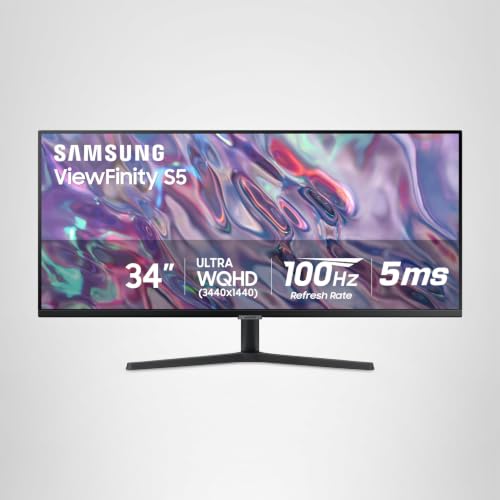
 SAMSUNG 34" ViewFinity S50GC Series Ultra-WQHD Monitor34- in Flat8.7 x 32.1 x 18 inches10.8 PoundsCheck on Amazon
For CAD, pixel density beats refresh rate: a 27-inch QHD screen packs about 109 pixels per inch while a 27-inch 1080p screen packs about 82, and that gap decides how crisp thin linework and small dimension text look. Of the eight listings here, the Dell 27 Plus S2725DSM (QHD, with DisplayPort 1.4 named in the title) and the Samsung 34-inch Ultra-WQHD are the only two that clear a sensible density bar for daily drafting. The 1080p models suit light 2D work. None of them is sold as a CAD-certified or color-managed display, and the title text is all we have to go on.
The numbers that matter for a CAD screen
SAMSUNG 34" ViewFinity S50GC Series Ultra-WQHD Monitor, 100Hz, 5ms, HDR10, AMD FreeSync, Eye Care, Borderless Design, PIP, PBP, LS34C502GANXZA, 2023, Black


As an Amazon Associate we earn from qualifying purchases. Product prices and availability are accurate as of the date/time indicated.

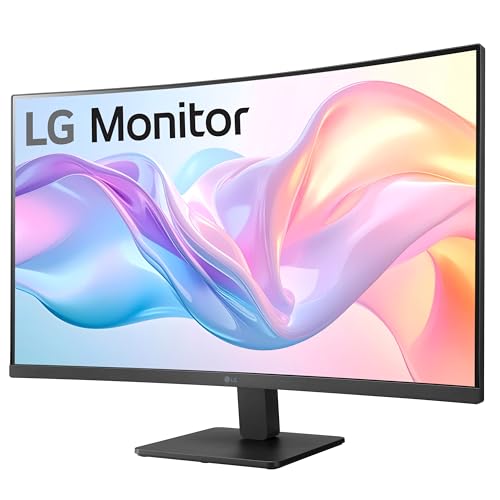
LG 32MR50C-B Curved Monitor 32-Inch FHD 100Hz AMD FreeSync OnScreen Control Dynamic Action Sync Black Stabilizer Tilt Stand (HDMI) - Black




As an Amazon Associate we earn from qualifying purchases. Product prices and availability are accurate as of the date/time indicated.

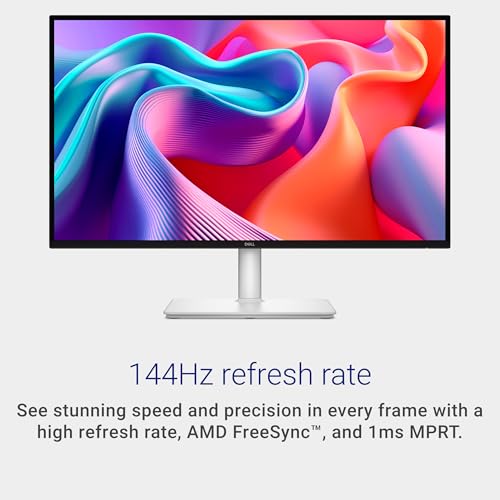
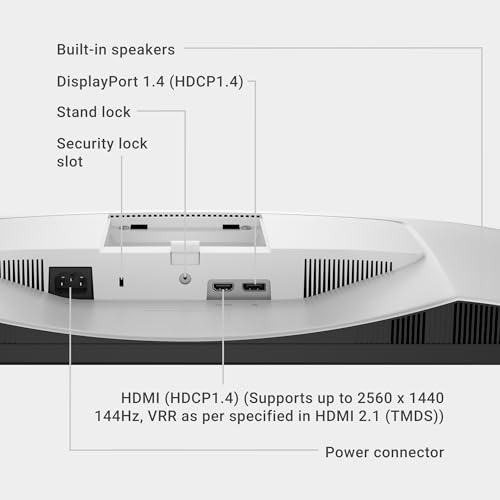
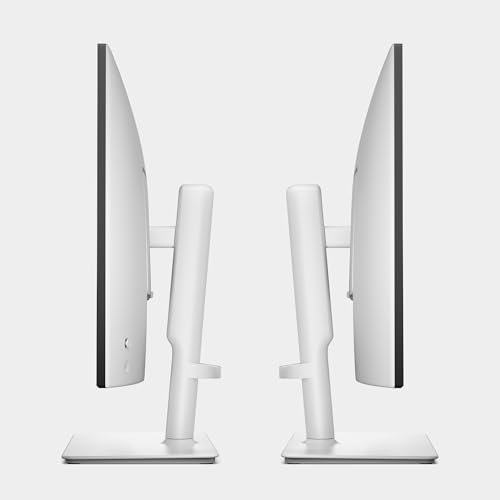
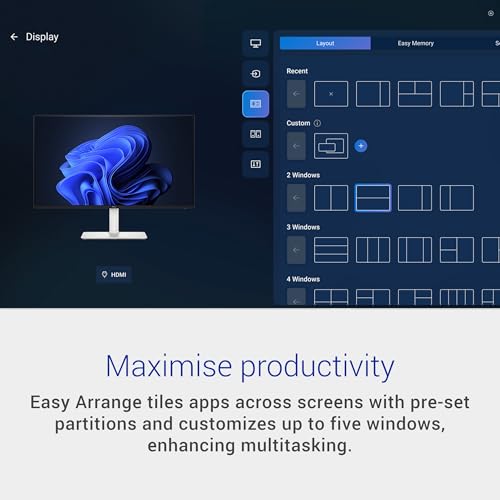
Dell 27 Plus QHD Monitor - S2725DSM - 27-inch QHD (2560x1440) 144Hz 1ms Display, 2 x 3W Speakers, HDMI/DisplayPort 1.4 Connectivity, Height/Tilt/Pivot/Swivel Adjustability, AMD FreeSync - Ash White






As an Amazon Associate we earn from qualifying purchases. Product prices and availability are accurate as of the date/time indicated.

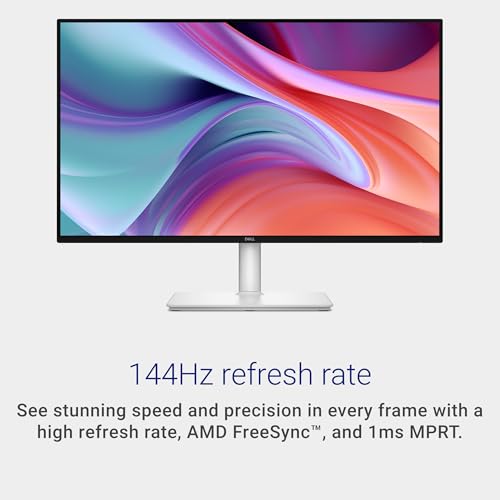
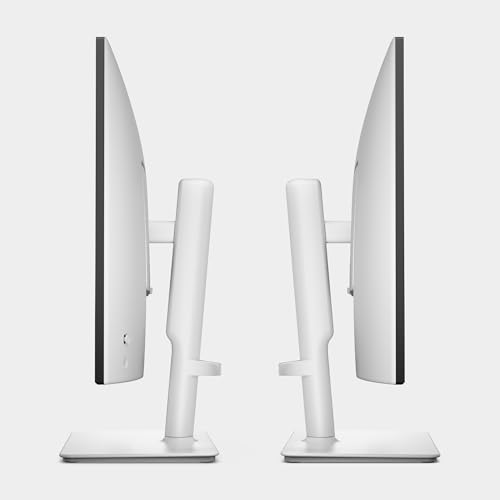
Dell 27 Plus Monitor - S2725HSM - 27-inch FHD (1920x1080) 144Hz 1ms Display, 2 x 3W Speakers, HDMI Connectivity, Height/Tilt/Pivot/Swivel Adjustability, AMD FreeSync - Ash White




As an Amazon Associate we earn from qualifying purchases. Product prices and availability are accurate as of the date/time indicated.

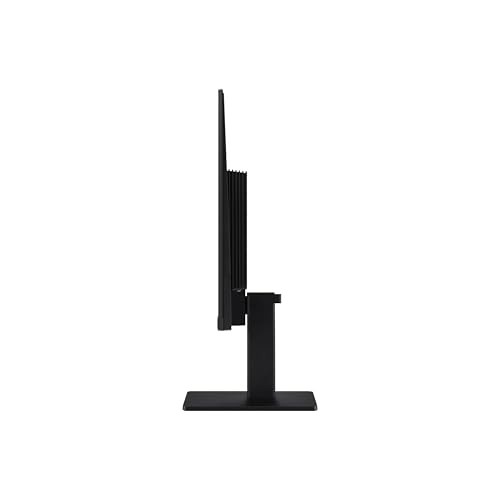
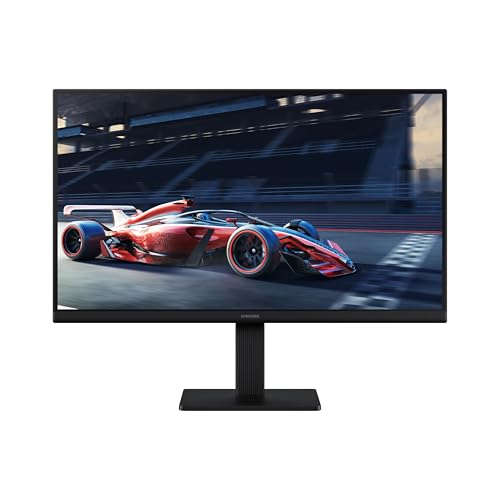
Samsung 24" (S30GD) Essential Monitor with IPS Panel and Tilt Only Stand | 100Hz Refresh Rate, Ergonomic Design, Advanced Eye Care, Game Mode, LS24D304GANXZA





As an Amazon Associate we earn from qualifying purchases. Product prices and availability are accurate as of the date/time indicated.

Amazon Basics 27 Inch Monitor, FHD 1080P, 100Hz, IPS, Built-in Speakers, VESA Compatible, USB Ports, Black


As an Amazon Associate we earn from qualifying purchases. Product prices and availability are accurate as of the date/time indicated.

Amazon Basics 27-inch Computer Monitor, 120 Hz, 1080P, IPS, HDMI, DisplayPort, VESA Compatible for Office, Home


As an Amazon Associate we earn from qualifying purchases. Product prices and availability are accurate as of the date/time indicated.

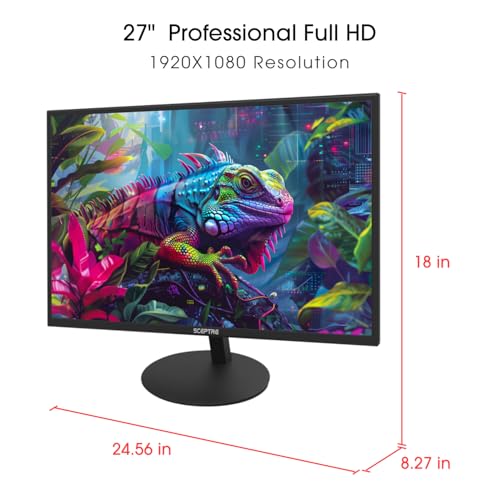
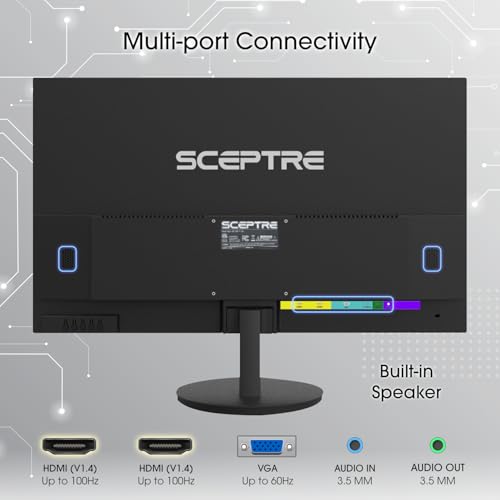
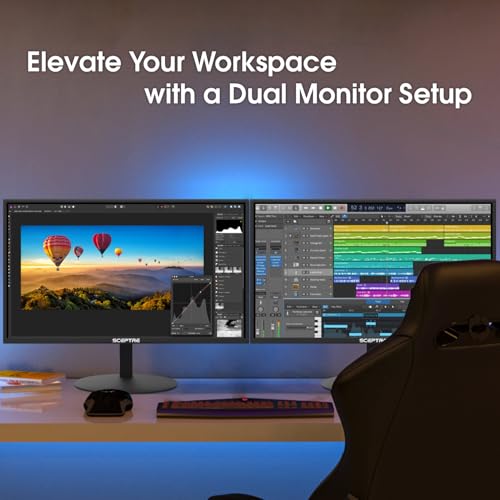
Sceptre E275W-19203R 27 inch1080P LED Monitor 99% sRGB 2X HDMI VGA Build-In Speakers, Machine Black (E275W-19203R series)



As an Amazon Associate we earn from qualifying purchases. Product prices and availability are accurate as of the date/time indicated.
Pixel density before panel size
Density is resolution divided by diagonal size. These figures are our arithmetic, so confirm the native resolution on each listing, especially the ultrawide, where we assume 3440 x 1440.
| Class | Resolution | Pixels per inch (estimate) |
|---|---|---|
| 32 in FHD | 1920 x 1080 | 69 |
| 27 in FHD | 1920 x 1080 | 82 |
| 24 in FHD | 1920 x 1080 | 92 |
| 27 in QHD | 2560 x 1440 | 109 |
| 34 in ultrawide QHD | 3440 x 1440 (assumed) | 110 |
A worked drawing-area example
Assume the ribbon, command line and status bar take about 250 pixels of height and side palettes take about 300 pixels of width (both estimates; your software varies). On a 1080p screen that leaves 1620 x 830, about 1.34 million pixels of drawing area. A 27-inch QHD leaves 2260 x 1190, about 2.69 million, roughly 2.0 times more. The 34-inch ultrawide leaves 3140 x 1190, about 3.74 million, roughly 2.8 times. A bigger 1080p panel gives larger pixels, not more of them.
Cables and bandwidth
CAD works fine at 60 Hz, so a 144 Hz spec is optional. Raw pixel data for 2560 x 1440 at 60 Hz is about 5.3 Gbit/s, and for 3440 x 1440 at 60 Hz about 7.1 Gbit/s, before blanking overhead. HDMI 1.4 carries roughly 8.2 Gbit/s of data, so the ultrawide has thin headroom there. DisplayPort or confirmed HDMI 2.0 is the safer link. Only the Dell QHD and the Amazon Basics 120 Hz model name DisplayPort in their titles.
Stand, VESA and height
Set the top edge near eye level for long sessions. Tilt-only stands, as on the Samsung 24-inch and the LG, make that hard. If you plan to mount on an arm, check each monitor’s weight against the arm’s rated range; our monitor arms guide explains that check, and the dual monitor arms guide covers a second screen for reference drawings.
What these monitors are not
sRGB claims and ‘eye care’ labels do not make a display color-accurate. For rendering or print-bound output, the graphic design monitor roundup looks at color claims instead. Curved panels bend the look of straight lines near the edges for some people, so many drafters prefer flat ones.
Eight CAD monitor candidates at a glance
| Model | Key point from title | Price tier | Best for |
|---|---|---|---|
| Samsung 34-inch S50GC | Ultra-WQHD, 100 Hz, HDR10, PIP and PBP | Premium | Wide timelines and side-by-side views |
| Dell 27 Plus S2725DSM | QHD, DisplayPort 1.4, height/pivot stand | Mid-range | Daily 2D and 3D CAD |
| Dell 27 Plus S2725HSM | FHD, HDMI only, height/pivot stand | Mid-range | Adjustable stand, light drafting |
| LG 32MR50C-B | Curved 32-inch FHD, HDMI, tilt stand | Mid-range | Large size at low density |
| Samsung 24-inch S30GD | IPS, tilt only stand, 100 Hz | Budget | A compact second screen |
| Amazon Basics 27-inch 100 Hz | FHD IPS, speakers, VESA, USB ports | Budget | A hub-style 1080p desk |
| Amazon Basics 27-inch 120 Hz | FHD IPS, HDMI and DisplayPort, VESA | Budget | Cheapest DisplayPort route |
| Sceptre E275W | 27-inch 1080p, 99% sRGB claim, VGA input | Budget | Basic 2D viewing on a tight budget |
Each monitor in detail
Dell 27 Plus S2725DSM QHD
On paper this is the best match in the set for CAD. A 27-inch QHD panel gives about 109 pixels per inch, the title names DisplayPort 1.4 as well as HDMI, and the stand is listed as height, tilt, pivot and swivel adjustable. Pivot is handy for tall drawings or long documents. The 144 Hz and 1 ms figures are seller claims and mostly irrelevant to drafting. Panel type is not in the title, so check viewing angles on the product page. Speakers are built in, which saves a cable, and the VESA pattern is not named in the title.
Pros
- Sharpest density among the 27-inch listings
- DisplayPort 1.4 named in the title
- Full height and pivot adjustment
Cons
- Panel type not stated in the title
- Gaming specs add cost without helping CAD
Who it’s for: drafters and 3D modelers who want one good 27-inch screen.
Samsung 34-inch ViewFinity S50GC Ultra-WQHD
The title lists Ultra-WQHD, 100 Hz, 5 ms, HDR10, AMD FreeSync, Eye Care, borderless design, PIP and PBP. The ultrawide format gives us roughly 2.8 times the drawing area of a 1080p screen in our worked example, and PBP lets two sources share the width. It is also the dearest listing here. Ports, panel type, curvature and stand adjustments are not in the title, so read them on the page. HDR10 does nothing for CAD itself, and a 100 Hz refresh is more than drafting needs. Remember the bandwidth point above when you pick the cable.
Pros
- Widest workspace in the group
- PBP and PIP for two sources
- Density comparable to a 27-inch QHD, per our estimate
Cons
- Top price tier in this set
- Panel, curve and stand details missing from the title
Who it’s for: users who live in wide plan views and can afford the premium.
Amazon Basics 27-inch 120Hz HDMI and DisplayPort
A budget 27-inch with 120 Hz, 1080p, IPS, HDMI and DisplayPort and VESA compatibility, aimed at office and home. About 82 pixels per inch means linework is serviceable but not crisp up close. What matters is that the title names DisplayPort, which keeps the cabling choices open, and the price tier is the lowest-risk here. The 120 Hz label is a bonus for scrolling, not a CAD feature. If you can work at that density at arm’s length, it is a sensible way to get started and upgrade later. It is a plain office monitor and should be bought as one.
Pros
- Lowest-risk price tier
- DisplayPort and VESA named in the title
Cons
- 1080p at 27 inches gives about 82 pixels per inch
- Stand adjustments not stated
Who it’s for: light 2D drafting on a very tight budget.
Amazon Basics 27-inch FHD 100Hz with USB Ports
This Amazon Basics 27-inch pairs FHD and IPS with built-in speakers, VESA compatibility and USB ports at 100 Hz. The USB ports can act as a tidy hub for a mouse or drive, depending on how the listing wires them. The density is the same as the other 27-inch 1080p models, and the title mentions no DisplayPort, so confirm the inputs before buying if you want that cable. The speakers are modest by nature, so treat them as a convenience, not a feature to choose by. Its USB ports are worth confirming on the listing, since the title does not say how many.
Pros
- USB ports and speakers on board
- VESA compatible per the title
Cons
- Inputs not stated in the title
- Same 1080p density limit as its siblings
Who it’s for: someone who wants a convenient 1080p desk with a hub function.
Dell 27 Plus S2725HSM FHD
This is the QHD model’s lower-resolution sibling, with 1080p, HDMI only, 144 Hz, 1 ms and the same height, tilt, pivot and swivel stand. It is a weaker class for CAD, and it is priced close to the QHD version, so the choice is mostly about whether you value the better stand over resolution. At 27 inches that is about 82 pixels per inch against 109 on the QHD. Unless the price gap is large, the QHD is the better pick. If you already own a DisplayPort-free setup, this HDMI-only unit at least plugs in without adapters.
Pros
- Full ergonomic stand
- Same footprint as the QHD model
Cons
- Weaker class than its QHD sibling at a similar tier
- HDMI only, per the title
- Gaming specs add little for drafting
Who it’s for: buyers who prioritize the adjustable stand and mainly view drawings.
Samsung 24-inch Essential S30GD IPS
A 24-inch Samsung with an IPS panel, 100 Hz, Eye Care and Game Mode, on a tilt-only stand. The smaller size lifts density to about 92 pixels per inch at 1080p, which is more comfortable than a 27-inch 1080p for fine details but offers less room. It makes a decent reference or second screen. Height adjustment is not available, so an arm or riser would be helpful. Game Mode and Eye Care are brand features with no bearing on drafting accuracy. Beside a larger primary display, the size works well for palettes, reference PDFs and messages.
Pros
- IPS panel stated in the title
- Higher density than 27-inch 1080p
Cons
- Tilt-only stand
- Small for a main CAD screen
Who it’s for: a compact second screen for reference drawings or emails.
LG 32MR50C-B Curved 32-inch FHD
A 32-inch curved FHD monitor with 100 Hz, FreeSync and HDMI. At 1080p the density falls to about 69 pixels per inch, so pixels may be visible at a normal desk distance and thin lines can look rough. It is the clearest weaker-class listing for CAD here: large and cheap, but wrong for detailed work. The curve may also bend the look of straight lines near the edges, a matter of taste, and the stand gives no height adjustment. A drafting desk would be better served by a flat QHD at a similar tier, such as the Dell QHD above.
Pros
- Large screen at a mid-range tier
- FreeSync and 100 Hz named
Cons
- About 69 pixels per inch is low for CAD
- Curved and tilt-only
Who it’s for: casual viewing and general office use more than drafting.
Sceptre E275W-19203R 27-inch 1080p
The cheapest here: a 27-inch 1080p LED with a 99% sRGB claim, two HDMI inputs, VGA and speakers. The panel type is not given, so viewing angles are unknown until you check the page. VGA is analog and best avoided for sharp linework. Density is the same 82 pixels per inch as other 27-inch FHD options. The 99% sRGB figure is a seller claim and does not tell you how the colors are set out of the box. VESA mounting is not named in the title, so check before planning an arm, and confirm the stand tilts enough for your seating height.
Pros
- Lowest price in the set
- Two HDMI inputs for two sources
- Speakers included
Cons
- Panel type not stated
- VGA is analog; not for sharp drawing work
Who it’s for: occasional viewing of drawings on a minimal budget.
How we picked these
These picks come from titles, published specifications, manufacturer documentation and buyer reviews in general terms. Nobody on the team used or measured these units. We ranked listings by density, available inputs and stand flexibility, then flagged anything the title leaves open. Any number beyond the title is our own arithmetic and labeled as an estimate. Where the listing is silent on a port or panel type, the entry says so instead of assuming. Price tiers are relative within the set of eight and change over time.
Where CAD buyers go wrong
- Paying for refresh rate. 144 Hz does little for drawing; spend the money on resolution.
- Thinking bigger means more room. A 32-inch 1080p has the same pixels as a 24-inch, just larger.
- Skipping scaling checks. Some CAD toolbars and icons behave oddly at 125% or 150% scaling; read your software’s notes.
- Using the wrong cable. A QHD or ultrawide image over a weak link may drop to a lower refresh rate or resolution.
- Buying curved without trying. Some people dislike how straight lines look near the edges.
- Forgetting the GPU. Complex 3D models depend on the graphics card more than on the monitor.
- Ignoring ergonomics. A screen you cannot raise to eye level costs comfort over a long session, however sharp it is.
Verdict
The titles point to the Dell 27 Plus S2725DSM as the best all-round CAD choice: QHD density, DisplayPort 1.4 named, and a fully adjustable stand. The Samsung 34-inch is the pick if you want maximum workspace and accept the premium tier. The Amazon Basics 120 Hz model is the budget route with DisplayPort. The Dell FHD, LG and Sceptre are weaker for detailed drafting. Confirm panel type and inputs on each page before you buy, because titles leave both open.
CAD monitor questions
Is 1080p enough for CAD?
It works for light 2D drafting and viewing drawings, but fine linework looks coarser, especially at 27 inches and above. A 27-inch 1080p screen is about 82 pixels per inch, versus about 109 for QHD. If you work in CAD daily, QHD is a more comfortable baseline, and a 24-inch 1080p is a gentler step.
Is an ultrawide monitor good for CAD?
Often yes, because the extra width suits timelines, plan views and side-by-side windows. In our worked example, a 3440 x 1440 screen gives about 2.8 times the drawing area of 1080p. Check that your GPU, ports and software handle the resolution, and that the monitor’s input supports it at 60 Hz.
Does refresh rate matter for CAD?
Not much. 60 Hz is enough for drafting, and 100 to 144 Hz mainly helps scrolling and cursor smoothness. High refresh rates add cost and need more link bandwidth, so they should not drive the choice. Put resolution, size and stand adjustment ahead of them, and then check that your graphics card and cable can drive the screen at its native resolution.
Do I need a color-accurate display for CAD?
Not for most drafting, where line clarity matters more than color. Rendering, visualization and print-bound output are different, and sRGB claims in titles are only seller statements. If color matters, look at color-managed models and consider a calibrator. Without that, treat any sRGB percentage as a rough claim only, not a guarantee for the unit on your desk.
Is a curved monitor bad for CAD?
It is a matter of taste. Curves can make straight lines near the edges look slightly bent, which some drafters find distracting when checking alignment. Flat panels remain the common choice for technical work, but plenty of people adapt quickly to a gentle curve on a large screen. If you can, try one in person before committing, or buy from a seller with an easy returns policy.







Write Your Review
No reviews yet. Be the first to share your experience!