

Our Top Picks
 Kado 2-Pack Dual 27" Curved 1500R 1920x1080 75Hz27" Curved 2-Pack2.83 x 24.46 x 14.56 inches11 PoundsCheck on Amazon
 Kado 2-Pack Dual 22" Flat Screen 1920x1080 75Hz22" 2-Pack1.46 x 19.93 x 11.92 inches16.5 PoundsCheck on Amazon
 Kado Dual Monitor 2-Pack 27" Curved 1500R 1920x108027" Curved 2-Pack2.83 x 24.46 x 14.56 inches11 PoundsCheck on Amazon
 ViewSonic VA2256-MHD_H2 22 Inch 1080p Dual Pack Head-Only22-Inch FHD11.7 x 1.9 x 19.3 inches5.8 PoundsCheck on Amazon
 Kado Dual Monitor 2-Pack 24" Curved 1500R 1920x108024" Curved 2-Pack2.21 x 21.17 x 12.65 inches11.64 PoundsCheck on Amazon
The best monitor for a dual setup is a matched pair, and in this set that means a 24-inch or 27-inch 2-pack, with the 22-inch pairs left for narrow desks. Matching matters because two identical screens keep window sizes, text and colour the same as you drag between them. Eight listings follow: five Kado 2-packs, one ViewSonic head-only pair, and two dual stands that are accessories, not monitors. All five Kado pairs run Full HD at 75Hz, so size and shape separate them more than specs do. The real decisions are desk width, mounting and which size you can fit without turning your head too far.
At-a-glance table
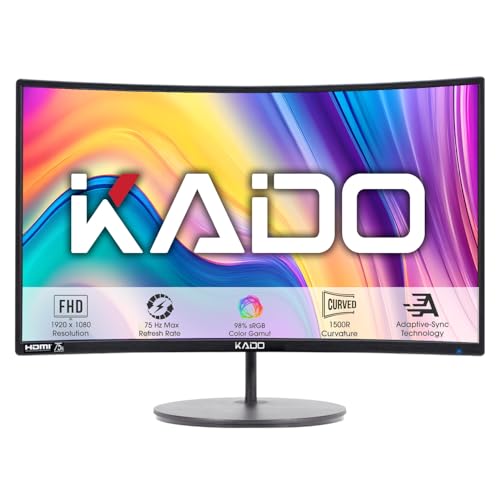
Kado 2-Pack Dual 27" Curved 1500R 1920x1080 75Hz FHD Computer Monitor | Dual Monitor Setup HDMI Office Gaming Hybrid, VESA Wall Mount Arm Mount Built-in Speakers, Panoramic Display Multi-tasking



As an Amazon Associate we earn from qualifying purchases. Product prices and availability are accurate as of the date/time indicated.
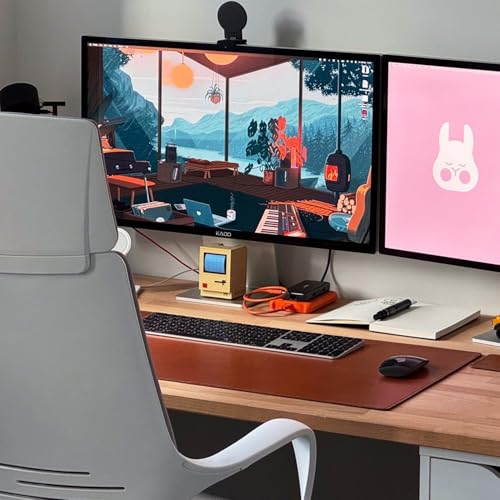
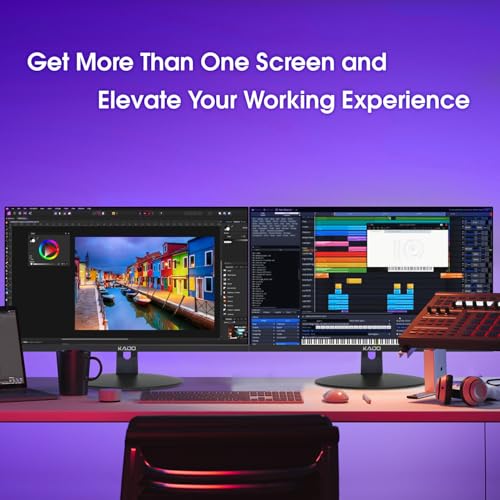
Kado 2-Pack Dual 22" Flat Screen 1920x1080 75Hz FHD Computer Monitor | Dual Monitor Setup HDMI Office Gaming Hybrid, VESA Wall Mount Arm Mount Built-in Speakers, Panoramic Display Multi-tasking




As an Amazon Associate we earn from qualifying purchases. Product prices and availability are accurate as of the date/time indicated.
Kado Dual Monitor 2-Pack 27" Curved 1500R 1920x1080 75Hz Computer Monitor | Dual Monitor Setup HDMI Office Gaming Hybrid, VESA Wall Mount Arm Mount Built-in Speakers, Panoramic Display Multi-tasking

As an Amazon Associate we earn from qualifying purchases. Product prices and availability are accurate as of the date/time indicated.
ViewSonic VA2256-MHD_H2 22 Inch 1080p Dual Pack Head-Only Monitors, IPS Display with FreeSync for Dual-Screen Home and Office Setups, HDMI, DisplayPort, and VGA Inputs


As an Amazon Associate we earn from qualifying purchases. Product prices and availability are accurate as of the date/time indicated.

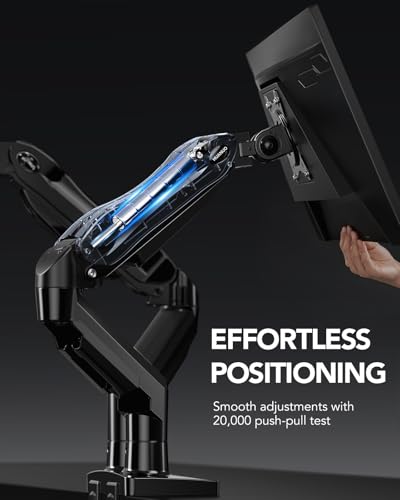
HUANUO FlowLift™ Dual Monitor Stand, Fully Adjustable Gaming Monitor Desk Mount for 13–32″ Computer Screens, Full Motion VESA 75x75/100x100 with C-Clamp & Grommet Base, Each Arm Holds 4.4 to 19.8 lbs




As an Amazon Associate we earn from qualifying purchases. Product prices and availability are accurate as of the date/time indicated.
Kado Dual Monitor 2-Pack 24" Curved 1500R 1920x1080 75Hz Computer Monitor

As an Amazon Associate we earn from qualifying purchases. Product prices and availability are accurate as of the date/time indicated.

Kado 2-Pack Dual 27" Flat Screen 1920x1080 75Hz FHD Computer Monitor | Dual Monitor Setup HDMI Office Gaming Hybrid, VESA Wall Mount Arm Mount Built-in Speakers, Panoramic Display Multi-tasking


As an Amazon Associate we earn from qualifying purchases. Product prices and availability are accurate as of the date/time indicated.

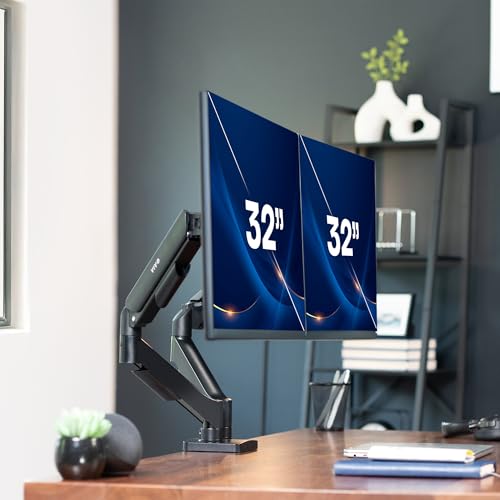
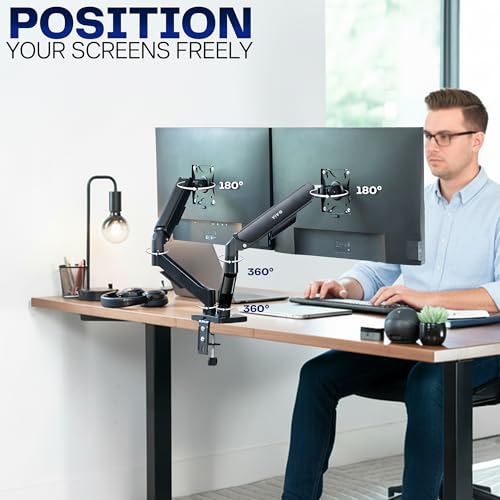
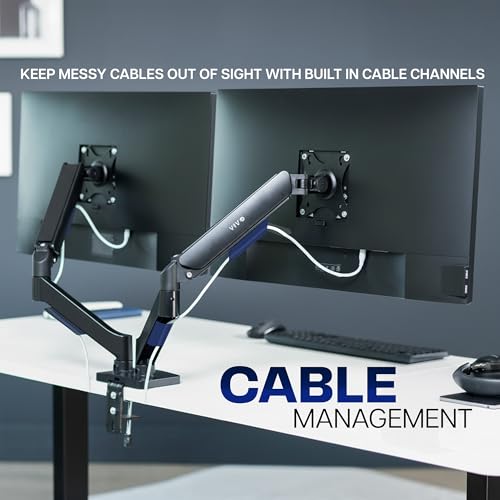
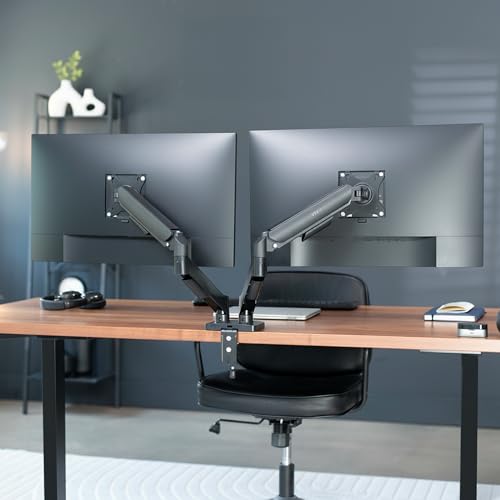
VIVO Dual Monitor Stand, Fully Adjustable Arms for 17 to 32 inch Screens, Mechanical Articulating Desk Mount, Gaming and Office Setups, VESA 75x75, 100x100, Max 19.8 lbs, Classic, Black, STAND-V002O




As an Amazon Associate we earn from qualifying purchases. Product prices and availability are accurate as of the date/time indicated.
| Model | Key point from title | Price tier | Best for |
|---|---|---|---|
| Kado 27-inch curved 2-pack (A) | 27-inch 1500R, 1920×1080, 75Hz, HDMI, VESA, speakers | Premium | Wide desks, immersive layout |
| Kado 22-inch flat 2-pack | 22-inch flat, 1920×1080, 75Hz, HDMI, VESA, speakers | Budget | Narrow desks, secondary screens |
| Kado 27-inch curved 2-pack (B) | Same wording as (A): 27-inch 1500R, 75Hz, HDMI | Premium | Same as (A); near-duplicate |
| ViewSonic VA2256-MHD_H2 | 22-inch 1080p IPS, FreeSync claim, HDMI/DP/VGA, head-only | Premium | Mounted pairs with arms |
| HUANUO FlowLift dual stand | Dual arm for 13-32-inch, VESA 75/100, clamp or grommet | Budget (accessory) | Mounting a pair |
| Kado 24-inch curved 2-pack | 24-inch 1500R, 1920×1080, 75Hz | Mid-range | Mid-width desks |
| Kado 27-inch flat 2-pack | 27-inch flat, 1920×1080, 75Hz, HDMI, VESA | Mid-range | Wide desks, simple alignment |
| VIVO dual monitor stand | Dual arm for 17-32-inch, VESA 75/100, mechanical | Budget (accessory) | Mounting a pair |
Desk-width and head-turn worksheet
Two monitors side by side take more width than people expect. The figures assume 16:9 panels, roughly one inch of bezel and gap in total, and a seated eye distance of 28 inches from the seam between screens. Those are assumptions, so adjust for your own desk.
| Pair size | Combined width | Angle from seam to outer edge |
|---|---|---|
| 2 x 22-inch | about 39 in | about 35 degrees |
| 2 x 24-inch | about 43 in | about 37 degrees |
| 2 x 27-inch | about 48 in | about 41 degrees |
Worked example: a 48-inch desk fully loaded with a 27-inch pair has no margin, and the outer edges sit about 41 degrees off to each side. Angling each screen inward by around 20 degrees reduces how far you turn your head. A 60-inch desk gives comfortable space for the 27-inch pair; a 42-inch desk suits the 22-inch pair.
Pair by pair
Kado 27-inch curved 2-pack (first listing)
The title says two 27-inch curved (1500R) Full HD monitors at 75Hz with HDMI, VESA mounting and built-in speakers. At 1920 by 1080 on 27 inches, pixel density is about 82 per inch (estimate), so text is larger and softer than on a 24-inch screen. Only HDMI is named in the title; if your computer has fewer HDMI ports than two, you will need a dock or adapter. Marketing phrases like “gaming hybrid” do not add specifications.
Pros
- Matched pair with VESA mounting named
- Curved panels wrap toward your sight line
Cons
- About 82 pixels per inch is soft for small text
- Only HDMI is named in the title
Who it’s for: A wide-desk user who values screen size over sharpness.
Kado 22-inch flat 2-pack
A pair of 22-inch flat Full HD 75Hz monitors with HDMI, VESA mounting and speakers. It is the smallest and cheapest pair here, with about 100 pixels per inch (estimate), the sharpest of the Kado options. Combined width is about 38 inches before bezels, so it fits a 42-inch desk with room to spare. The trade-off is less working area per screen, which you may feel in spreadsheets and design tools.
Pros
- Fits narrow desks
- Highest pixel density of the Kado pairs by our estimate
Cons
- Smallest working area in the set
- Only HDMI is named in the title
Who it’s for: Small-desk setups and secondary screens for chat or reference.
Kado 27-inch curved 2-pack (second listing)
This listing repeats the first one almost word for word: two 27-inch curved 1500R Full HD 75Hz monitors, with the same features and the same price tier. Treat the two as near-duplicates. If you are buying one of them, compare the model number, warranty and seller on the pages, since the titles do not show any difference in specification. There is no reason to pay more for one over the other based on the title alone.
Pros
- Same specification as the first listing
- Full 2-pack in one order
Cons
- Little visible difference from the first listing
- Same soft density at 27 inches
Who it’s for: Anyone who has already chosen the 27-inch curved pair and is comparing sellers.
ViewSonic VA2256-MHD_H2 dual pack
ViewSonic sells this as two 22-inch Full HD IPS head-only monitors with a FreeSync claim and HDMI, DisplayPort and VGA inputs. “Head-only” matters: there is no stand in the box, so budget for dual arms or you cannot place the screens. IPS panels usually hold colour better at an angle, which helps when you glance at the outer screen. DisplayPort suits a graphics card with spare ports. VESA pattern and weight are not in the title. The FreeSync claim only matters if your graphics card supports it.
Pros
- IPS panel and DisplayPort input named
- Three input types, including VGA for older sources
Cons
- No stand included, so a mount is mandatory
- VESA pattern not stated in the title
Who it’s for: A buyer who already owns or plans a dual arm and wants IPS.
HUANUO FlowLift dual monitor stand
This is a mounting accessory, not a monitor. The title lists a full-motion dual desk mount for 13 to 32-inch screens, VESA 75×75 and 100×100, a C-clamp and grommet base, and a per-arm weight range of 4.4 to 19.8 lbs. Check the listing for each of your monitors: the weight must fall within that range, the VESA pattern must match, and the desk edge must suit a clamp. It could suit the head-only ViewSonic pair if the VESA patterns match.
Pros
- Clamp and grommet options named
- Weight range stated per arm
Cons
- Not a monitor; off-type for the keyword
- Needs monitors with matching VESA holes
Who it’s for: Anyone who wants the pair lifted off the desk.
Kado 24-inch curved 2-pack
The title is shorter than its siblings: two 24-inch curved 1500R Full HD 75Hz monitors, with no port or mount wording. It is the middle size in the Kado range, around 92 pixels per inch (estimate), and combined width of about 42 inches before bezels. Because the title is short, check the listing for HDMI, VESA and speaker details. It is a balanced size if 27 inches feels wide and 22 inches feels cramped.
Pros
- Middle size with better density than 27-inch
- Curved 1500R shape
Cons
- Title omits ports and mount details
- Still 1080p at 75Hz only
Who it’s for: A mid-width desk where 27-inch pairs are too wide.
Kado 27-inch flat 2-pack
A flat 27-inch pair at Full HD and 75Hz with HDMI, VESA mounting and speakers. Flat panels meet more neatly at the center seam than curved ones, which leave a V-shaped gap when placed side by side. Density is about 82 pixels per inch (estimate), the same as the curved 27-inch pairs. Combined width is about 47 inches before bezels, so plan on a desk of at least 60 inches. Check that the included stand adjusts for height; the title does not say.
Pros
- Flat panels line up cleanly edge to edge
- Lower tier than the curved 27-inch pairs
Cons
- Needs a wide desk
- Soft text at 82 pixels per inch
Who it’s for: People who want maximum screen area and simple alignment.
VIVO dual monitor stand
Also an accessory: a mechanical articulating dual desk mount for 17 to 32-inch screens, VESA 75×75 and 100×100, black. The title says “Max 19.8 lbs”, but does not say whether that is per arm or total, so confirm it before hanging two 27-inch screens. Mechanical arms can be harder to keep steady near their load limit. It lacks the clamp detail in the HUANUO title, so check desk thickness and base type on the listing.
Pros
- Wide 17 to 32-inch screen range
- Frees desk surface
Cons
- Weight limit wording is ambiguous
- Not a monitor; off-type for the keyword
Who it’s for: A buyer pairing it with lightweight screens like the 22-inch models.
How we picked these
We compared the eight listings using published specifications, manufacturer documentation and buyer reviews, reading each title for size, resolution, refresh rate, ports and mounting details. Nobody on the team used or measured these units. FreeSync and similar wording are seller claims. Price tiers are relative inside this set. We flag the near-duplicate Kado listings and the two stands, which are not monitors. Where a title is brief, as with the 24-inch Kado, we say so rather than fill the gap.
What to look for in a dual-monitor pair
Matching size and resolution
Two identical screens keep text and windows the same size across both displays. Mixing sizes or densities makes windows jump in scale when dragged across, which many people find annoying. Buying a 2-pack also keeps colour and brightness similar.
Outputs on your computer
Count the video outputs first. A desktop graphics card usually has several; many laptops have only one HDMI plus a USB-C port. For 1080p at 75Hz, both HDMI and DisplayPort are fine, but a USB-C port only helps if it supports DisplayPort Alt Mode, or you use a dock rated for two displays.
Bezels and curve
Thin bezels reduce the gap at the seam. Curved 1500R panels, with a 1.5-metre (about 59-inch) radius, suit a viewing distance of roughly that size; at a normal desk the curve is gentle. Two curved screens side by side leave a V-shaped gap, which flat screens avoid.
Brightness and panel type
Titles here rarely give brightness, so check it on each listing. Pairs that use IPS, like the ViewSonic, usually keep colour more consistent when viewed from the side, which helps because you look at the outer screen at an angle. Other panel types may shift in tone at wide angles.
Speakers and cables
Built-in speakers add little if you wear a headset. Buy two video cables at least as long as your desk is wide, and check whether your computer needs adapters for the ports it has.
Mounting and weight
Stands take desk depth. Arms free it, but check the VESA pattern (75×75 or 100×100) and each monitor weight against the arm limit. Our guide to dual monitor arms covers the mounting side in more detail, and a monitor stand raises a single screen.
Comfort basics
As a general ergonomic habit, put the main screen straight ahead, keep the top edge near eye level and sit at roughly arm’s length. At 1080p on 27 inches text is relatively large and soft; see our eye-strain monitor guide for text-size and setup ideas.
Mistakes buyers make
- Buying a head-only pair and discovering there is no stand in the box, leaving the screens on the floor until an arm arrives.
- Choosing 27-inch screens for a 48-inch desk, then turning the head constantly to reach the outer edges.
- Counting a stand as a monitor when two off-type listings share the results page.
- Ignoring the computer’s output count and cable type, which can leave one screen blank.
- Leaving no margin between the desk edge and the pair, which makes arms and clamps awkward.
- Mixing different sizes and being surprised by scaling jumps between screens.
- Trusting a mount weight limit without checking whether it is per arm.
Verdict
For most desks, the Kado 24-inch curved or 27-inch flat pair gives the best balance of area and simplicity, provided you confirm ports and mounts. The 22-inch Kado fits narrow desks, and the ViewSonic IPS pair is the one for buyers who already plan arms. Treat the two 27-inch curved listings as the same product, and note that both stands are accessories, not monitors. Do the width math before you choose, and confirm each listing’s details.
Frequently asked questions
What size monitors work best for a dual setup?
For most desks, 24 inches is the balanced choice and 27 inches suits a desk of 60 inches or more. By our estimates, two 27-inch screens need about 48 inches of width before the stand, while two 22-inch screens need about 39. Check your desk width and viewing distance before choosing.
Should dual monitors be identical?
Ideally yes. Matching size, resolution and panel keep windows the same scale when dragged between screens and give similar colour. The 2-pack listings here make that easy. Mixing sizes is possible, but you may see scaling jumps and visible differences in brightness or colour. It is also easier to line up the edges.
Do I need two HDMI ports for two monitors?
You need two video outputs of any suitable type. Many desktops have several; laptops often have one HDMI plus a USB-C port that may support DisplayPort Alt Mode. If not, use a dock or adapter rated for two displays. The Kado titles name HDMI, while the ViewSonic names HDMI, DisplayPort and VGA.
Are curved or flat monitors better for two screens?
Neither is automatically better. Flat panels meet cleanly at the center seam, while curved ones leave a small V-shaped gap but wrap toward you. The 1500R curve is gentle at normal desk distance. Pick on size and desk width first, and on curve second. Both shapes work for office tasks at 1080p.
Can I use these monitors on an arm?
Check each one. The Kado titles mention VESA mounting, and the ViewSonic is sold head-only, so it needs a mount. Confirm the VESA pattern and weight against the arm limit. The HUANUO and VIVO listings are stands, not monitors, so they only help if the specifications match. Never exceed the stated weight limit.







Write Your Review
No reviews yet. Be the first to share your experience!