

Our Top Picks
 Veken 55 Inch Large Electric Standing Desk55×23.6 Inch23.64 x 55.12 x 28.3 inches42.1 PoundsCheck on Amazon
 Veken 47x28 in Electric Standing Desk with Drawers47.2×28 Inch47.24 x 27.95 x 28.35 inches43.12 poundsCheck on Amazon


The best standing desk for most home offices is the FLEXISPOT EN1 One-Piece Standing Desk: it combines a broad 176-pound capacity with four memory presets and a conventional electric frame, making it a practical choice for a monitor, laptop, accessories, and regular sit-stand use. If you need to spend less, the ErGear 48 X 24 Inch desk is the sensible starting point. Its 48-by-24-inch footprint fits many bedrooms and compact offices without reducing the basic electric-adjustment experience. For a larger workspace, the Veken 55 Inch Large Electric Standing Desk gives you more room for two-monitor layouts, speakers, writing materials, or gaming equipment.
The right choice depends less on the desk’s marketing language than on six measurable questions: will the desktop fit the room, does the height range suit the shortest and tallest user, can the frame lift the loaded setup, how stable will it feel at standing height, how much motor noise is acceptable, and how much assembly can you tolerate? The products below cover small desks, 48-by-24-inch general-purpose desks, wide 55-inch surfaces, drawer-equipped workstations, and a high-capacity model. Use the comparison first, then read the individual breakdown for the trade-offs that a product listing usually leaves out.
Top 3 Picks
Best overall: FLEXISPOT EN1 One-Piece Standing Desk
The FLEXISPOT EN1 is the strongest all-round choice for someone who expects to change position frequently and keep a substantial amount of equipment on the desk. Its listed 176-pound capacity and four memory presets are particularly useful when two people share a workstation or when seated and standing heights need to be recalled repeatedly.
Best budget: ErGear 48 X 24 Inch Electric Standing Desk
The ErGear is the most broadly suitable budget option because its 48-by-24-inch desktop is large enough for a normal monitor-and-laptop arrangement while remaining manageable in a small room. It makes more sense than a very small desk for a primary workstation, provided you do not need drawers or a keyboard tray.
Best for a large setup: Veken 55 Inch Large Electric Standing Desk
The 55-inch Veken is the better fit for a wide monitor, dual-monitor, gaming, or paperwork-heavy arrangement. Its larger surface gives equipment more separation, but it also requires more wall and cable space, so measure the room rather than assuming that five extra inches will be insignificant.
Quick Comparison
| Product | Best for | Key specs | Price tier |
|---|---|---|---|
| ErGear 48 X 24 Inch Electric Standing Desk | Compact primary home office | 48 × 24 in desktop; electric height adjustment; black | Budget |
| Veken 55 Inch Large Electric Standing Desk | Wide monitor or gaming setup | 55 in desktop; electric height adjustment; white; gaming-table format | Mid-range |
| FEZIBO 48 × 24 Inch Electric Standing Desk | Decorative, compact workstation | 48 × 24 in desktop; electric height adjustment; maple finish | Budget |
| Claiks 48 × 24 Inch Electric Standing Desk | Compact office with a warmer finish | 48 × 24 in desktop; electric height adjustment; rustic-brown finish | Budget |
| VASAGLE 48 × 24 Inch Electric Adjustable Desk | First-time buyers prioritizing assembly | 48 × 24 in desktop; electric adjustment; advertised 30-minute assembly; standing-desk format | Budget |
| Veken 47 × 28 in Electric Standing Desk with Drawers | Storage-oriented home office | 47 × 28 in desktop; electric adjustment; drawers; brown finish | Premium |
| FLEXISPOT EN1 One-Piece Standing Desk | Frequent sit-stand use and heavier equipment | One-piece electric standing desk; four memory presets; 176 lb capacity | Premium |
| HUANUO 32 × 19 Inch Small Electric Standing Desk | Very small rooms and light setups | 32 × 19 in desktop; electric height adjustment; light walnut finish | Budget |
| AODK 55 Inch Standing Desk with Drawers & Keyboard Tray | Wide workstation with integrated storage | 55 in desktop; drawers; keyboard tray; rustic-brown finish | Premium |
How We Chose
This roundup is organized around fit and ownership rather than a single ranking. The products were compared from their listed dimensions, named features, stated capacity where available, construction category, and likely use case. Desktop size matters because a 32-by-19-inch surface behaves very differently from a 55-inch gaming table: the former favors a laptop or one compact monitor, while the latter can separate multiple screens, speakers, and writing space.
We also considered upgrade paths. A desk that works with one laptop today may need room for a monitor arm, docking station, speakers, or a larger keyboard later. Height-adjustable frames were assessed for the practical importance of presets, load capacity, and stability at greater extension. Assembly claims were treated as guidance rather than a guarantee, since hardware, floor level, cable routing, and the buyer’s tools affect the result. Where an exact height range, noise rating, or load figure was not provided in the product name, this article does not invent one; those figures should be confirmed on the current listing before purchase.
1. ErGear 48 X 24 Inch Electric Standing Desk – Best for a compact primary workstation
As an Amazon Associate we earn from qualifying purchases at no extra cost to you.

The ErGear 48 X 24 Inch Electric Standing Desk is the safest budget recommendation for a person who wants one conventional desk rather than a temporary laptop table. A 48-by-24-inch rectangle provides enough depth for a monitor, keyboard, and mouse while leaving a modest amount of space for a notebook or laptop. It is small enough for many bedrooms, apartments, and shared rooms, yet not so narrow that every accessory must be stacked.
The black finish is visually restrained and generally easy to coordinate with monitor stands, black cable trays, and office chairs. The product is an electric height-adjustable desk, so the principal convenience is changing from seated to standing height with a control rather than manually lifting the work surface. That makes it more suitable for regular transitions than a fixed-height desk or a desktop converter.
Key specifications
- Desktop footprint: 48 × 24 inches.
- Adjustment type: electric height adjustment.
- Finish named in the listing: black.
- Best equipment class: laptop, one monitor, or a restrained two-screen arrangement.
- Storage: no drawers or keyboard tray stated in the product name.
- Capacity and exact height range: verify the current listing before buying if these figures determine compatibility.
What it does well
The main advantage is proportion. A 48-inch width accommodates a typical monitor and laptop without imposing the room requirements of a 55-inch desk. The 24-inch depth is also a useful compromise: it is more comfortable for a monitor than a shallow console, but it does not project as far into a walkway as a 28-inch surface.
The electric format is useful for a hybrid worker who changes posture several times a day. It is also a reasonable entry point for someone uncertain about standing desks, because the desk itself does not commit the buyer to a large premium footprint. The simple surface can be easier to reorganize than a desk with fixed drawers or a built-in keyboard tray.
Pros
- Useful 48-by-24-inch footprint for a small primary office.
- Electric adjustment is more convenient for repeated height changes than manual adjustment.
- Black finish suits a wide range of office equipment.
- Leaves the buyer free to choose a preferred monitor stand, arm, or cable tray.
Cons
- No storage feature is stated, so papers and accessories need separate organization.
- A 24-inch depth may feel limiting with a deep monitor stand, large speakers, or several peripherals.
- The product name does not establish a specific capacity, height range, noise level, or preset system.
- Budget frames can transmit more movement when raised than heavier premium frames.
How it compares
Compared with the similarly sized FEZIBO and Claiks desks, the ErGear is the most neutral-looking choice because its black finish does not make the desk itself a decorative focal point. The FEZIBO is more appealing if a maple surface better suits the room, while the Claiks is the warmer rustic-brown alternative. Compared with the VASAGLE, the ErGear is the better choice when the priority is a familiar general-purpose desk rather than an advertised short assembly target. Compared with the HUANUO, it offers substantially more usable desktop area, so it is preferable for a full-time computer station.
2. Veken 55 Inch Large Electric Standing Desk – Best for wide monitor and gaming setups

The Veken 55 Inch Large Electric Standing Desk is designed for buyers whose problem is not finding a desk that fits, but finding enough surface area. A 55-inch width can make room for two monitors, a large central display, speakers, a full-size keyboard, and a notebook without forcing every object into a narrow row. The white finish and gaming-table positioning make it especially suitable for a bright, modern office or a gaming room.
Width is only an advantage if the room can support it. Before ordering, mark a 55-inch line on the wall with painter’s tape, then add clearance for the chair, power leads, and the desk’s vertical movement. A large top can also encourage overloading: once a second monitor, arm, console, and speakers are added, the buyer must check the desk’s current stated lifting capacity rather than assuming that a wide surface automatically has a stronger frame.
Key specifications
- Desktop width: 55 inches.
- Desk category: large electric height-adjustable gaming table.
- Finish named in the listing: white.
- Best equipment class: dual monitors, a wide monitor, gaming peripherals, or mixed work-and-play equipment.
- Storage: no drawers or keyboard tray stated in the product name.
- Exact height range, capacity, presets, and noise rating: confirm from the current specification sheet.
What it does well
The extra width changes the working layout. On a 48-inch desk, two monitors may need to sit close together or on a monitor arm. On a 55-inch desk, they can be spaced more deliberately, leaving a central keyboard area and room for a notebook. That is useful for people who alternate between office work, editing, streaming, and gaming.
The large surface can also reduce daily friction. A laptop can remain open beside a monitor instead of being moved away each morning. However, the benefit is greatest when the desktop is arranged by zones: displays toward the back, input devices in the center, frequently used items within reach, and occasional equipment at the sides.
Pros
- 55-inch width gives more flexibility than the many 48-inch options in this roundup.
- Well suited to dual monitors and broad gaming or creative setups.
- White finish can make a large workstation look visually lighter.
- Electric adjustment supports sitting and standing without clearing the desktop.
Cons
- Needs more wall width and surrounding clearance than a 48-inch desk.
- A large top may tempt buyers to add more equipment than the frame can safely lift.
- No built-in storage or keyboard tray is stated in the product name.
- White surfaces can show dirt, drink rings, and dark cable accessories more readily.
How it compares
The nearest alternative is the AODK 55 Inch Standing Desk, which has the same broad width but adds drawers and a keyboard tray. Choose the Veken when open legroom, a clean surface, and flexible accessory placement matter more than integrated storage. Choose the AODK when the workstation needs a dedicated keyboard position and concealed supplies. The Veken also differs from the 47-by-28-inch Veken with drawers: the latter is slightly narrower but deeper and more storage-oriented, while this model emphasizes a wide gaming-table layout.
3. FEZIBO 48 × 24 Inch Electric Standing Desk – Best for a maple-finish workspace

The FEZIBO 48 × 24 Inch Electric Standing Desk is a compact general-purpose standing desk for buyers who want the familiar 48-by-24-inch format with a maple appearance. The size is practical for a monitor, keyboard, mouse, and laptop, while the maple finish can make a home office feel less like a utility workstation than an all-black frame and top.
It is particularly suitable when the desk will remain visible in a bedroom, living area, or multipurpose room. A decorative surface does not change the mechanical limits of the frame, however. Treat the finish as an appearance choice and evaluate the desk using the same questions as any electric model: available height, lifting capacity, frame movement, control features, and cable management.
Key specifications
- Desktop footprint: 48 × 24 inches.
- Adjustment type: electric height adjustment.
- Finish named in the listing: maple.
- Best equipment class: one-monitor or compact laptop-and-monitor setup.
- Storage: no drawers or keyboard tray stated in the product name.
- Exact height range, capacity, speed, sound level, and memory controls: verify before purchase.
What it does well
The dimensions offer a useful balance between comfort and room efficiency. A 24-inch front-to-back measurement usually gives a monitor enough distance for ordinary desk use without requiring the room depth of a deeper workstation. The 48-inch width leaves a little side space for a notebook, small lamp, or laptop dock.
The maple look is also practical from a design standpoint. It can coordinate with light wood shelves and neutral furniture, and minor dust may be less visually prominent than it would be on a glossy black top. Keep drinks on a coaster and wipe spills promptly; wood-look laminate and similar finished surfaces should not be treated as waterproof workbenches.
Pros
- Compact 48-by-24-inch footprint suits many home offices.
- Maple finish is a warmer alternative to black or white.
- Electric height adjustment supports changing work positions.
- Enough surface for a standard monitor setup without excessive room demand.
Cons
- 24-inch depth can become crowded with a monitor stand, speakers, and a laptop together.
- No listed drawers or keyboard tray for built-in organization.
- Finish may not match existing furniture as closely as expected from an online image.
- Exact load and height specifications need confirmation before adding heavy arms or multiple displays.
How it compares
Against the ErGear, the FEZIBO is mainly an appearance-led alternative because both occupy the same stated footprint and use electric adjustment. The ErGear’s black finish is easier to match with dark equipment, while FEZIBO is the better visual fit for a light or wood-toned room. The Claiks offers a similarly sized rustic-brown look, so the decision between them can reasonably come down to room décor and the current details of each control system rather than desktop size.
4. Claiks 48 × 24 Inch Electric Standing Desk – Best for a rustic-brown compact office

The Claiks Electric Height Adjustable Standing Desk is a 48-by-24-inch budget desk with a rustic-brown finish. It is aimed at the same basic buyer as the ErGear and FEZIBO: someone who needs a normal computer workstation in a relatively compact footprint and wants electric adjustment rather than a fixed desk.
The rustic-brown appearance may be a better match for home offices that use darker wood, industrial décor, or warm neutral colors. The visual style should not obscure the practical limitation of a 24-inch depth. If your monitor uses a deep stand, measure from the back edge of the monitor to the front of the keyboard and leave room for your wrists; a desk can technically fit the equipment while still feeling cramped in daily use.
Key specifications
- Desktop footprint: 48 × 24 inches.
- Adjustment type: electric height adjustment.
- Finish named in the listing: rustic brown.
- Best equipment class: one monitor, laptop, or a modest office setup.
- Storage: no drawers or keyboard tray stated in the product name.
- Confirm the exact height range, lifting capacity, preset controls, and warranty terms on the current listing.
What it does well
The desk’s strongest feature is its sensible scale. It is wide enough for a main display and common accessories but not so wide that it dominates a compact room. The rustic-brown surface can also make a standing desk feel more integrated with home furniture, which matters when the office is in a visible living space.
Electric adjustment is most valuable when used frequently. A buyer who only wants to stand occasionally may not need to pay for premium presets, but someone changing position at the start of each work block will benefit from keeping the desktop clear and moving it without manual effort. Keep cables long enough for the highest position and secure them so they do not snag as the frame travels.
Pros
- 48-by-24-inch format is a proven compact workstation size.
- Rustic-brown finish suits warmer interiors.
- Electric adjustment avoids the effort and disruption of manual lifting.
- Budget category makes it approachable as a first standing desk.
Cons
- Limited depth may not suit large monitor stands or extensive accessories.
- No built-in storage is stated.
- Rustic finishes can vary in appearance from photographs and may show edge wear.
- Important figures such as capacity and adjustment range are not established by the product name.
How it compares
The FEZIBO is the closest stylistic alternative: both are 48-by-24-inch electric desks, but FEZIBO names a maple finish while Claiks names a rustic-brown finish. Pick Claiks for darker, warmer furniture and FEZIBO for a lighter wood effect. The VASAGLE is the better alternative if assembly time is your main concern, while the ErGear is the more visually neutral choice for a technology-heavy setup.
5. VASAGLE 48 × 24 Inch Electric Adjustable Desk – Best for a quick-start budget setup
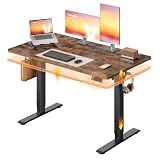
The VASAGLE 48 × 24 Inch Electric Adjustable Desk is a compact electric standing desk whose product name specifically highlights 30-minute assembly. That advertised time makes it appealing to a first-time buyer who wants to get a workstation operational without committing to a complicated furniture project. It should be read as a target under favorable conditions, not a promise for every room, tool set, or owner.
Assembly time depends on unpacking, identifying screws, attaching the frame squarely, installing the control hardware, and routing cables. If a buyer rushes the frame to meet a time estimate, the result can be a desk that rocks or travels unevenly. A few extra minutes spent loosely fitting all bolts, leveling the frame, and tightening in sequence is usually more valuable than chasing the shortest assembly time.
Key specifications
- Desktop footprint: 48 × 24 inches.
- Adjustment type: electric height adjustment.
- Assembly claim named in the listing: 30-minute assembly.
- Best equipment class: compact primary workstation or laptop-and-monitor setup.
- Storage: no drawers or keyboard tray stated in the product name.
- Verify height range, capacity, motor controls, sound information, and warranty before purchase.
What it does well
The VASAGLE combines an ordinary, useful footprint with an ownership benefit that matters to many buyers: a less intimidating setup process. That can make it a good choice for renters, students, or people replacing a desk on a short schedule. Its 24-inch depth is also easier to accommodate than a deeper desk in a narrow room.
After assembly, check that both sides of the frame sit evenly on the floor before placing equipment on top. If the floor is uneven, a thin furniture shim under a foot may help, but do not use unstable objects or stack loose cardboard beneath a moving desk. Test the full travel range with no equipment first, then add the monitor and repeat the check while watching for cable tension.
Pros
- 48-by-24-inch work surface fits a common compact-office need.
- Advertised 30-minute assembly can reduce setup anxiety.
- Electric adjustment is convenient for occasional or regular standing.
- Neutral format leaves room to add independent storage or accessories.
Cons
- The assembly estimate may not include unpacking, sorting, cable routing, or correcting an uneven floor.
- No built-in storage is stated.
- 24-inch depth may be tight for deep equipment.
- The product name does not specify capacity, height range, or motor noise.
How it compares
The VASAGLE is closest to the other 48-by-24-inch budget desks, but its distinguishing point is assembly rather than finish or storage. Choose ErGear for a black surface, FEZIBO for maple, or Claiks for rustic brown. If the workspace must support several monitors or a gaming setup, step up to the 55-inch Veken or AODK instead of expecting a quick-to-assemble compact desk to provide large-desk flexibility.
6. Veken 47 × 28 in Electric Standing Desk with Drawers – Best for built-in storage

The Veken 47 × 28 in Electric Standing Desk with Drawers is for buyers who want a more organized workstation rather than an entirely open tabletop. Its 47-inch width is close to the standard 48-inch class, but its 28-inch depth provides more front-to-back room than the 24-inch desks in this roundup. The built-in drawers add a place for small supplies, papers, cables, or personal items that would otherwise occupy the desktop.
Storage changes the way a desk fits a room. Drawers add convenience but can affect legroom, chair position, and the visual weight of the desk. Before ordering, check where the drawer units sit and whether your chair’s arms or knees will clear them. Also account for the fact that loaded drawers contribute to the overall weight the lifting frame must move.
Key specifications
- Desktop footprint: 47 × 28 inches.
- Adjustment type: electric height adjustment.
- Named features: drawers and adjustable standing-desk function.
- Finish named in the listing: brown.
- Best equipment class: monitor workstation needing extra depth and concealed supplies.
- Confirm the number and arrangement of drawers, capacity, height range, and control features before buying.
What it does well
The 28-inch depth is valuable for monitor placement. It gives a monitor arm or stand more room behind the keyboard and creates a larger separation between the front edge and screen. It can also support a laptop beside a monitor more comfortably than a 24-inch desk, although a large stand still needs careful measurement.
The drawers are useful for ownership, not merely appearance. A dedicated location for charging cables, notebooks, pens, and adapters reduces the temptation to leave them beside the keyboard. Keep heavier objects low and distribute them rather than filling one drawer with dense equipment. A drawer that is repeatedly opened while the desk is raised can also introduce side forces, so avoid leaning on it or using it as a handle.
Pros
- 28-inch depth offers more monitor and accessory space than 24-inch models.
- Drawers reduce desktop clutter and may eliminate the need for a separate pedestal.
- 47-inch width remains manageable in many home offices.
- Brown finish gives the workstation a furniture-like appearance.
Cons
- Drawers can reduce legroom and complicate chair positioning.
- Storage adds weight and mechanical complexity compared with an open frame.
- Deeper furniture requires more room clearance behind the desk.
- Exact drawer layout, load rating, height range, and presets need confirmation.
How it compares
Compared with the 55-inch Veken, this model sacrifices width but gains depth and drawers. It is the better fit when the room is not wide enough for a 55-inch desktop but supplies still need to be stored close by. Compared with the AODK, it is less focused on a keyboard tray and broad surface area. Compared with the open 48-inch budget desks, it is more organized but usually less forgiving if the buyer needs unrestricted legroom.
7. FLEXISPOT EN1 One-Piece Standing Desk – Best for frequent sit-stand changes

The FLEXISPOT EN1 One-Piece Standing Desk is the most compelling choice for a buyer who expects the desk to be part of a daily routine rather than an occasional standing experiment. Its product name specifies a one-piece standing-desk design, four memory presets, and a 176-pound capacity. Those features address three recurring ownership problems: remembering preferred heights, supporting a substantial equipment load, and keeping the desktop system straightforward.
Four memory presets are useful when seated and standing heights must be recalled, when two users share the desk, or when a monitor and keyboard arrangement has been carefully positioned. The 176-pound capacity is also notably explicit, but capacity should be interpreted as a system limit rather than a target payload. The desktop, frame, monitor arms, screens, computer, speakers, and stored items all contribute to the load.
Key specifications
- Desk type: one-piece electric standing desk.
- Control feature: four memory presets.
- Listed lifting capacity: 176 pounds.
- Best equipment class: heavier monitor, computer, accessory, or multi-user setup.
- Stability description in the listing: stable.
- Exact desktop dimensions, height range, motor speed, and noise level: verify the current product information.
What it does well
The memory system improves consistency. Instead of holding the control until the desktop reaches a familiar position, the user can select a stored setting, then fine-tune it if footwear, chair height, or posture changes. That is especially useful for a couple sharing an office or for someone who alternates between a low seated configuration and a higher standing configuration.
The stated 176-pound capacity provides more planning headroom than a desk whose load information is unclear. It does not remove the need for careful distribution. Place heavy equipment near the center, use monitor arms according to their own mounting requirements, and avoid hanging dense items from one side of the desktop. At standing height, a heavy off-center load can make a desk feel less stable even when it is below the rated limit.
Pros
- Highest explicitly stated capacity in this roundup at 176 pounds.
- Four memory presets support repeated, precise height changes.
- Strong fit for multiple users or equipment-heavy workstations.
- One-piece design can simplify the relationship between top and frame.
Cons
- Premium positioning may be unnecessary for a light laptop setup.
- Exact desktop dimensions are not established by the product name.
- A high capacity does not guarantee zero movement at maximum height.
- Heavy equipment still needs careful weight distribution and cable planning.
How it compares
The EN1 is the natural upgrade from the ErGear, FEZIBO, Claiks, or VASAGLE when frequent adjustment, stored heights, or a heavier setup matter more than a particular finish. It is less directly comparable to the drawer models: the Veken with drawers and the AODK prioritize organization, while the EN1 prioritizes adjustment control and lifting capacity. Choose the EN1 when the frame is the core purchase; choose a storage model when keeping supplies off the desktop is the bigger problem.
8. HUANUO 32 × 19 Inch Small Electric Standing Desk – Best for very limited space

The HUANUO 32 × 19 Inch Small Electric Standing Desk is the specialist choice for a very small room, secondary workstation, or light laptop arrangement. Its 32-by-19-inch desktop is dramatically smaller than the 48-by-24-inch class, so the benefit is not versatility but fit. It can work where a conventional desk would block a walkway, crowd a bedroom, or overwhelm a compact study corner.
Buyers should be realistic about what a 32-by-19-inch surface can hold. It is best planned around a laptop or one compact display with a small keyboard and mouse. A large monitor stand, full-size speakers, notebook, docking station, and accessories may consume the entire usable area. Measure the equipment footprints on paper before buying, including the clearance needed to operate the keyboard comfortably.
Key specifications
- Desktop footprint: 32 × 19 inches.
- Adjustment type: electric height adjustment.
- Finish named in the listing: light walnut.
- Best equipment class: laptop, compact monitor, or secondary workstation.
- Storage: no drawers or keyboard tray stated in the product name.
- Exact height range, capacity, presets, and noise level: confirm on the current listing.
What it does well
The small footprint can solve a problem that larger desks cannot. A 32-inch width may fit between furniture or along a narrow wall, while 19 inches of depth reduces intrusion into a room. It can serve as a dedicated laptop station, a place for occasional paperwork, or a compact desk in a guest room.
The light walnut finish supports a less industrial appearance. Because small desks are often used in visible areas, that furniture-like look can matter. Keep the layout minimal: position the laptop or screen centrally, route the charger toward the nearest outlet, and avoid placing a heavy object at one corner. Small desktops have little spare area for accidental cable pulls.
Pros
- Smallest stated footprint in the roundup for difficult spaces.
- Electric adjustment adds flexibility despite the compact form.
- Light walnut finish suits bedrooms and multipurpose rooms.
- Appropriate for a focused laptop or secondary computer station.
Cons
- 32-by-19-inch surface is too restrictive for many multi-monitor setups.
- Little room remains for papers, speakers, or a laptop plus a large monitor.
- No storage feature is stated.
- Exact capacity and height range are especially important because small desks are often used with compact equipment assumptions.
How it compares
The ErGear is the nearest practical alternative, but it is a much better primary workstation because its 48-by-24-inch top supplies substantially more working area. Choose HUANUO when the room cannot accommodate the ErGear, not because it is a lower-cost substitute for the same workload. If you have space for a deeper desk and need drawers, the 47-by-28-inch Veken is a more comfortable long-term option.
9. AODK 55 Inch Standing Desk with Drawers & Keyboard Tray – Best for an organized wide workstation

The AODK 55 Inch Standing Desk with Drawers & Keyboard Tray combines a wide desktop with two features that many open standing desks leave to separate accessories: storage and a dedicated keyboard position. It is intended for a buyer who wants a substantial work surface but does not want the keyboard, cables, and small supplies to occupy the main desktop permanently.
The 55-inch width is well suited to a broad work-and-gaming layout, but the keyboard tray changes the planning equation. Measure the tray’s likely position relative to the chair, knees, and armrests, and check that it can move or remain comfortable at the intended seated and standing positions. A tray is helpful only if it supports the keyboard and mouse in a posture that feels natural; some buyers prefer both devices directly on a solid desktop.
Key specifications
- Desktop width: 55 inches.
- Desk type: electric standing desk.
- Named features: drawers and keyboard tray.
- Finish named in the listing: rustic brown.
- Best equipment class: wide multi-monitor or gaming workstation requiring organization.
- Exact depth, capacity, height range, drawer arrangement, and control features: verify before purchase.
What it does well
The AODK’s combination of width and organization is useful for a workstation that must handle several roles. A monitor or monitors can occupy the rear area, while the main surface remains available for a notebook, controller, tablet, or project materials. The keyboard tray can free some top space and create a more deliberate typing area.
Drawers are valuable for reducing visual clutter, but they also require maintenance. Do not fill them with dense books or equipment without checking the desk’s total capacity. Keep drawer contents balanced, and inspect the hardware if a drawer begins to sag or catch. If the desk is raised while a drawer is open, ensure that the drawer and its contents do not interfere with the chair or nearby furniture.
Pros
- 55-inch width supports broad work, gaming, and multi-monitor layouts.
- Drawers provide nearby storage for supplies and accessories.
- Keyboard tray can preserve main desktop space.
- Rustic-brown finish suits warmer furniture schemes.
Cons
- Wide, storage-equipped design needs considerable room clearance.
- Keyboard trays can restrict preferred chair, knee, or armrest positions.
- Drawers add weight and potential alignment points to maintain.
- Exact capacity and dimensions must be checked before adding several displays and accessories.
How it compares
The Veken 55 Inch Large Electric Standing Desk is the closest alternative. Both provide a wide surface, but the Veken favors an open gaming-table arrangement while the AODK favors organization. Choose Veken if you want maximum freedom to position accessories and keep legroom open. Choose AODK if drawers and a keyboard tray solve a daily clutter problem. The 47-by-28-inch Veken is the better compromise when you need depth and storage but cannot fit a 55-inch-wide desk.
How to Choose
Start with the room, not the product name
Measure the wall or zone where the desk will stand, then measure the usable depth from the wall to the nearest obstacle. A 48-by-24-inch desk needs a clear rectangle at least 48 inches wide and 24 inches deep, but that is only the furniture footprint. Add space for the chair to pull out, a power strip, cable slack, and the user’s movement. A 55-inch desk is five inches wider than a 50-inch space allows; it cannot be made to fit by turning it slightly if the frame or top remains parallel to the wall.
Use masking tape to mark the proposed rectangle on the floor. Sit in the chair inside that outline, open a drawer if the model has one, and imagine the desk at its highest position. This catches problems that a basic wall measurement misses, such as a windowsill, radiator, door swing, or shelf that blocks the desktop as it rises. For the HUANUO, check whether 19 inches of depth leaves enough space for your wrists and equipment. For the 28-inch Veken, check that the extra depth will not make the chair area too shallow.
Choose the desktop size for the equipment you have now and next
A 32-by-19-inch desk is a focused surface. It makes sense for a laptop, a compact monitor, or a secondary station. A 48-by-24-inch desk is the general-purpose class: it can support one monitor with a laptop or a conventional desktop arrangement, but it becomes crowded when a deep monitor stand, speakers, document holder, and charging station are all placed directly on top.
A 55-inch desk is better when equipment needs to stay connected and visible. It can separate two displays, leave space for a keyboard, and provide room for gaming or creative accessories. The extra width does not automatically provide more depth, so compare the 55-inch Veken or AODK with the 47-by-28-inch Veken according to the shape of your equipment. Width helps with side-by-side devices; depth helps with monitor distance and front-to-back organization.
For monitor arms, measure the clamp area and the rear edge of the desk. A clamp may need a clear, flat section rather than a cable grommet, rounded edge, or drawer structure. If you plan to use a heavy ultrawide display, two arms, or a large desktop computer, confirm the desk’s stated capacity and the monitor arm’s own mounting limits.
Check height range against the actual user
Standing desks are not automatically ergonomic simply because they rise. The useful standing height is the position at which your elbows can remain roughly level with the keyboard while your shoulders stay relaxed. Seated height depends on chair height, cushion compression, footwear, and the relationship between the seat and the desk. For that reason, do not compare height ranges only by their maximum number.
A practical pre-purchase method is to measure your current comfortable keyboard height from the floor. Measure once while seated and once while standing, with your forearms in the position you use for typing. The new desk should cover both measurements with some adjustment margin. If two people share the desk, measure both users and treat the wider range as the requirement. If the listing does not clearly state the minimum and maximum height, obtain that information before ordering rather than assuming that similarly named desks travel the same distance.
When standing, keep the monitor high enough that you are not constantly bending your neck, but do not use the desk to force one fixed posture. Changing position, taking breaks, and arranging equipment comfortably matter more than remaining upright for a particular number of hours. If standing or sitting causes persistent pain, numbness, or other concerning symptoms, consult a qualified health professional rather than relying on desk adjustments alone.
Interpret capacity as a total-load limit
Capacity includes more than the desktop computer. Add the monitor or monitors, arms, laptop, dock, speakers, lighting, charging devices, and anything stored on the surface. A 20-pound monitor arm system can consume a meaningful portion of a small frame’s available capacity. Drawers also add weight, especially after they are filled with books or equipment.
The FLEXISPOT EN1 is the only product in this group whose product name gives a specific capacity: 176 pounds. That is useful information, but it should not be treated as a recommendation to load the desk to 176 pounds. Leave margin for uneven distribution and dynamic forces. A person leaning on the edge, a drawer opening, or equipment attached to one side can affect how stable the desk feels even when the static load is under the rating.
If the product listing does not clearly provide a capacity, ask the seller or manufacturer before choosing a heavy setup. Do not infer strength from a thick-looking top, a premium price tier, or a wide desktop. A wide top can be paired with a frame intended for ordinary office equipment, and a storage desk may need to lift the drawers as well as the work surface.
Evaluate stability at the height you will actually use
All adjustable desks can feel different at sitting height and standing height. As the legs extend, the desktop has a longer lever above the floor, so small frame movement may become more noticeable. Stability depends on the base geometry, leg sections, feet, fastener tightness, floor level, load distribution, and the equipment attached to the desk.
Look for a desk frame with feet that can be leveled and use a firm, even floor. During assembly, loosely install every bolt first, square the frame, and then tighten in stages. Tightening one side fully while the other side is still loose can pull the structure out of alignment. Recheck fasteners after the desk has been used for a week and again periodically if it is raised and lowered frequently.
Monitor arms magnify movement because a screen sits farther from the frame than a monitor on a low stand. If stability is your priority, keep heavy screens close to the center, avoid pressing down on the front edge, and consider whether a 48-inch or 55-inch top gives you more room than you need. The most stable desk is not always the widest one.
Think about motor noise in the context of the room
Electric desks produce sound while moving, but a listing’s lack of a decibel figure means you should not assume that two models will sound identical. Noise matters most in a bedroom, a shared office, a recording area, or a room where another person is on a call. In a private office, a short movement during a break may be less important than capacity or presets.
Use the desk during natural transition points rather than repeatedly jogging it up and down. Keep the frame clear of walls, storage bins, and cable bundles, since rubbing or snagging can create noise unrelated to the motor. If a desk suddenly becomes louder, stops evenly, or makes a grinding sound, stop using the adjustment function and consult the manufacturer’s instructions rather than continuing to force it.
Decide whether storage helps or gets in the way
Open desks such as the ErGear, FEZIBO, Claiks, VASAGLE, and HUANUO leave the underside relatively flexible. That is useful for a range of chair positions, a footrest, or a small filing unit. The trade-off is that cables, paper, and accessories need independent storage.
The Veken with drawers and the AODK add organization but require more careful planning. Drawers may occupy knee space, and a filled drawer contributes to the moving load. The AODK’s keyboard tray can clear the main surface, but it may not suit someone who prefers a keyboard directly on the desktop or who uses a large mousepad that extends beyond the tray.
Storage is worthwhile when it prevents repeated clutter on the work surface. It is less valuable if you already have shelving beside the desk or if you frequently change the desk’s position and need completely open legroom. Choose the storage configuration for the way you work, not simply because drawers appear to offer more features.
Plan cables before assembly is complete
Height adjustment requires cable slack. A monitor, laptop charger, desktop computer, and power strip all need enough length to reach the highest desk position without pulling on ports. Route cables in a gentle loop and secure them to the underside, leaving the moving sections free. Do not attach a cable so tightly that it becomes a structural tether between the desk and wall.
Place the power strip where it travels with the desk if appropriate, but keep the main wall connection safe and accessible. Avoid letting cables hang where a chair can catch them. Test the full movement with the desk empty, then with equipment connected, and stop immediately if any lead becomes taut. A desk that moves smoothly mechanically can still damage a monitor or charging port through poor cable routing.
Set a realistic assembly plan
Clear a soft but firm work area, inventory the hardware, and keep the instruction sheet nearby. A second person is useful for turning or lifting a large desktop, particularly the 55-inch models and desks with drawers. The VASAGLE advertises 30-minute assembly, but that time may not include unpacking, reading instructions, cable management, or correcting a crooked frame. Budget extra time for those steps.
Do not use an impact driver unless the instructions permit it. Power tools can strip threads or crush a desktop edge quickly. Start screws by hand, leave fasteners slightly loose while the frame is aligned, and tighten only after the frame is square. Once assembled, verify that the control cable is fully seated, the feet are level, and the desktop clears nearby furniture throughout its travel.
Account for long-term wear
The parts most likely to show ordinary wear are edges, drawer hardware, cable connectors, control buttons, and the moving frame’s fasteners. A rustic-brown, maple, light-walnut, black, or white finish can all be damaged by dragging equipment, trapped grit, standing water, or repeated contact with a chair. Use a soft damp cloth for routine cleaning and dry the surface afterward. Avoid abrasive cleaners and do not flood the joints or control panel.
Keep the underside free of dust and objects that can enter the leg mechanism. Periodically check whether the desk rocks, whether a drawer is rubbing, and whether cables have become tight after rearranging equipment. If the desktop has been overloaded, do not try to solve movement by repeatedly cycling the motor. Remove the load, consult the instructions, and follow any reset procedure specified by the manufacturer.
Match the price tier to frequency of use
A budget desk is often the right value for occasional standing, a first experiment, or a light laptop setup. Mid-range pricing can make sense when the buyer wants a larger surface or a particular finish. Premium pricing is easier to justify when the desk will be adjusted many times each day, when storage is integral to the room, or when a stated capacity and memory controls solve a real problem.
For a simple cost-per-use calculation, suppose a desk costs three hundred dollars and is used five days per week for three years. That is approximately 780 workdays, or about 39 cents per workday before considering electricity and accessories. If a premium desk costs twice as much but is used every weekday for the same period, its daily ownership cost is roughly 77 cents. The calculation does not prove that the premium model is better; it shows why frequent use, reliable controls, and a suitable height range can matter more than the initial price alone.
Frequently Asked Questions
What is the best size for a home-office standing desk?
For most primary workstations, 48 by 24 inches is a practical starting point because it balances monitor space with room efficiency. Choose a 55-inch model for dual monitors, gaming, or equipment that must remain spread out. Choose the 32-by-19-inch HUANUO only when limited space or a light laptop setup makes the smaller footprint more important than flexibility.
Is a 24-inch desk deep enough for a monitor?
It can be, particularly with a compact monitor stand or monitor arm, but the usable depth depends on the stand and keyboard position. Measure the equipment from the rear edge to the front of the keyboard and leave room for comfortable hand placement. A 28-inch desk gives more front-to-back flexibility when the room can accommodate it.
Are standing desks stable at their highest setting?
Stability varies with the frame, leg extension, floor, fastener alignment, desktop load, and equipment placement. Any desk can feel less rigid when fully raised because the work surface is farther above the base. Level the feet, tighten the frame correctly, distribute weight centrally, and avoid leaning heavily on the front edge.
How much weight should a standing desk hold?
Calculate the total weight of the top, monitors, arms, computer, speakers, accessories, and stored items, then leave a margin below the stated capacity. The FLEXISPOT EN1 lists a 176-pound capacity, but that is a system limit rather than a target payload. If a model’s capacity is not clear, confirm it before adding multiple monitors or heavy drawers.
Are drawers or a keyboard tray worth having?
They are worthwhile when supplies and input devices regularly clutter the work surface. Drawers can reduce legroom and add moving weight, while a keyboard tray may not suit large keyboards, wide mousepads, or users who prefer a solid desktop. Choose an open desk if flexibility and clear knee space matter more than built-in organization.
How noisy are electric standing desks?
Every electric desk makes some sound during movement, but the product names here do not establish comparable decibel ratings. Noise is more important in bedrooms, shared offices, and recording spaces than in a private room. Keep the frame clear, route cables properly, and stop using the desk if the motor develops an unusual grinding or uneven sound.
Does standing at a desk replace taking breaks?
No. A standing desk allows position changes but does not make one fixed position ideal for the entire day. Alternate between sitting and standing, move periodically, and adjust the equipment so the keyboard and screen are comfortable in both positions. Seek professional advice for persistent pain or other symptoms rather than relying on the desk alone.
How difficult is standing-desk assembly?
Difficulty depends on the number of frame pieces, desktop size, storage components, tools, and whether a second person is available. The VASAGLE name advertises 30-minute assembly, but unpacking, leveling, cable routing, and testing add time. Assemble on a protected surface, leave bolts loose until the frame is square, and test movement before loading the desk.
For a compact primary office, choose the ErGear, FEZIBO, Claiks, or VASAGLE according to finish and assembly priorities. For very limited space, choose the HUANUO; for a broad monitor layout, choose the Veken 55-inch desk. Select the Veken with drawers or AODK when organization is central, and choose the FLEXISPOT EN1 when frequent adjustment, four presets, and its stated 176-pound capacity best match the workload.










Write Your Review
No reviews yet. Be the first to share your experience!