

Key takeaways
- Best standing desk for a dual monitor setup under $300 —
/best-standing-desk-for-a-dual-monitor-setup-under-300/ - Best ultrawide monitor under $500 —
/best-ultrawide-monitor-under-500/ - Best USB-C docking station under $200 —
/best-usb-c-docking-station-under-200/
Two monitors change what a standing desk has to do. Two 27-inch screens, a keyboard, and maybe a laptop need width, depth, and a motor that does not strain every time you stand up. The good news is that $400 buys a capable electric desk in November 2026 — if you pick for the right specs.
This guide covers five real electric standing desks sold on Amazon US in November 2026, all at or under $400 at the time of research. Prices change often, so treat any price below as a snapshot. We have not bench-tested these desks.
Top pick: the FlexiSpot E7 Pro is the best standing desk for a dual monitor setup under $400 for most buyers — its dual-motor, three-stage frame lifts more than anything else here. If you want the widest surface instead, the 60-inch ApexDesk Elite gives two monitors the most room, with trade-offs to know first.
Quick Picks
| Product | Best for | Key specs | Price note |
|---|---|---|---|
| FlexiSpot E7 Pro | Best overall | Dual motor, 3-stage, 25–50.6 in, up to 440 lb | Check current price; seen at $359.99 in our catalog search |
| ApexDesk Elite Series 60 in | Widest surface | 60 x 27 in bamboo top, dual motor, 225–235 lb, 29–49 in | Check current price; seen at $399.99, sale $360 |
| ErGear 55 x 28 in | Best 55-inch value | 55.1 x 27.6 in, single motor, 176 lb, 28.35–46.46 in, 4 presets | Check current price; seen at $399.98 in our catalog search |
| SHW 55 x 28 in | Best budget wide desk | 55 x 28 in, electric lift, 150 lb, 28–45 in, 4 presets, drawer | Check current price; seen at $319.95 in our catalog search |
| VIVO 55 x 28 in (DESK-KIT-1B55G) | Best one-piece top | 55.1 x 27.6 in one-piece top, 176 lb, 29.2–48.4 in, memory presets | Check current price; seen at $299.99 in our catalog search |
How to Choose a Standing Desk for Dual Monitors Under $400
Size first: width and depth both matter
Two 27-inch monitors need roughly 48 inches of width at minimum; 55 inches is far more comfortable, and 60 inches is better still. Depth matters too: 24 inches is the minimum for an arm clamp and a keyboard, while 27–28 inches gives your wrists and the screens proper distance.
Weight capacity: count everything, not just the monitors
Two 27-inch monitors weigh roughly 10–16 lb each, an arm adds 5–10 lb, and a desktop PC adds 20–30 lb. A 176 lb capacity suits two monitors and a laptop; 220 lb or more is safer if a tower sits on the desk. Manufacturers quote lifting capacity and static load differently, so keep at least 20% headroom.
Motor: single vs dual
Single-motor desks cost less and suit light setups, but one motor driving both legs is slower and struggles under uneven loads. Dual-motor desks give each leg its own motor and lift faster and more evenly. Three-stage legs are a bonus: they fold shorter and extend taller.
Stability: the spec sheet will not tell you
Wobble is the most common complaint about budget standing desks, and it barely appears in spec sheets. A desk can feel rock solid sitting down and sway at full standing height, especially with two monitors on an arm acting as a lever — so favour wide feet, a steel frame, and reviews that test stability while standing.
Height range and cable management
A good range starts around 25–28 inches and reaches 46–50 inches. The bottom number matters under 5’6″; the top number matters over 6’1″. For cables, two monitors mean at least four. A desk with a tray, grommets, or hooks keeps them from snagging when the desk moves — a caught cable can yank a monitor off its arm. No tray? Budget $15–$25 for one.
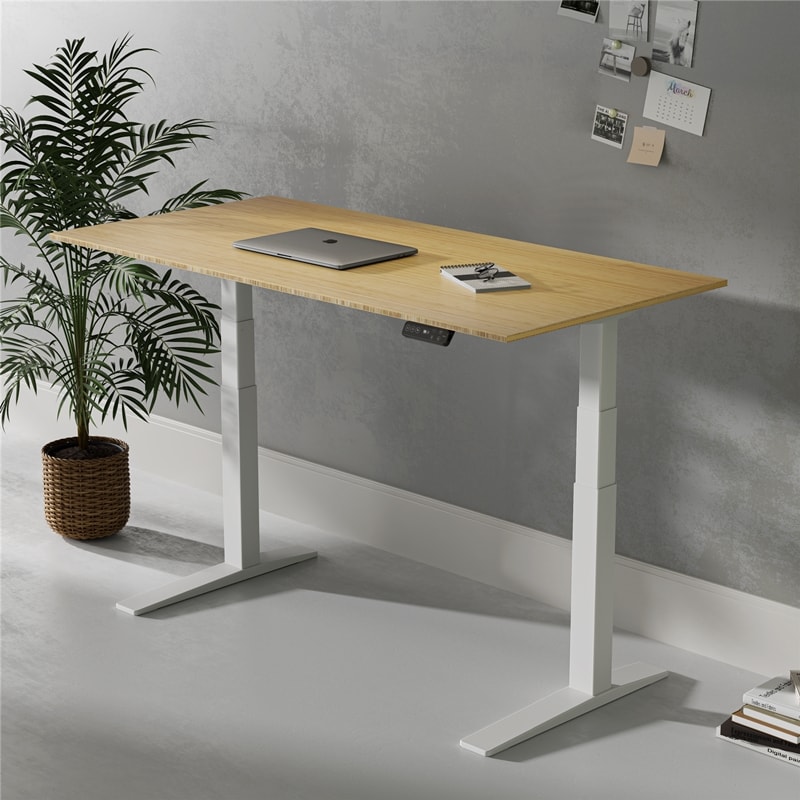
1. FlexiSpot E7 Pro — Best Overall
Best for: Most buyers who want the strongest frame, the widest height range, and room to grow into a heavier setup.
The E7 Pro is the most desk in this guide. Its three-stage, dual-motor C-frame adjusts from 25 to 50.6 inches, covering sitters as short as 5’0″ and standers up to about 6’3″. FlexiSpot lists lifting capacity up to 440 lb (its SPEC table says 396 lb dynamic / 573 lb static) — far more than two monitors and a PC tower need. The C-frame puts the legs toward the rear for extra legroom, and the 15-year warranty is the longest here.
The catch is configuration. The $359.99 price our catalog search found applies to a specific configuration; with a desktop included, the E7 Pro is often listed around $469–$599. Confirm whether the price you see is frame-only or includes the top.
Specs: Dual motor, 3-stage; 25–50.6 in; up to 440 lb (396 lb dynamic per FlexiSpot’s SPEC table); C-frame, carbon steel; 4 memory presets; ~1.5–1.6 in/s; 15-year warranty; desktops from 48 in.
Pros: Strongest lifting capacity here by far; widest height range; dual motors lift evenly under an off-centre arm; 15-year warranty; C-frame gives extra legroom.
Cons: Lowest catalog price may be for one configuration — a complete desk with top often costs more; 25-inch minimum height is higher than the standard E7; heavier to assemble.
Who it is best for: Buyers running two monitors plus a desktop PC, a heavy monitor arm, or both, who want to buy once and not worry about capacity again.
Check price on Amazon — FlexiSpot E7 Pro
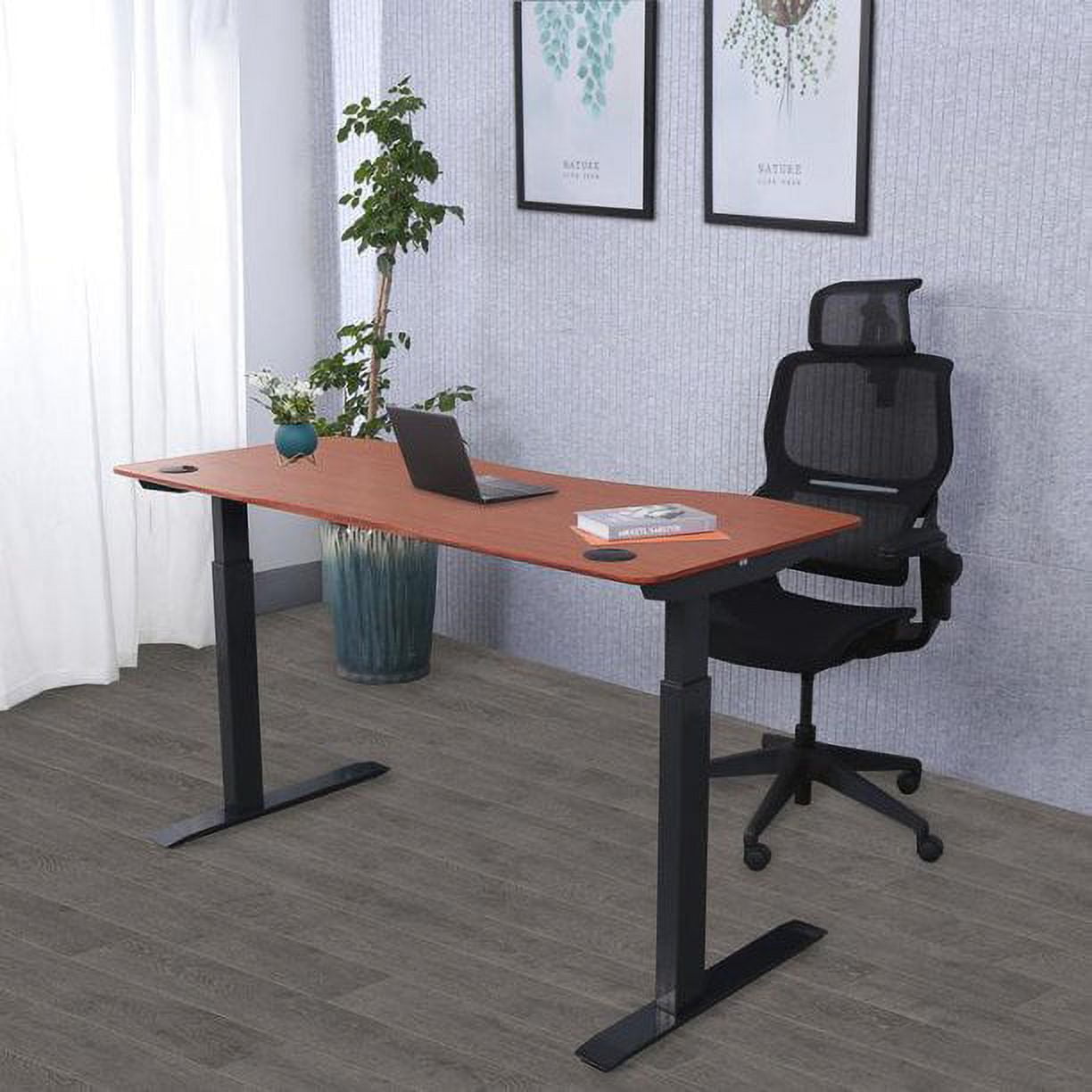
2. ApexDesk Elite Series 60 in — Widest Surface
Best for: Buyers who want the most desktop space for two large monitors, a laptop, and room to spare.
At 60 inches wide and 27 inches deep, with a solid 1-inch bamboo top, the Elite gives a dual monitor setup the most breathing room here. Two 27-inch monitors fit with space left for a laptop. The dual-motor frame lifts 225–235 lb, adjusts from about 29 to 49 inches, and stores four presets. Our catalog search showed the 60-inch bamboo model at $399.99, with a $360 sale price.
The caveats matter. Independent testers rated the Elite poorly for stability (2.0 out of 5), and its manual notes wobble at full extension. It has no anti-collision detection, its 29-inch minimum is too high for seated ergonomics under about 5’8″, and the motor warranty is two years — the shortest here.
Specs: 60 x 27 in bamboo top, 1 in thick; dual motor, 2-stage; 29–49 in; 225–235 lb; 4 memory presets; ~1.5 in/s; 5-year frame / 2-year motor warranty.
Pros: Widest surface here — two large monitors fit easily; thick bamboo top; dual motors and four presets; frequently on sale under $400.
Cons: Reviews rate stability low, with wobble at standing height; no anti-collision detection; 29-inch minimum excludes shorter sitters; short 2-year motor warranty.
Who it is best for: Taller users with a large room who want maximum desktop space and will keep the monitors on their own stands rather than a heavy arm.
Check price on Amazon — ApexDesk Elite Series 60 in
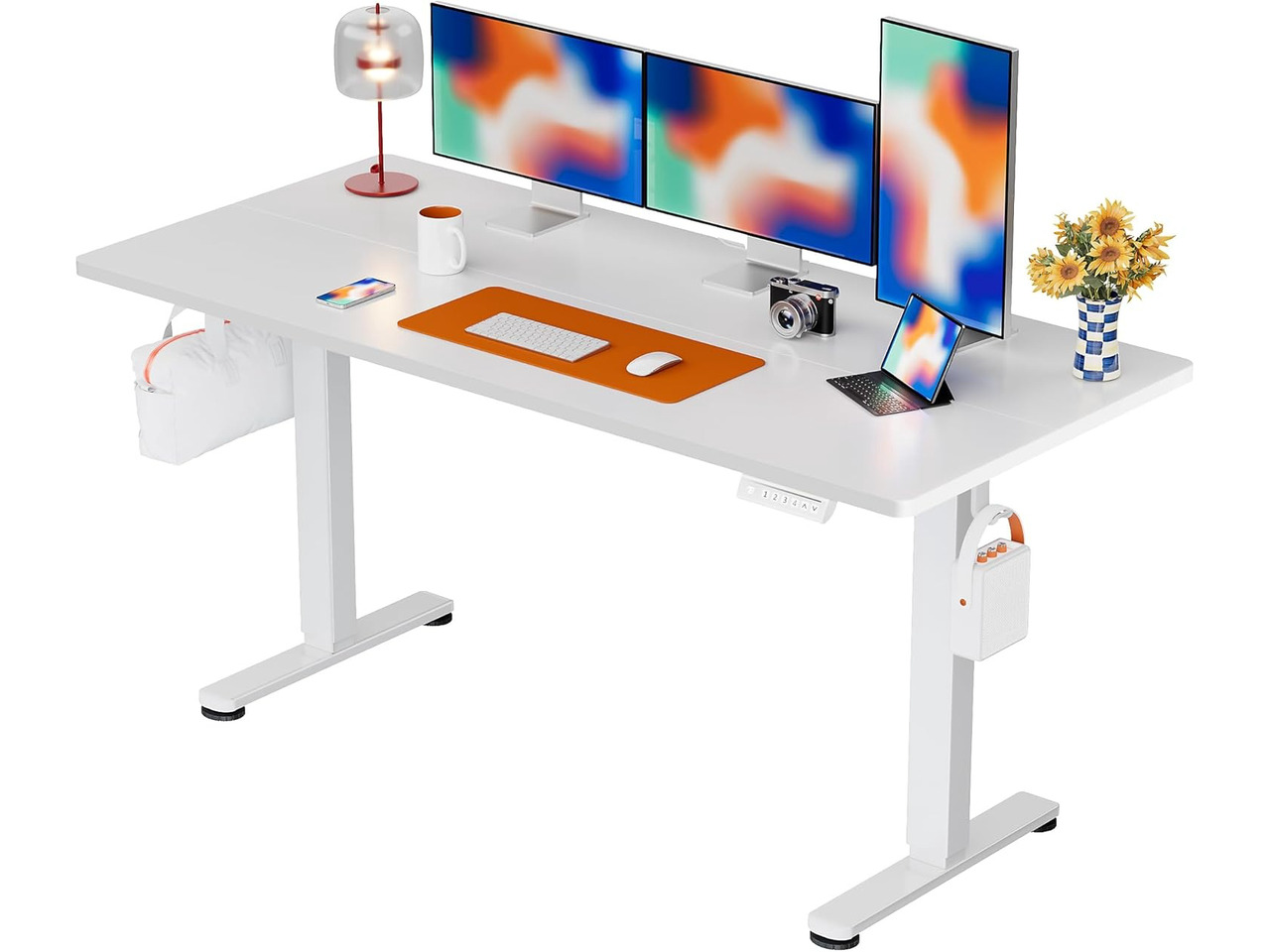
3. ErGear 55 x 28 in — Best 55-Inch Value
Best for: Buyers who want a wide 55-inch desk with memory presets at the lowest practical price.
The ErGear 55 x 28 is the value pick here. The 55.1 x 27.6-inch top fits two 27-inch monitors with room for a keyboard, and the frame adjusts from 28.35 to 46.46 inches with four presets. ErGear rates the lift for 50,000 cycles and the desk for 176 lb, covering two monitors, a laptop, and accessories. It is a single-motor desk, so expect a slower lift.
Watch the price. Our catalog search showed $399.98, but the same model has been listed around $160–$200 in November 2026 roundups. Check the current price and the model number (EGESD6B, black 55-inch) before you buy. Note the 46.46-inch ceiling: anyone over about 6’1″ will find it short.
Specs: 55.1 x 27.6 in top; single motor; 28.35–46.46 in; 176 lb; 4 memory presets; lift rated for 50,000 cycles; model EGESD6B (black).
Pros: Genuine 55-inch width at a budget price on sale; four memory presets; deep 27.6-inch top; proven design with a big owner base.
Cons: Single motor is slower than dual-motor rivals; 46.46-inch ceiling is short for tall users; 176 lb leaves little headroom for a tower; price varies by variant — verify the listing.
Who it is best for: Budget buyers who want a wide desk for two monitors and a laptop, and who are under 6’1″ and will keep the PC tower on the floor.
Check price on Amazon — ErGear 55 x 28 Electric Standing Desk
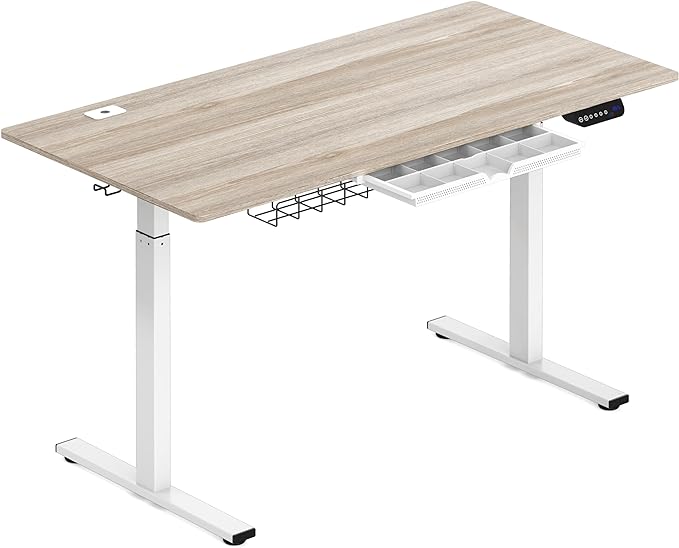
4. SHW 55 x 28 in — Best Budget Wide Desk
Best for: Buyers who want a 55-inch electric desk with storage extras and the lowest outlay.
SHW’s 55 x 28 desk packs the most extras per dollar here: a drawer, cable tray, grommets, headphone hooks, and four memory presets. The lift adjusts from 28 to 45 inches, and the published maximum weight is 150 lb — enough for two monitors and a laptop, not a tower. Our catalog search showed $319.95, but other trackers have shown it near $190.
The trade-offs are expected at this price. The 45-inch maximum height is the lowest here. The tabletop has shipped in two pieces, owners report slight wobble at maximum height, and the top scratches more easily than bamboo.
Specs: 55 x 28 in top; electric lift, single motor; 28–45 in; 150 lb max; 4 memory presets; drawer, cable tray, grommets, hooks; floor levellers.
Pros: Most extras for the money — drawer, tray, grommets, hooks; four memory presets; often well under $300; 55-inch width fits two monitors.
Cons: Lowest ceiling here at 45 inches; lightest capacity at 150 lb; some wobble at full height; top may arrive in two pieces; top scratches easily.
Who it is best for: Budget buyers who want a wide desk with built-in storage and cable extras, and who are under 6’0″ with a light two-monitor setup.
Check price on Amazon — SHW 55-Inch Electric Standing Desk
5. VIVO 55 x 28 in (DESK-KIT-1B55G) — Best One-Piece Top
Best for: Buyers who want a seamless one-piece desktop and a straightforward, reliable electric desk.
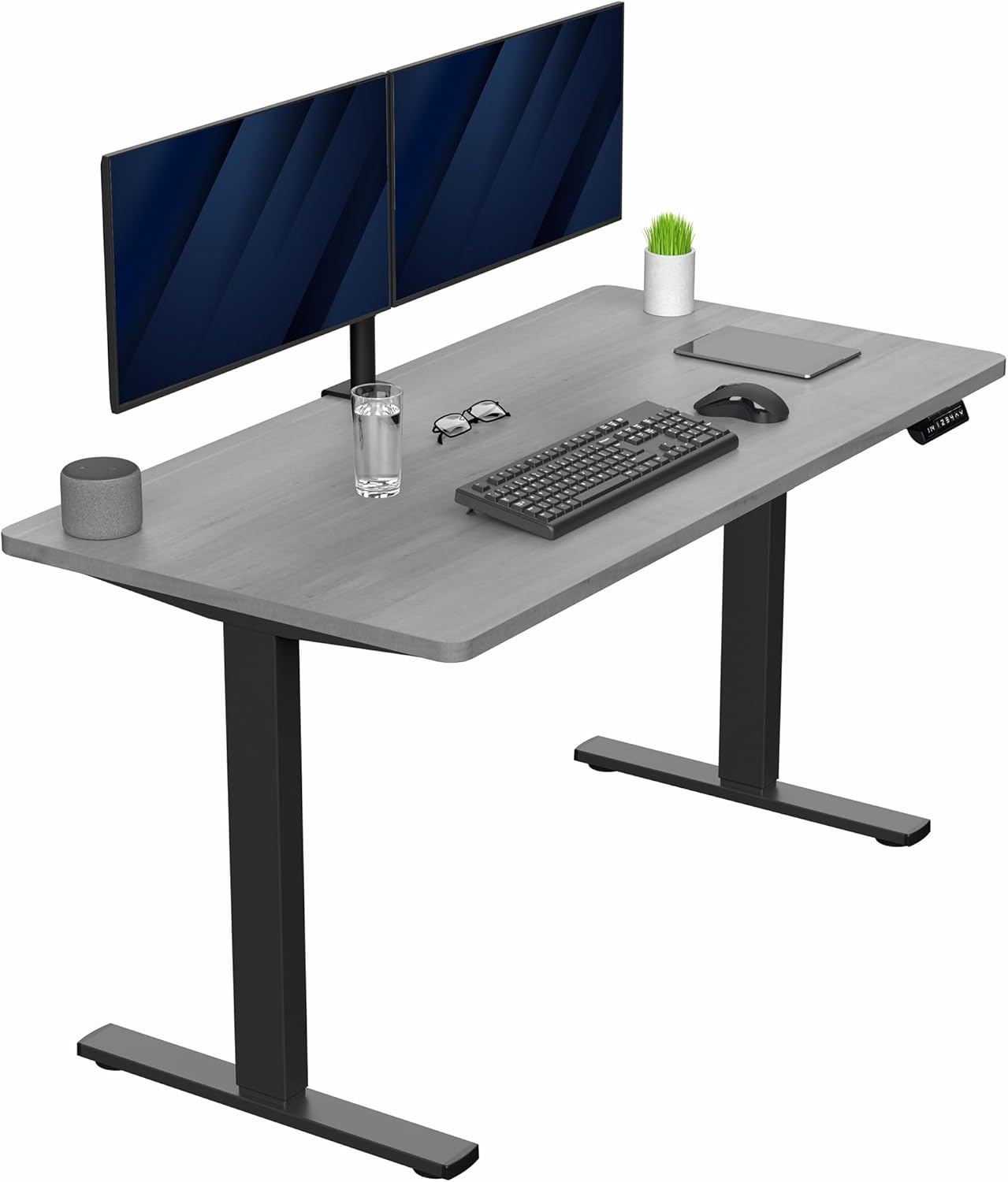
The VIVO DESK-KIT-1B55G stands out for its solid one-piece 55.1 x 27.6-inch top — no centre seam and a cleaner look than split tops. The all-steel frame lifts 176 lb and adjusts from 29.2 to 48.4 inches with memory settings, a better ceiling than the ErGear or SHW. Our catalog search showed it at $299.99.
It is a single-motor desk, so it lifts more slowly than the FlexiSpot or ApexDesk. VIVO’s manuals disagree on capacity — some say 176 lb, others 220 lb — so treat 176 lb as the safe number.
Specs: 55.1 x 27.6 in one-piece top; single motor, all-steel frame; 29.2–48.4 in; 176 lb; memory settings; LED display on some variants.
Pros: One-piece top, no centre seam; good 48.4-inch ceiling; solid all-steel frame; memory presets; competitive price for a 55-inch desk.
Cons: Single motor is slower; 176 lb capacity is modest; VIVO’s manuals disagree on capacity (176 vs 220 lb) — use the lower figure; 29.2-inch minimum is high for short sitters.
Who it is best for: Buyers who want a clean, seamless desktop for two monitors and value a higher standing height over raw lifting power.
Check price on Amazon — VIVO 55 x 28 Electric Standing Desk
What to Avoid
Do not buy on width alone. A 55-inch desk with a 24-inch depth and a 110 lb capacity will struggle with two monitors on an arm. Width, depth, and capacity must clear the bar together.
Do not trust a single capacity number. Manufacturers quote lifting capacity, static load, and maximum weight interchangeably, and the numbers do not always agree. Keep 20% headroom.
Do not skip cable management. Two monitors mean a tangle of power and video cables. A desk with no tray or grommets will snag a cable the first time you stand up.
Do not assume the sale price is the desk price. Some listings show a frame-only price, others include the top, and the price can swing by $100 between variants. Confirm the configuration first.
FAQ
What size standing desk do I need for two monitors?
Get at least a 55-inch wide desk with 27–28 inches of depth. A 48-inch desk can work with two 24-inch monitors on a dual arm, but leaves no room for anything else.
Is a single-motor standing desk enough for dual monitors?
For two monitors and a laptop, yes — a single-motor desk rated at 176 lb will lift the load. With a desktop PC or a heavy monitor arm added, a dual-motor desk is safer because it lifts more evenly.
How much weight can a standing desk under $400 hold?
Most electric desks under $400 are rated between 150 and 440 lb. The FlexiSpot E7 Pro leads at up to 440 lb, while budget 55-inch desks typically rate 150–176 lb. Count everything together and keep headroom under the limit.
What is the best standing desk for a dual monitor setup under $400?
The FlexiSpot E7 Pro is our top pick for its dual-motor frame, 25–50.6-inch range, and up to 440 lb capacity. If you want the widest surface, the 60-inch ApexDesk Elite gives two monitors the most room — but check its stability trade-offs first.
Verdict
For most buyers, the FlexiSpot E7 Pro is the best standing desk for a dual monitor setup under $400. Its dual-motor, three-stage frame lifts more than anything else here, fits the widest range of body heights, and carries a 15-year warranty. Confirm the configuration and price before you buy, since the cheapest listing may not include the desktop.
If width is your priority, the ApexDesk Elite 60-inch gives two monitors the most space — but know its stability and minimum-height limits first. On a tighter budget, the ErGear 55 x 28 and VIVO 55 x 28 both deliver a genuine 55-inch electric desk, while the SHW 55 x 28 adds the most extras for the least money.
Whichever you choose, measure your space, add up the full weight of your setup, and check the exact configuration and current price on Amazon before you buy.
As an Amazon Associate, we earn from qualifying purchases.
Suggested internal links for chartget.com
- Best standing desk for a dual monitor setup under $300 —
/best-standing-desk-for-a-dual-monitor-setup-under-300/ - Best ultrawide monitor under $500 —
/best-ultrawide-monitor-under-500/ - Best USB-C docking station under $200 —
/best-usb-c-docking-station-under-200/
More from Amazon
Programs that pair well with the guide above. Offers and eligibility are set by Amazon and may change.
Free shipping on eligible items, Prime Video and more. Eligible new members can start with a free trial.
Start a Prime free trialAudiobooks and podcasts to listen to on the go. Eligible new members can start with a free trial.
Try Audible freeAd-free music streaming. Eligible new subscribers can start with a free trial.
Try Music Unlimited freeA free business account with business pricing and bulk-buying tools for work, shop or home office.
Create a business accountAs an Amazon Associate we earn from qualifying purchases.
Write Your Review
No reviews yet. Be the first to share your experience!