

Key takeaways
- Motors and controllers: the electronics are usually the first thing to fail; check warranty terms.
- Wobble: grows with height and width. Use the lowest height that works.
- Cable management: use a tray to stop cables from snagging on the frame as the desk moves.
- Anti-collision: useful when a chair or drawer sits under a rising desk.
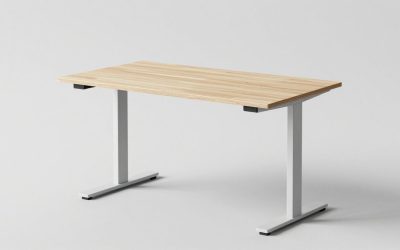
The best shared desk for two people is a wide, height-adjustable desk in the 72 to 80 inch range, with a frame rated for at least 300 pounds, and the Uplift V2 in a wide size is the closest well-known match. A fixed-height bench desk or long table is cheaper and sturdier if both users are of similar height, while a pair of desks pushed side by side gives each person independent height control. Pick the layout first, because layout decides how much width, depth and cable management you need.
Our top picks


As an Amazon Associate we earn from qualifying purchases at no extra cost to you.
Quick comparison of shared desk options
| Option | Best for | Key specs | Price range |
|---|---|---|---|
| Uplift V2 in 72 or 80 inch top | Two people who both want to sit and stand | Widths up to 80 x 30 in, load rating about 355 lb per maker and review spec tables, 15-year frame warranty reported | Upper mid |
| Fully Jarvis with bamboo top | Shared home office, solid wood look | Dual motors, rated near 350 lb in roundups, solid bamboo top option | Mid to upper mid |
| Flexispot E7 or E7 Pro | Heavier setups at a lower cost | Capacity figures vary by variant (reported from 275 to 440 lb), check the exact model | Mid |
| Branch Standing Desk (48 or 60 in) | Two people on a laptop and one monitor each | Larger than the Branch Duo, whose biggest top is 58 x 27 in | Mid |
| IKEA BEKANT sit-stand desk | Budget shared workspace | Simple, wide options; some reviewers find it slower and less stable | Budget to mid |
| Two desks side by side | Independent height and screens | Each desk 48-60 in wide; total width 8-10 ft | Varies |
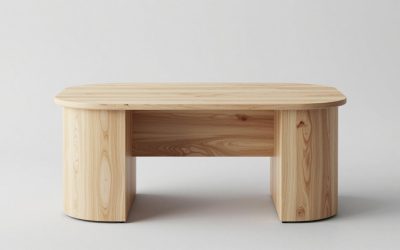
| Fixed-height bench or long table | Lowest cost, strongest top | 72-96 in long, 30 in deep, wooden or steel | Budget |
The width rule for sharing
A shared desk fails when each person has less than about 30 inches of personal width. A single user is comfortable at 48 inches with one monitor, but two users need 60 inches at the absolute minimum and 72 to 80 inches for dual monitors each. Depth matters as much: 30 inches gives more monitor distance than 24, and it lets two people sit back to back or side by side without elbows touching. Always check the manufacturer’s weight rating, since two monitors, two laptops and docks add up quickly.
Best overall: Uplift V2 in a wide size
Many roundups put the Uplift V2 near the top for stability, and it is the standard answer for a wide desktop. It comes in sizes up to 80 by 30 inches, with a range of top materials including bamboo, laminate and solid wood. Reported frame capacity is around 355 pounds, with a long warranty. The trade-off is cost, and the large top is heavy. Check the leg spread, since wide tops need a frame that extends to match.
Best solid-top look: Fully Jarvis bamboo
The Jarvis has a solid bamboo desktop and dual motors with a rated load near 350 pounds in roundups. It is a strong choice if two people want a warm, solid surface. Some tests show slightly more side-to-side movement than the heaviest frames, so keep the height lower if you type hard.
Best for load capacity on a budget: Flexispot E7 family
Flexispot lists higher load ratings than many rivals in its E7 and E7 Pro line, with capacity figures varying between sources. Because variants differ, read the spec page for the exact model you buy. If the desk will carry several monitors, a printer and a docking station, the added capacity helps.
Best compact: Branch Standing Desk
Branch’s Duo has a top that stops at 58 by 27 inches, which is too small for two people. The larger Branch Standing Desk at 48 or 60 inches fits two laptops or two people who share duties part-time. It suits couples who work on different days or at different times.
Best budget sit-stand: IKEA BEKANT
BEKANT is simple and low-priced, with wide options. Some roundups call it adequate for budget shoppers, while others note slower motors and less stability at height. For a shared desk, keep the weight light and avoid very tall settings.
Layouts for two people
Side by side facing a wall
This is the most space-efficient arrangement. Leave 36 inches of walking space behind both chairs. A shared power strip and cable tray keep wiring tidy.
Face to face
Good for collaborating, though monitors can create a visual barrier. Keep a 30-inch minimum depth per person and use monitor arms to open the line of sight.
L-shaped corner
Two users each get a leg of the L. This layout requires a room corner and uses more floor space but gives each person their own zone.
Two separate desks side by side
This is the best option when users need different heights. Each person controls a desk independently, and total width can be 8 to 10 feet. Cable management needs more planning.
Decision matrix
| Situation | Choose | Why |
|---|---|---|
| Both users sit and stand a lot | Two adjustable desks | Independent heights |
| Similar height, tight budget | Fixed 72-in bench | Strongest and cheapest |
| Heavy gear (multiple monitors, printer) | Wide adjustable with 350+ lb rating | Load capacity |
| Small room | 60-in desk, one monitor each | Shortest footprint |
| Kids and parent homework station | Fixed table with 30-in depth | Durable, no motor to break |
Worked example: total load
Two 27-inch monitors at about 12 pounds each, two monitor arms at 4 pounds, two laptops at 4 pounds and one docking station at 2 pounds come to roughly 66 pounds. Add a printer at 15 pounds and accessories at 10 pounds, and the load is under 100 pounds, well within a 300-pound rating. A frame rated lower than 150 pounds would be a poor choice, because the rating drops as the desk goes higher and the top gets wider.
Ownership realities
- Motors and controllers: the electronics are usually the first thing to fail; check warranty terms.
- Wobble: grows with height and width. Use the lowest height that works.
- Cable management: use a tray to stop cables from snagging on the frame as the desk moves.
- Anti-collision: useful when a chair or drawer sits under a rising desk.
Power, cables and ergonomics for two users
Two people double the cable count. Use a long under-desk tray, a surge protector rated for the total draw and cable sleeves labelled for each user. Set each person’s chair, monitor height and keyboard position independently, because one desk height rarely suits two bodies. A rule of thumb is that elbows should be bent about 90 degrees when typing, with the top edge of the monitor at or slightly below eye level.
Noise and privacy when sharing
Two workers on calls in the same room create noise. Desk dividers, acoustic panels and headsets with noise-cancelling microphones help. Facing away from each other reduces eye contact distraction, and a small bookshelf between the desks acts as a visual partition. Schedule calls so they do not overlap whenever possible.
Budget approach: build a shared desk yourself
A solid-core door slab or a 72 by 30 inch tabletop paired with adjustable-height legs gives a custom shared desk at moderate cost. Check that the legs are rated for the top weight plus equipment, and fix the top with screws into the frame, not glue. This approach also gives you any depth you want.
Frequently Asked Questions
How wide should a desk for two people be?
At least 60 inches, and 72 to 80 inches if each person uses a monitor. Depth of 30 inches improves comfort for both users.
Can two people share a standing desk?
Yes, if their preferred heights are close or one person is happy to adjust the height when switching. For different heights, two separate desks are better.
What weight rating do I need?
For two people with monitors and laptops, 200 pounds is enough for the equipment, but choose 300 or more for stability margin.
Is a bench desk better than two desks?
A bench desk is cheaper and sturdier, and saves a power run. Two desks offer separate height controls and personal space.
Where should I put cables on a shared desk?
Use a cable tray under the top, one power strip per person, and leave slack for height changes. Label each plug so users can tell them apart.






Write Your Review
No reviews yet. Be the first to share your experience!