

Our Top Picks
 ASUS ProArt PA169CDV 15.6 Inch 4K USB-C WACOM16 Inch14.57 x 0.47 x 9.33 inches2.36 poundsCheck on Amazon
A plain monitor will not let you draw, so the best monitor for drawing is really a pen display: a screen with a pressure-sensitive stylus and, ideally, a laminated glass surface that keeps the pen tip close to the line. Of the eight listings here, seven are pen displays and one is a 7-inch Raspberry Pi screen that has no pen and no touch at all. The seven split into four groups by size: four 11.6 to 11.9-inch starter models, a 14-inch OLED, a 15.6-inch 4K portable and a 23.8-inch studio screen. Colour and pressure figures in these titles are seller claims, and we point out where wording is vague.
At a glance

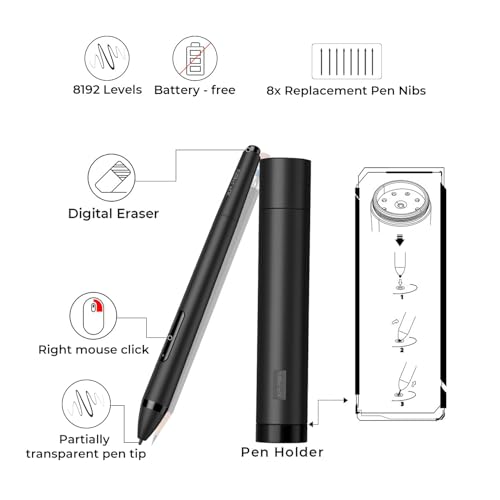
XP-PEN Artist12 11.6 Inch FHD Drawing Monitor Pen Display Graphic Monitor with PN06 Battery-Free Multi-Function Pen Holder and Glove 8192 Pressure Sensitivity




As an Amazon Associate we earn from qualifying purchases. Product prices and availability are accurate as of the date/time indicated.

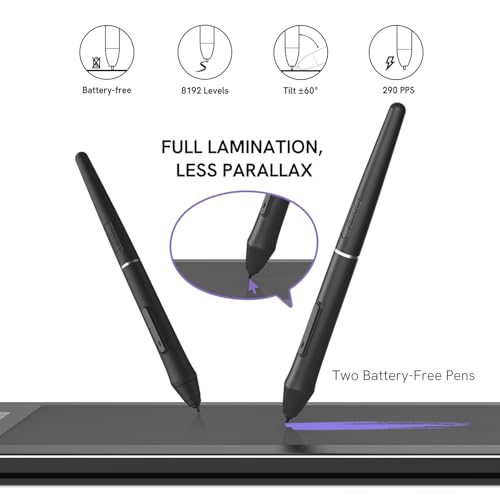
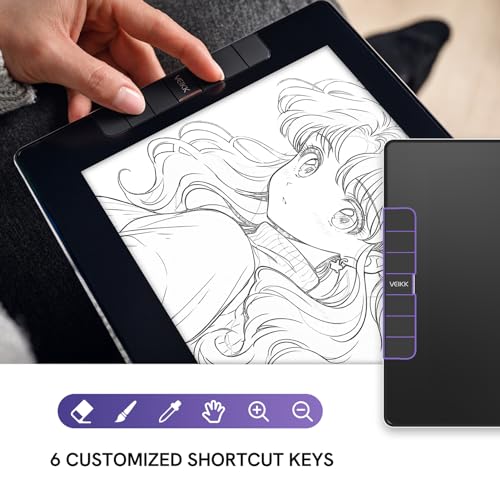
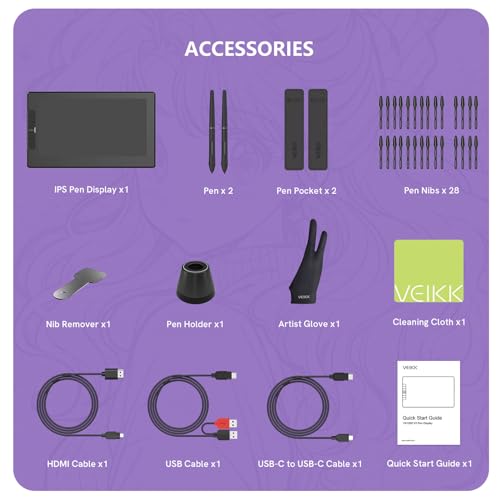
VEIKK VK1200 V2 Drawing Tablet with Screen,11.6'', 8192 Pressure Sentivity | Full-Laminated & Anti-Glare Drawing Monitor. 6 Customizable Keys, with 2 Battery Free Pens, 1 Glove. Requires PC Connection





As an Amazon Associate we earn from qualifying purchases. Product prices and availability are accurate as of the date/time indicated.

XPPen Artist Ultra 14, 2.8K OLED Touchscreen Drawing Tablet Dual 16K Styli | 14" Drawing Monitor with 99% Adobe RGB △E<1* Stand ACK05 Keyboard for Photo Editing Illustration Easy-to-carry Creation


As an Amazon Associate we earn from qualifying purchases. Product prices and availability are accurate as of the date/time indicated.

HUION Kamvas 24 Plus 2.5K QHD Graphic Drawing Tablet with Screen, 23.8 Inch | 140% sRGB Full-Laminated QD Drawing Monitor, Battery-Free Stylus 8192 Pen Pressure Tilt, Compatible with PC, Mac, Android


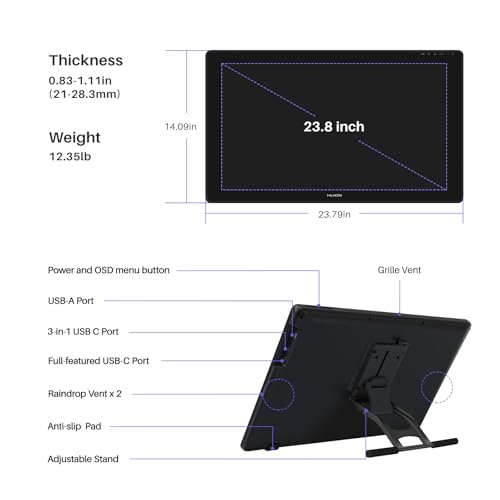
As an Amazon Associate we earn from qualifying purchases. Product prices and availability are accurate as of the date/time indicated.

Graphics Tablet with Screen UGEE UE12 Plus 11.9 Inch, Pen Display with Full-Laminated Screen 147% RGB Colour Gamut, Drawing Monitor with Scroll Wheel and 8 Shortcut Keys for Windows/Mac/Android


As an Amazon Associate we earn from qualifying purchases. Product prices and availability are accurate as of the date/time indicated.
ASUS ProArt PA169CDV 15.6 Inch 4K USB-C WACOM Display Portable Monitor | Calman Verified, Delta E<2, 10-Point Touch, IPS, 100% sRGB, PANTONE Validated, HDMI, Dial, Pen Display


As an Amazon Associate we earn from qualifying purchases. Product prices and availability are accurate as of the date/time indicated.

HAMTYSAN Raspberry Pi Screen, 7 Inch Portable Monitor External Display 800x480 IPS Screen Small HDMI Monitor for Raspberry Pi 400/4/3/2/Zero/B/B+ Jetson Nano Win11/10/8/7 (Non-Touch)


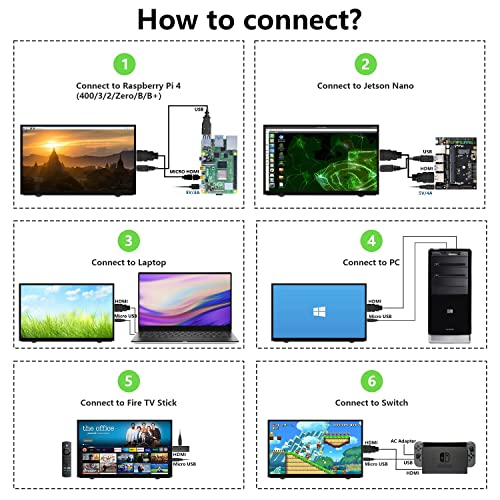


As an Amazon Associate we earn from qualifying purchases. Product prices and availability are accurate as of the date/time indicated.

VEIKK VK1200 V3 11.6" Drawing Tablet with Screen,16K Pressure, 1 Stand | Full Lamination & Anti-Glare Glass Drawing Monitor. 6 Customizable Keys, 2 Battery-free Pens & Glove. Requires PC connection


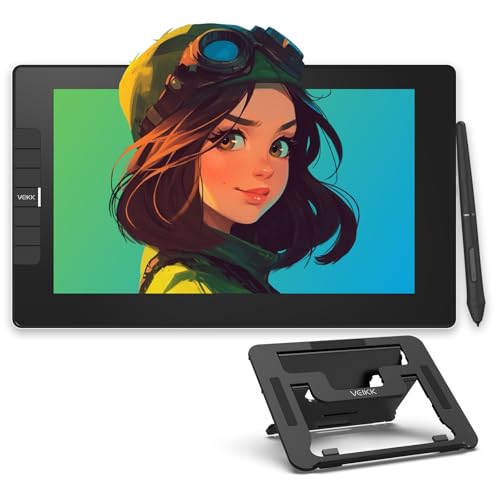
As an Amazon Associate we earn from qualifying purchases. Product prices and availability are accurate as of the date/time indicated.
| Model | Key point from title | Price tier | Best for |
|---|---|---|---|
| XP-PEN Artist12 | 11.6-inch FHD, 8192 pressure, pen holder, glove | Budget | First pen display for sketching |
| VEIKK VK1200 V2 | 11.6-inch, 8192 pressure, full-laminated, 2 pens, 6 keys | Budget | Budget starter with two pens |
| XPPen Artist Ultra 14 | 14-inch 2.8K OLED touch, 99% Adobe RGB claim, 16K styli | Premium | Colour-minded travelling illustrators |
| HUION Kamvas 24 Plus | 23.8-inch 2.5K QHD, 140% sRGB claim, tilt support | Premium | Large-canvas studio work |
| UGEE UE12 Plus | 11.9-inch full-laminated, 147% “RGB” claim, 8 keys + wheel | Budget | Shortcut-heavy starter |
| ASUS ProArt PA169CDV | 15.6-inch 4K USB-C, 100% sRGB, Delta E under 2, touch | Premium | Colour work on one cable |
| HAMTYSAN 7-inch Pi screen | 7-inch 800×480 IPS, non-touch, HDMI | Budget (off-type) | Raspberry Pi projects, not drawing |
| VEIKK VK1200 V3 | 11.6-inch, 16K pressure claim, stand, 2 pens, 6 keys | Budget | Budget starter with a stand |
How we picked these
We compared the eight listings using published specifications, manufacturer documentation and buyer reviews, reading each title for size, lamination, pressure claims, colour figures and connection type. Nobody on the team used or measured these units. Pressure levels, gamut percentages and Delta E values in titles are seller claims. Price tiers are relative inside this set, and the two VEIKK models are flagged as near-duplicates. Where a title is silent on lamination, a stand or pen inclusion, we say so instead of assuming.
The eight listings, one by one
XP-PEN Artist12
The title names an 11.6-inch Full HD pen display, 8192 pressure levels and a “PN06 Battery-Free Multi-Function Pen Holder and Glove”, wording that is compressed. It does not mention lamination, tilt support or a stand, so check the listing for each. At roughly 190 pixels per inch (estimate, FHD on 11.6 inches) lines look clean, but the 10.1 by 5.7 inch active area is tight for large canvases. It needs a computer connection, so confirm which cable it uses with your ports; a USB-C-only laptop may need a cable or hub that the listing names.
Pros
- Full HD resolution stated in the title
- Battery-free pen kit and glove named
Cons
- Lamination and stand not mentioned in the title
- Small active area demands lots of zooming
Who it’s for: A beginner who wants a first pen display for sketching and notes.
VEIKK VK1200 V2
An 11.6-inch pen display with 8192 pressure levels, a full-laminated anti-glare surface, six customizable keys and two battery-free pens plus a glove. The title says “Requires PC Connection” and misspells “Sensitivity” as “Sentivity”, so double-check the other details on the listing. Resolution is not stated; if it is Full HD, density is about 190 pixels per inch (estimate). It overlaps heavily with the V3 below, so decide on the stand and pressure claim rather than on size, and compare the cable and warranty details on both pages.
Pros
- Full lamination and anti-glare finish named
- Two pens included
Cons
- Resolution not stated in the title
- Near-duplicate of the V3, so little choice by size
Who it’s for: A budget artist who wants the lamination claim and a spare pen.
XPPen Artist Ultra 14
The headline specs are a 2.8K OLED touchscreen, dual 16K styli, a 99% Adobe RGB claim, “ΔE<1*” with an asterisk, a stand and an ACK05 keyboard. The asterisk matters: the title does not say what conditions apply, so read the footnote on the listing. “Dual 16K styli” is ambiguous; it likely means two pens with 16K pressure levels, but verify. If 2.8K means 2880 by 1800 (our assumption), density is about 243 pixels per inch. Check how the touch layer handles a resting palm. At the premium end of this set, read the return policy before committing.
Pros
- Highest density of the pen displays, by our estimate
- Stand and shortcut keyboard in the title
Cons
- Colour accuracy claim has an unexplained asterisk
- Premium tier in this set
Who it’s for: An illustrator who edits colour and wants a compact, high-density screen.
HUION Kamvas 24 Plus
This is the big canvas: 23.8 inches, 2.5K QHD, full lamination, a QD panel, 8192 pressure with tilt, and a battery-free pen. “140% sRGB” describes how much colour space the panel covers, not how accurate it is, so it says little about colour matching. At 2560 by 1440 on 23.8 inches, density is about 123 pixels per inch (estimate), lower than the small models, but you get far more room. Plan for desk depth and a rated arm or stand. The title also lists Android compatibility, which the listing should qualify by phone model.
Pros
- Large 20.7 by 11.7 inch active area
- Tilt support and PC, Mac and Android compatibility named
Cons
- Gamut percentage is not an accuracy measure
- Needs a lot of desk and a sturdy support
Who it’s for: A studio artist who prefers a big, immersive canvas.
UGEE UE12 Plus
The title lists an 11.9-inch pen display with a full-laminated screen, “147% RGB colour gamut”, a scroll wheel and eight shortcut keys, for Windows, Mac and Android. “147% RGB” does not say which colour space, so treat it as marketing until the listing explains. Resolution is not in the title; assume Full HD, about 185 pixels per inch (estimate). The dial and keys speed up zooming and brush changes. With eight keys and a wheel, check that the driver maps them for your software.
Pros
- Scroll wheel plus eight keys for fast shortcuts
- Full lamination stated
Cons
- Gamut claim lacks a named colour space
- Resolution not in the title
Who it’s for: A hobbyist who wants plenty of shortcut controls on a small screen.
ASUS ProArt PA169CDV
A 15.6-inch 4K portable monitor on USB-C with a Wacom reference, 10-point touch, IPS, 100% sRGB, Delta E under 2, Calman Verified and Pantone Validated, plus HDMI and a dial. The title also says “Pen Display”, but it does not say a pen is included, so confirm the stylus before buying. 4K on 15.6 inches is about 282 pixels per inch (estimate), the sharpest here. USB-C video needs a port with DisplayPort Alt Mode, or use the HDMI input. A dial is named in the title; check which apps it controls.
Pros
- 4K density and colour validation claims
- Single USB-C cable when your port supports video
Cons
- Pen may not be included; the title does not say
- Premium tier; small active area
Who it’s for: A traveller who wants colour-checked 4K and a portable pen workflow.
HAMTYSAN 7-inch Raspberry Pi screen
This does not belong in the drawing category. The title says it is a 7-inch portable IPS screen at 800 by 480, non-touch, built for Raspberry Pi and Jetson boards. It has no pen, no touch and a resolution far too low for illustration. At 800 by 480, density is about 133 pixels per inch on a tiny area. It is a hobby electronics screen, and listing it for drawing would be misleading.
Pros
- Very inexpensive; useful for Raspberry Pi projects
- Small and portable
Cons
- No pen and explicitly non-touch
- Wrong product type for this keyword
Who it’s for: Raspberry Pi builders; skip it for drawing.
VEIKK VK1200 V3
The V3 listing shows an 11.6-inch pen display with a 16K pressure claim, one stand, full lamination, anti-glare glass, six keys, two battery-free pens and a glove. Compared with the V2, the new elements are the pressure number and the included stand. Both are near-duplicates, so choose whichever has the better stand, warranty and cable details. As with the V2, “Requires PC connection” applies and resolution is not given.
Pros
- Stand named in the title
- 16K pressure claim, if software uses it
Cons
- Resolution not in the title
- Pressure level increase may be hard to feel in use
Who it’s for: A budget buyer who wants the stand included.
Pixel density and canvas zoom
Pixels per inch (ppi) decides how sharp lines look, while the active area decides how much canvas you see. The figures below use stated or assumed resolutions (FHD for the 11.6-inch models, 2880 by 1800 for the 2.8K, 2560 by 1440 for QHD, 3840 by 2160 for 4K) and a 3000-pixel-wide canvas shown at 100% zoom.
| Screen | ppi (approx.) | Active width | 3000 px canvas at 100% | Zoom to fit |
|---|---|---|---|---|
| 11.6-inch FHD | 190 | 10.1 in | 15.8 in | about 64% |
| 14-inch 2.8K (assumed) | 243 | 11.9 in | 12.4 in | about 96% |
| 15.6-inch 4K | 282 | 13.6 in | 10.6 in | fits at 100% |
| 23.8-inch QHD | 123 | 20.7 in | 24.3 in | about 85% |
Reading it: the 11.6-inch group forces you to work zoomed out to about two-thirds, so you pan more and see less of the picture. The 23.8-inch model is softer per inch but lets you see most of a large canvas at once. Pick by how you work: lots of detail zoomed in favors density, composition favors area.
What to check before choosing a pen display
Pen display or monitor plus tablet
A pen display puts the stylus on the image, which many artists find more natural. A regular monitor paired with a separate drawing tablet costs less per inch of screen and keeps your eyes up and your wrist relaxed, but needs hand-eye adjustment. Neither of these approaches is free of learning time.
Lamination and parallax
Full lamination removes the air gap between glass and panel, reducing the gap between the pen tip and the line. Of the titles here, the VEIKK, UGEE and Huion models name it; the Artist12 and ASUS titles do not, so look on the listing.
Colour claims
Percentages of sRGB or Adobe RGB show coverage, while Delta E values describe accuracy and depend on how they were measured. If colour matching matters for print, see our guide to the best monitor for graphic design, and treat every title claim as unverified.
Connection and power
Pen displays need a computer. Some use one USB-C cable, which needs a port with DisplayPort Alt Mode and enough power; others need HDMI plus a USB cable. Check the cables in the box and the supported operating systems, particularly for Android claims.
Pens, nibs and drivers
Check which pen ships with the display and whether spare nibs are included. Drivers matter as much as hardware: confirm support for your operating system and drawing software, and check that tilt and shortcut keys map correctly. Android compatibility claims usually apply to selected phone models only.
Glare and room light
Glossy laminated glass reflects windows and lamps. Place the display so bright light sits to the side, and add a matte screen film only if the maker allows it, since films can change how the pen feels.
Support and posture
A 24-inch pen display is heavy; use a rated monitor arm or a sturdy monitor stand that can tilt it to a drawing angle. General ergonomics apply: keep wrists neutral, shoulders relaxed and take regular breaks.
Mistakes buyers make
- Buying a regular monitor for “drawing” and discovering it has no pen, no pressure sensing and no way to draw directly.
- Treating a gamut percentage, such as “140% sRGB”, as proof of colour accuracy.
- Ignoring the cable: single-cable USB-C only works on ports that carry video.
- Assuming a titled “pen display” includes the stylus, as with the ASUS listing.
- Choosing the smallest screen to save money, then spending the first month zoomed out and panning.
- Skipping the driver check, then finding tilt or shortcut keys do not work in your software.
- Believing pressure levels such as 16K make lines look better by themselves; software and your hand matter more.
Verdict
For a first pen display, the VEIKK V3 and Artist12 are the plain starting points, with the V3 including a stand according to its title. Move up to the Huion Kamvas 24 Plus for canvas room, or the XPPen Artist Ultra 14 and ASUS ProArt PA169CDV if you want higher density and colour claims, after you check the pen and the footnotes. Skip the HAMTYSAN screen unless you are building with a Raspberry Pi. Confirm cables, pens and driver support before you order.
Frequently asked questions
Can I draw on a regular monitor?
Not directly. A regular monitor has no pen sensor, so you draw on a separate tablet or use a touch-capable display with a stylus. The pen displays in this set add a pressure-sensitive stylus and sensor layer. Check the listing for which pen is included, since a title may say “pen display” without listing the stylus.
Is a pen display better than a drawing tablet?
It depends on how you work. A pen display lets you draw directly on the image, which many artists find natural, but costs more per inch and tires the neck if poorly placed. A separate tablet is cheaper and easier on posture but needs hand-eye adjustment. Neither is better for everyone.
Does full lamination matter?
It removes the air gap between the glass and the display, so the pen tip sits closer to the line and parallax drops. The VEIKK, UGEE and Huion titles name it. It does not improve colour, so it is a feel feature rather than a quality guarantee. Check the listing if the title is silent.
Are the colour claims in these titles accurate?
Treat them as seller claims. Figures such as 99% Adobe RGB, 100% sRGB or Delta E under 2 give coverage or accuracy under unstated conditions, and the XPPen title carries an unexplained asterisk. If print-accurate colour matters, check the listing footnotes and plan to calibrate with a dedicated colorimeter before any print work.
Which size is best for drawing?
An 11.6 to 12-inch model suits sketching and travel but needs zoom for larger canvases; 14 to 16 inches balances detail and portability; 23.8 inches gives a studio-sized area. Our estimates show the small models fit a 3000-pixel canvas only at about 64% zoom, so choose by your usual canvas and desk.






Write Your Review
No reviews yet. Be the first to share your experience!