

Key takeaways
- Best Mechanical Keyboard Under $200 — pair your new mouse with a keyboard that matches your desk setup.
- Best USB-C Docking Station Under $200 — one dock for your laptop, monitor, mouse, and keyboard.
- Best Standing Desk for a Dual Monitor Setup Under $400 — build a complete ergonomic desk around your new mouse.
A good wireless mouse does not have to cost a fortune. Under $50, you can get a silent office mouse, a genuine gaming mouse with a pro-grade sensor, a slim travel mouse, or a vertical ergonomic mouse.
We researched real Amazon US listings in November 2026 and picked five wireless mice that are actually in stock, under $50, and good at the job they are built for. Prices below are research snapshots from November 2026 — check current price on Amazon before you buy.
Quick Picks
| Mouse | Best For | Connectivity | DPI | Battery | Price Note |
|---|---|---|---|---|---|
| Logitech M330 Silent Plus | Overall / quiet office | 2.4 GHz USB receiver | 1,000 | Up to 18–24 months (1 AA) | Seen at $16–$22 on Amazon in Nov 2026 |
| Logitech G305 LIGHTSPEED | Gaming | 2.4 GHz LIGHTSPEED | Up to 12,000 (HERO) | Up to 250 hours (1 AA) | Seen at $29.49 on Amazon in Nov 2026, list $49.99 |
| Logitech Pebble Mouse 2 M350s | Travel / laptop bag | Bluetooth + Logi Bolt | Up to 4,000 | Up to 24 months (1 AA) | Seen at $19–$24 on Amazon in Nov 2026 |
| JLab JBuds Ergonomic | Wrist comfort / vertical grip | Bluetooth + 2.4 GHz | 1,200–2,400 | Rechargeable, up to 2 months | List $39.99, seen around $37 on Amazon |
| TECKNET Wireless Mouse | Budget high-DPI | 2.4 GHz USB receiver | 800–4,800 (6 levels) | Rechargeable | Seen around $17–$18 |
How to Choose a Wireless Mouse Under $50
Sensor and DPI
DPI is how far the cursor moves for a given hand movement. For office work, 1,000–1,600 DPI is plenty; for a big 4K monitor or gaming, 2,400 DPI and up feels better. But the sensor matters more than the number on the box: a name-brand optical sensor tracks smoothly, while a no-name sensor can skip or stutter. The Logitech G305’s HERO sensor is the standout here — the same sensor family Logitech puts in mice costing three times as much.
Battery: disposable vs. rechargeable
Mice that run on a single AA battery (the two Logitech office picks here) can last 18–24 months on one cell. Rechargeable mice (the JLab and the TECKNET) charge over USB-C and never need batteries, but they need topping up every few weeks. If you hate charging things, pick AA; if you hate buying batteries, pick rechargeable.
Ergonomics: shape matters more than specs
A mouse you use eight hours a day has to fit your hand. Full-size, right-handed mice like the M330 suit a palm grip and a medium-to-large hand. Slim mice like the Pebble suit a fingertip grip and small hands. Vertical mice like the JLab hold your hand in a handshake position, which takes pressure off the wrist. Most budget mice are right-handed, so left-handed buyers should check the listing carefully.
Connectivity: 2.4 GHz dongle vs. Bluetooth
A 2.4 GHz USB receiver gives the most reliable, lowest-lag connection and works with almost any computer, including locked-down office machines where Bluetooth pairing is disabled. Bluetooth needs no dongle and can switch between several devices. Dual-mode mice give you both. One warning: some Bluetooth-only mice include no receiver at all, so check the box contents if your computer has no Bluetooth.
Click noise and extra buttons
If you work in an open office or a library, silent-click mice are a genuine upgrade: Logitech’s SilentTouch switches cut click noise by over 90% while keeping the same click feel. Gamers, by contrast, want at least two side buttons and a sensor that never lags — and they do not care about click noise.
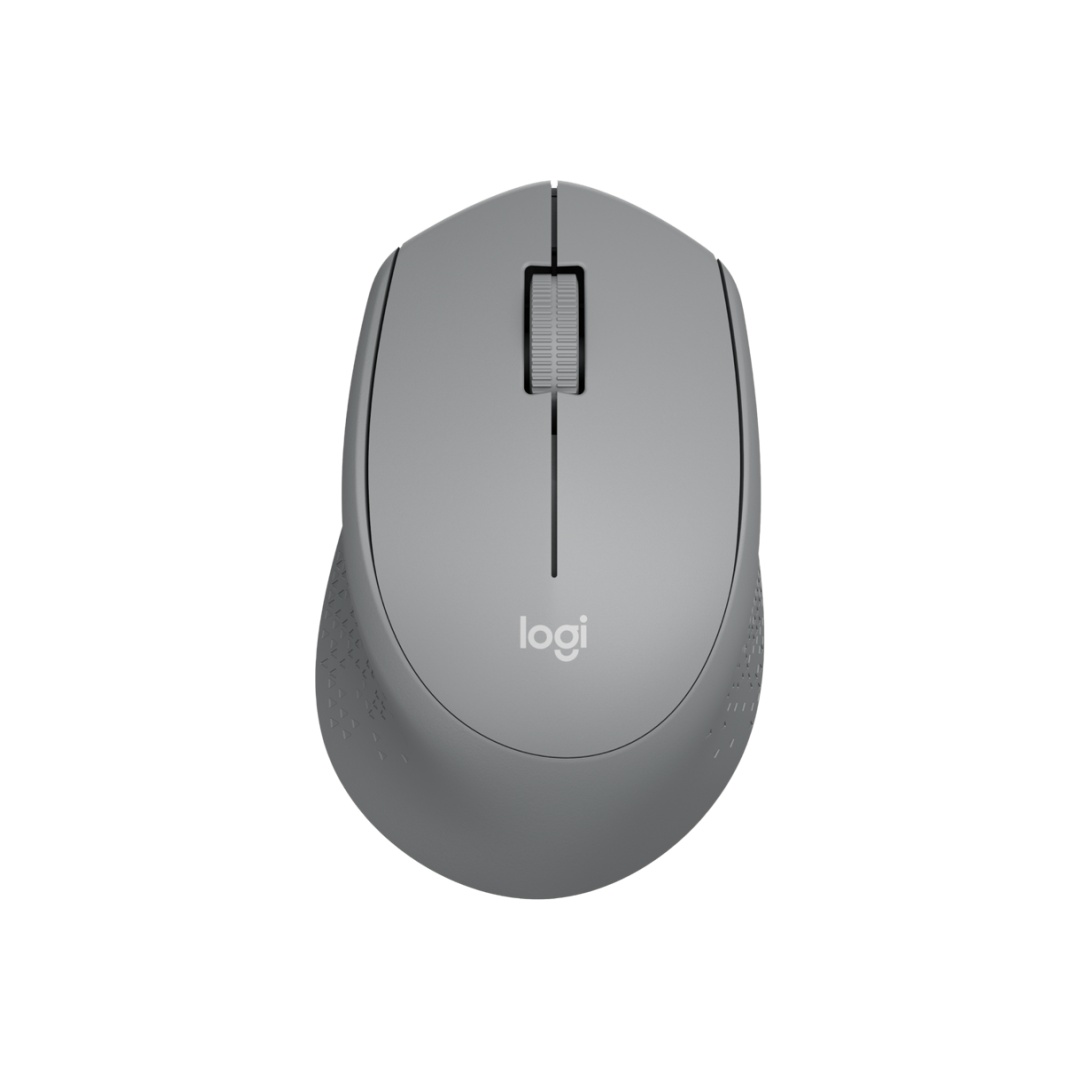
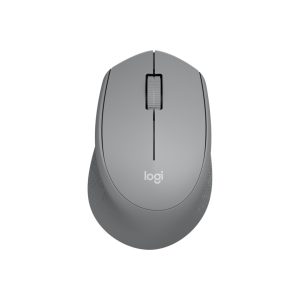
1. Logitech M330 Silent Plus — Best Overall
Specs: 2.4 GHz USB nano receiver · 1,000 DPI optical sensor · SilentTouch clicks (over 90% noise reduction) · 1 AA battery, up to 18–24 months · Right-handed contoured shape · 91 g
The M330 Silent Plus is the mouse corporate IT departments buy by the hundred: quiet, cheap, and reliable. Logitech’s SilentTouch technology cuts click noise by over 90% compared with a classic mouse while keeping the same click feel.
The shape is a full-size, right-handed contour with a rubber grip and a smooth scroll wheel. At 1,000 DPI the tracking is exactly right for everyday document work and browsing. There is no Bluetooth and no extra buttons — this is a three-button mouse, full stop — but for most desk work that is all you need. One AA battery is rated for up to 18–24 months, and the tiny nano receiver stores inside the mouse.
In November 2026, Amazon US listings for the M330 Silent Plus were seen at $16.14–$21.49 against a $22.99 list price.
Pros: Genuinely quiet clicks; very long battery life; comfortable full-size shape; rock-bottom price; around 4.5 stars from tens of thousands of ratings.
Cons: Fixed 1,000 DPI is low for 4K monitors; no Bluetooth; no side buttons; right-handed only.
Best for: Office workers, students, and anyone who wants a quiet, reliable everyday mouse for almost no money.
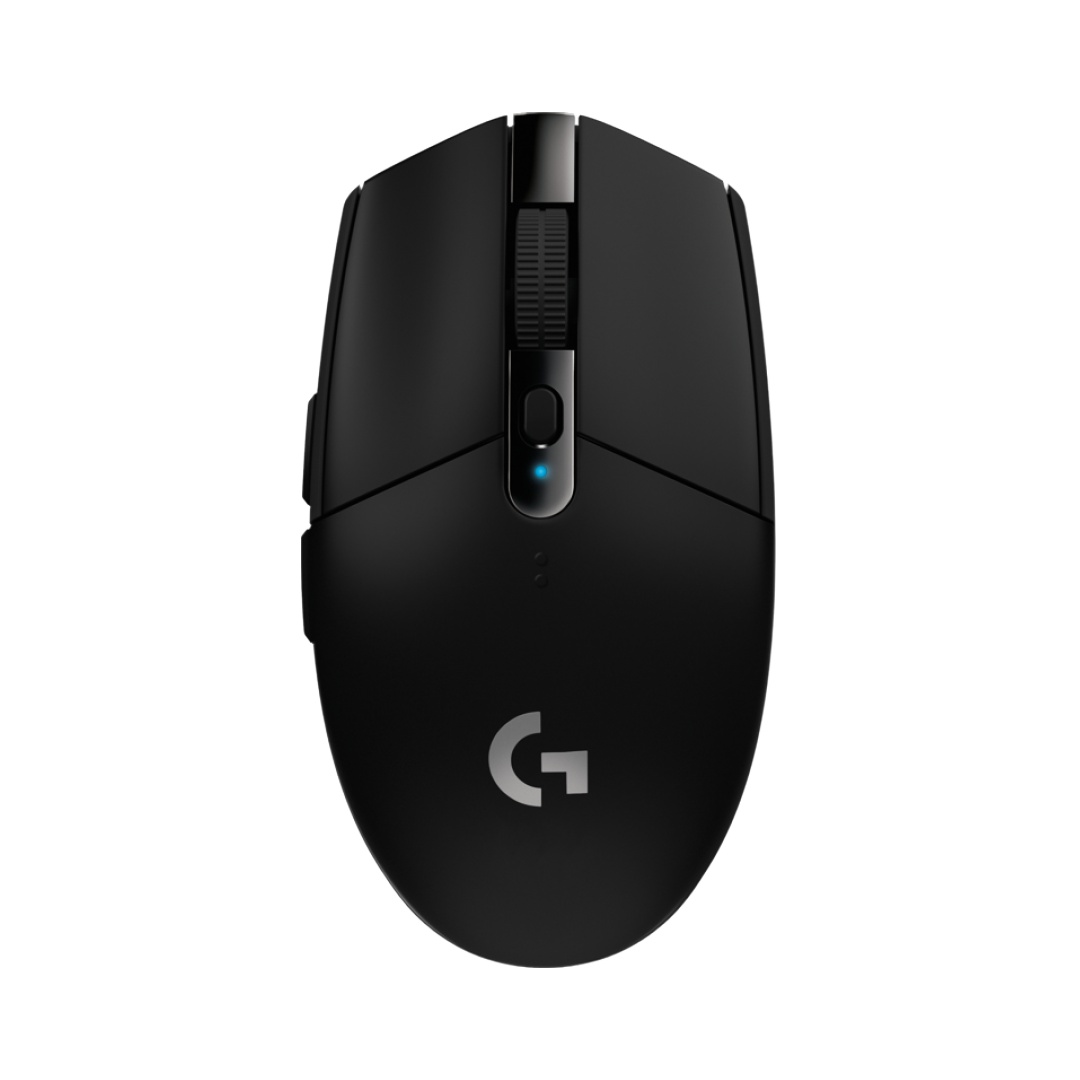
2. Logitech G305 LIGHTSPEED — Best for Gaming
Specs: 2.4 GHz LIGHTSPEED wireless (1 ms report rate) · HERO sensor, up to 12,000 DPI · 6 programmable buttons · On-board memory · 1 AA battery, up to 250 hours (Endurance mode lasts months) · 99 g
The G305 is the budget gaming legend that refuses to retire. For around $30 it delivers LIGHTSPEED wireless with a 1 ms report rate, the HERO sensor at up to 12,000 DPI, and up to 250 hours from a single AA battery. It is ranked #1 in PC gaming mice on Amazon, with around 4.6 stars from over 40,000 ratings.
In practice, the G305 feels like a serious gaming mouse: the sensor tracks cleanly at high speeds, the clicks are crisp, and the six programmable buttons (including two side buttons) cover the essentials. The receiver stores inside the shell for travel, and on-board memory keeps your settings. The trade-offs: it runs on one AA battery instead of being rechargeable, it has no RGB lighting, and its compact shape suits claw and fingertip grips better than a full palm grip.
In November 2026, the G305 was verified at $29.49 on Amazon US against a $49.99 list price — about 41% off. Even at its full list price it is under $50.
Pros: Pro-grade HERO sensor and 1 ms wireless; six programmable buttons; excellent battery life; tiny, storable receiver; huge review base.
Cons: AA battery instead of rechargeable; no RGB; compact shape is less comfortable for large hands and palm grip; clicks are loud compared with the silent mice here.
Best for: Gamers on a budget, and anyone who wants the best sensor available under $50.
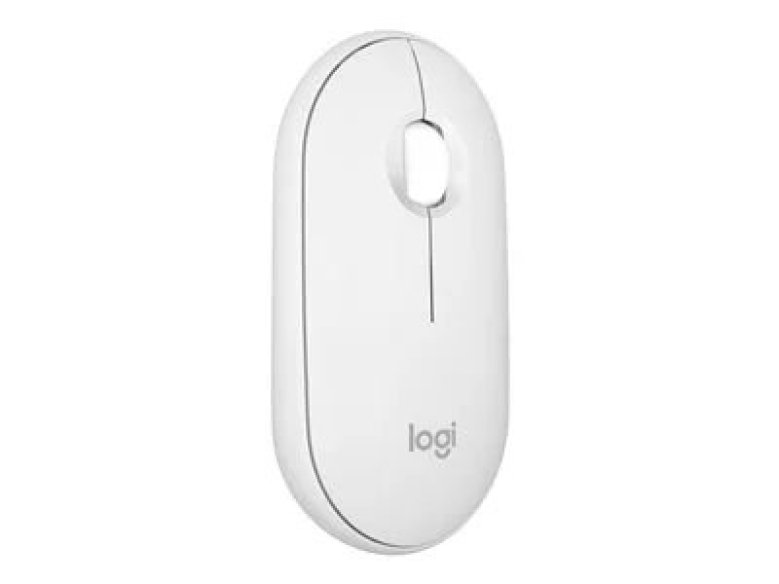
3. Logitech Pebble Mouse 2 M350s — Best for Travel
Specs: Bluetooth 5.2 + Logi Bolt (receiver sold separately) · Up to 4,000 DPI · Silent clicks · Easy-Switch across 3 devices · 1 AA battery, up to 24 months · 76–99 g depending on source · Slim, flat pebble shape
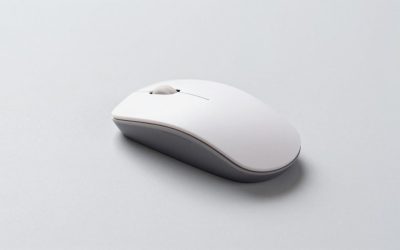
The Pebble Mouse 2 M350s is the mouse you keep in your laptop bag: slim, flat, and light at around 76 g, with a smooth pebble shape that slides into a bag pocket. It connects over Bluetooth, switches between three devices with one button, and one AA battery is rated for up to 24 months.
The trade-off for that slimness is comfort: this is a fingertip-grip mouse, not an all-day palm-grip mouse, and long sessions can feel cramped for large hands. It also has no USB receiver in the box — the compatible Logi Bolt receiver is sold separately — so it is best for computers with Bluetooth.
In November 2026, Amazon US listings for the Pebble Mouse 2 M350s were seen at $19.99–$23.90 depending on color, with some colors as low as $18.74.
Pros: Ultra-slim and light; quiet clicks; switches between three devices; 4,000 DPI; two-year battery; comes in several colors.
Cons: No USB receiver included; slim shape is less comfortable for long sessions and large hands; only one customizable middle button.
Best for: Travelers, laptop users, Mac and tablet owners, and anyone who wants a second mouse for the bag.
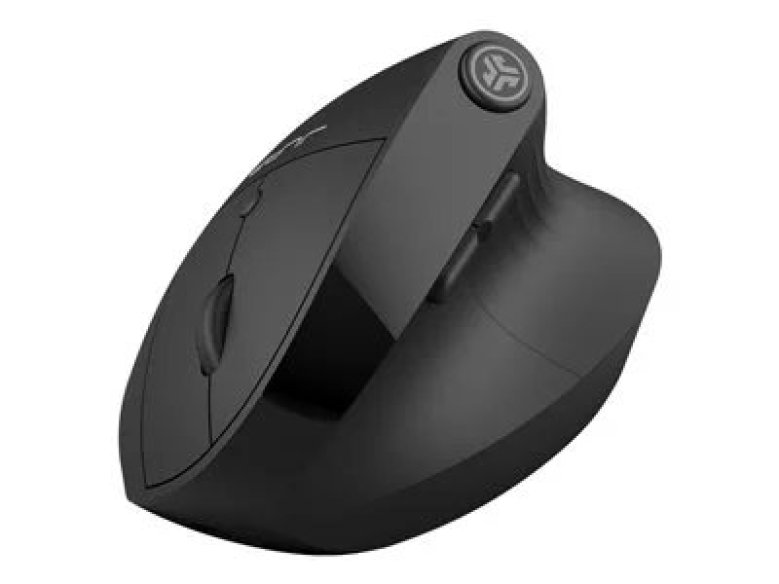
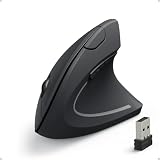
4. JLab JBuds Ergonomic — Best Ergonomic (Vertical)
Specs: Vertical 57° angle · Bluetooth + 2.4 GHz USB receiver · 1,200 / 1,600 / 2,000 / 2,400 DPI (adjustable) · 7 buttons · Rechargeable battery, up to 2 months per charge · Multi-device toggle (up to 3 devices) · 110 g
The JLab JBuds Ergonomic is the cheapest credible way to try a vertical mouse. Its 57° angle holds your hand in a natural handshake position, reducing forearm rotation and taking pressure off the wrist. It connects by Bluetooth or the included 2.4 GHz receiver, switches between up to three devices, and has seven buttons including a DPI switch (1,200 to 2,400 DPI).
The battery is rechargeable over USB and rated for up to two months per charge, and the mouse supports custom profiles through JLab’s software. Reviewers generally find it comfortable for the price, though the software is basic and the build feels lighter than mice costing twice as much. A vertical mouse takes a few days to get used to.
In November 2026, the JLab JBuds Ergonomic was listed at $39.99, with Amazon US prices seen around $36.99.
Pros: Real vertical ergonomic design under $40; dual Bluetooth and 2.4 GHz; three-device switching; rechargeable with long battery life; seven buttons.
Cons: Takes days to adjust to; basic software; lighter build than premium vertical mice; 2,400 DPI ceiling is modest for 4K screens.
Best for: Anyone with wrist or forearm discomfort, and office workers who want to try a vertical mouse without spending $80 or more.
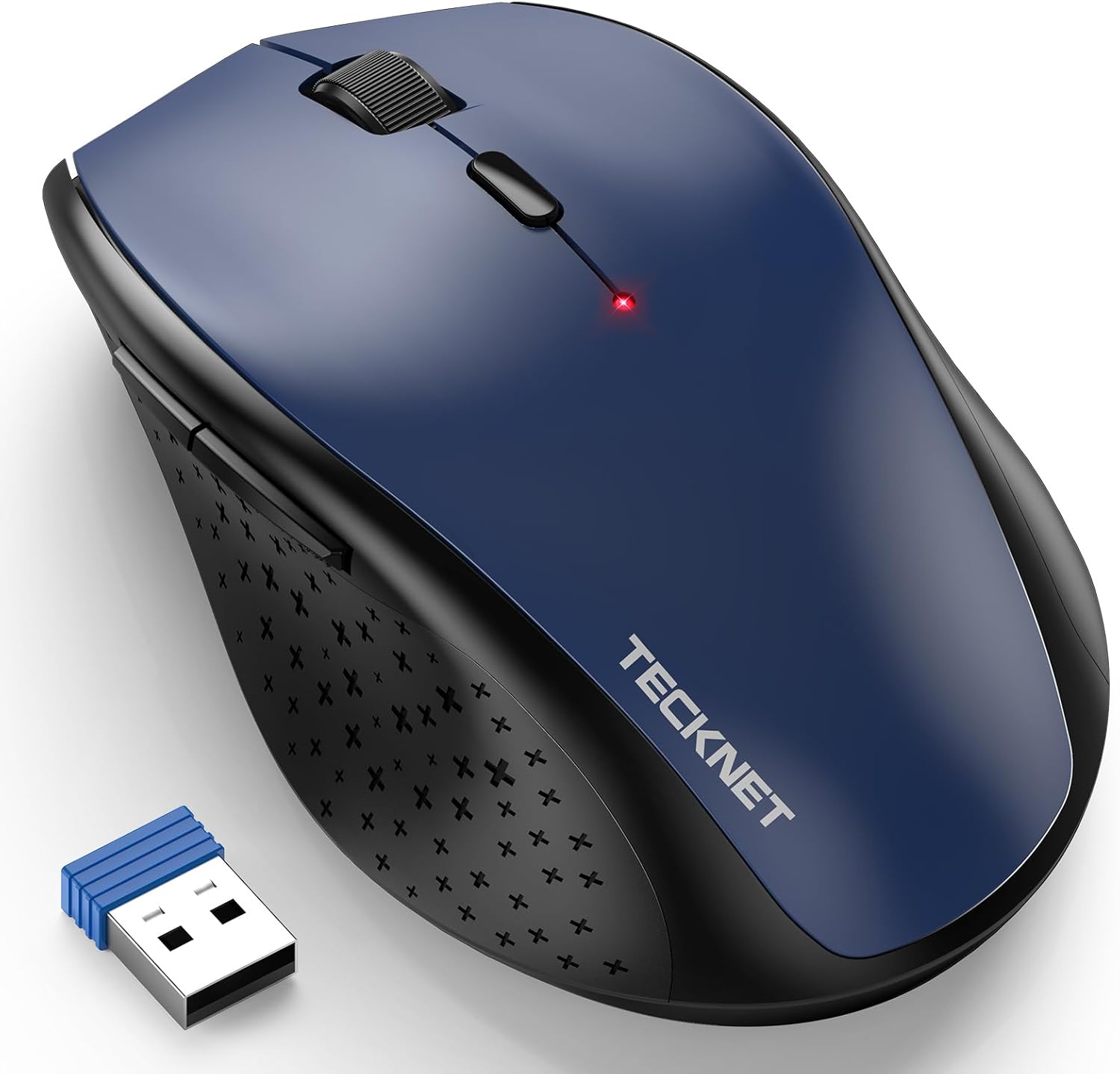
5. TECKNET Wireless Mouse — Best Budget High-DPI
Specs: 2.4 GHz USB nano receiver · 6 DPI levels, 800–4,800 DPI · Silent clicks · Rechargeable battery · Compact portable design
The TECKNET is the pick for buyers who want adjustable DPI and a rechargeable battery at the lowest possible price. Its six DPI levels run from 800 to 4,800 DPI, so you can dial in slow, precise movement or fast travel for a big monitor. The clicks are silent.
Be honest about what you are getting: this is a budget mouse from a budget brand, and the sensor, switches, and build quality are a step below the Logitech picks above. It is a good second mouse or a good mouse for a kids’ computer — but if this is your only mouse for eight hours a day, the M330 or the G305 will serve you better.
In November 2026, catalog listings for this TECKNET model were seen around $17.99. Check current price on Amazon, and confirm the exact model before ordering — TECKNET sells several similar-looking mice with different DPI ranges.
Pros: 4,800 DPI for under $20; silent clicks; rechargeable; compact and portable.
Cons: Budget sensor and build; brand support is thinner than Logitech’s; model names are confusingly similar.
Best for: Tight budgets, second computers, and anyone who wants adjustable DPI for the least money.
What to Avoid
Mice that cost $8–$12 from unknown brands. At that price you are buying a lottery ticket: sensors that skip, buttons that double-click within months, and receivers that drop the connection. The TECKNET above is about as cheap as we would go.
Gaming mice with fake specs. If a $25 mouse claims 16,000 DPI and a 1,000 Hz polling rate, treat the numbers with suspicion. Real sensor specs come from the sensor maker (PixArt, Logitech HERO) — a no-name mouse rarely names its sensor at all.
Bluetooth-only mice for locked-down work computers. Many corporate laptops disable Bluetooth pairing. If your work machine is managed by IT, buy a mouse with a 2.4 GHz USB receiver, like the M330 or the G305.
Buying the wrong variant. The Pebble Mouse 2 M350s has no receiver in the box; the original Pebble M350 is a different, older model; and the G305 comes in several colors that can differ in price by $10 or more. Check the exact model name on the listing before you order.
Renewed or used mice. Batteries, feet, and switches wear out — and a used mouse is the one peripheral you touch all day. Under $50, new is affordable enough that we would not buy used.
FAQ
What is the best wireless mouse under $50 overall?
The Logitech M330 Silent Plus. It is quiet, comfortable, lasts up to two years on one AA battery, and was seen at $16–$22 on Amazon in November 2026.
What is the best wireless gaming mouse under $50?
The Logitech G305 LIGHTSPEED. Its HERO sensor and 1 ms wireless are genuinely competitive, and it was verified at $29.49 on Amazon in November 2026 against a $49.99 list price.
Are cheap wireless mice good for work?
Yes, if you buy from a known brand. The M330 and the Pebble Mouse 2 are both Logitech mice with long battery life, quiet clicks, and large review bases. Avoid no-name mice under $12.
Is a vertical mouse worth it under $50?
If your wrist hurts, yes. The JLab JBuds Ergonomic gives you a real 57° vertical grip, dual connectivity, and three-device switching for around $37–$40. Give it a week to adjust.
Bluetooth or 2.4 GHz — which is better?
2.4 GHz with a USB receiver is more reliable and works on locked-down office computers; Bluetooth needs no dongle and switches between devices. The JLab here is dual-mode; the M330 and G305 are 2.4 GHz only; the Pebble Mouse 2 is Bluetooth only.
Verdict
For most people, the Logitech M330 Silent Plus is the best wireless mouse under $50: quiet, comfortable, absurdly long battery life, and around $16–$22 on Amazon in November 2026. Gamers should buy the Logitech G305 LIGHTSPEED instead — its HERO sensor at $29.49 is the best gaming value in this price range. Travelers will love the slim Pebble Mouse 2 M350s, wrist-pain sufferers should try the vertical JLab JBuds Ergonomic, and the TECKNET covers anyone who wants adjustable DPI for under $20.
Whichever you pick, check the current price on Amazon before you buy — mouse prices shift constantly.
As an Amazon Associate, we earn from qualifying purchases.
Suggested Internal Links
- Best Mechanical Keyboard Under $200 — pair your new mouse with a keyboard that matches your desk setup.
- Best USB-C Docking Station Under $200 — one dock for your laptop, monitor, mouse, and keyboard.
- Best Standing Desk for a Dual Monitor Setup Under $400 — build a complete ergonomic desk around your new mouse.
More from Amazon
Programs that pair well with the guide above. Offers and eligibility are set by Amazon and may change.
Free shipping on eligible items, Prime Video and more. Eligible new members can start with a free trial.
Start a Prime free trialAudiobooks and podcasts to listen to on the go. Eligible new members can start with a free trial.
Try Audible freeAd-free music streaming. Eligible new subscribers can start with a free trial.
Try Music Unlimited freeA free business account with business pricing and bulk-buying tools for work, shop or home office.
Create a business accountAs an Amazon Associate we earn from qualifying purchases.
Write Your Review
No reviews yet. Be the first to share your experience!