

Key takeaways
- /best-standing-desk-for-a-dual-monitor-setup-under-300/ — pair a new keyboard with a dual-monitor standing desk setup
- /best-ergonomic-office-chair-for-computer-work-under-300/ — complete a comfortable desk setup for long typing sessions
- /best-usb-c-docking-station-under-200/ — connect a wireless keyboard, monitors, and laptop through one dock
The best mechanical keyboard under $200 for most people is the Keychron Q1 Pro: a solid aluminium case with a gasket mount, hot-swappable switches, and full QMK/VIA programmability, plus Bluetooth, 2.4 GHz wireless, and USB-C. If you mainly play competitive games, the Logitech G Pro X TKL Lightspeed is the faster wireless pick. If you type all day in a shared office, the Logitech MX Mechanical is the quieter, lower-profile choice.
All five were listed on Amazon US in November 2026. Prices move often, so treat any price here as a November 2026 snapshot and check the current price before you buy. We have not bench-tested these keyboards; specs are the manufacturers’ published specs.
Quick Picks
| Product | Best for | Layout | Switches | Connectivity | Price note |
|---|---|---|---|---|---|
| Keychron Q1 Pro | Best overall | 75%, 81 keys | Hot-swappable | Bluetooth 5.1, 2.4 GHz, USB-C | Check current price on Amazon; catalog search showed $149.99 |
| Keychron V3 Max | Best value wireless TKL | TKL, 87 keys | Gateron Jupiter, hot-swappable | 2.4 GHz, Bluetooth 5.1, USB-C | Check current price on Amazon; about $115 when checked 21 Oct 2026 |
| Logitech G Pro X TKL Lightspeed | Best for competitive gaming | TKL | GX Red / Brown / Blue, not hot-swappable | LIGHTSPEED 2.4 GHz, Bluetooth, USB-C | Check current price on Amazon; about $150–$155 in Nov 2026 |
| Logitech MX Mechanical | Best for office work | Full-size with numpad | Low-profile Tactile Quiet / Linear / Clicky | Bluetooth, Logi Bolt, USB-C | Check current price on Amazon; catalog search showed $169.99 |
| Keychron K8 Pro | Best budget tinkerer pick | TKL, 87 keys | Gateron G Pro, hot-swappable | Bluetooth 5.1, USB-C | Check current price on Amazon; about $80–$105 in Nov 2026 |
How to Choose a Mechanical Keyboard Under $200
Switch type
Linear switches (Gateron Red, GX Red) travel smoothly with no bump or click, suiting gaming and quiet typing. Tactile switches (Gateron Brown, GX Brown, Tactile Quiet) have a small bump that tells your fingers the key has registered; most all-round buyers are happiest here. Clicky switches (Gateron Blue, GX Blue) add an audible click — satisfying alone, a poor choice for a shared office. If unsure, buy tactile.
Hot-swappable
A hot-swappable keyboard lets you pull switches out by hand and press new ones in, with no soldering. Three picks here are hot-swappable: the Q1 Pro, V3 Max, and K8 Pro. One correction: the wireless Logitech G Pro X TKL Lightspeed is not hot-swappable, even though the older wired G Pro X was — choose its GX switches carefully. The MX Mechanical is not hot-swappable either. Keychron sockets generally accept most 3-pin and 5-pin MX-style switches; low-profile boards only take low-profile switches.
Layout
Full-size keeps the number pad — only the MX Mechanical here is full-size. Tenkeyless (TKL) drops the numpad but keeps the function row, freeing mouse room. Three picks are TKL. 75% is slightly more compact than TKL; the Q1 Pro is a 75% board with 81 keys. If you use a numpad daily, do not buy TKL or 75% hoping you will adapt.
Keycaps
ABS caps are smooth and cheap but tend to shine where your fingers rest. PBT is more textured, resists shine, and feels better after a year of typing. All five boards here ship with PBT caps. Double-shot PBT, on the Q1 Pro and V3 Max, means legends are moulded, so they do not wear off.
Connectivity
Bluetooth suits switching between devices and is fine for typing and casual gaming. 2.4 GHz wireless (LIGHTSPEED, Keychron’s 2.4 GHz mode) is close to wired in latency — Logitech rates LIGHTSPEED at 1,000 Hz (1 ms) — and is the mode to use for gaming. Wired USB-C always works and charges the battery. Every board here works wired.
Sound and build
A gasket-mounted board feels softer and sounds less hollow than a tray-mounted board. The Q1 Pro and V3 Max both use a gasket mount with a polycarbonate plate and foam, which is why they feel more expensive than their prices suggest. An aluminium case adds weight and stability; a plastic case is lighter. Programmability — QMK/VIA on Keychron, Logitech software on Logitech — matters more than RGB.
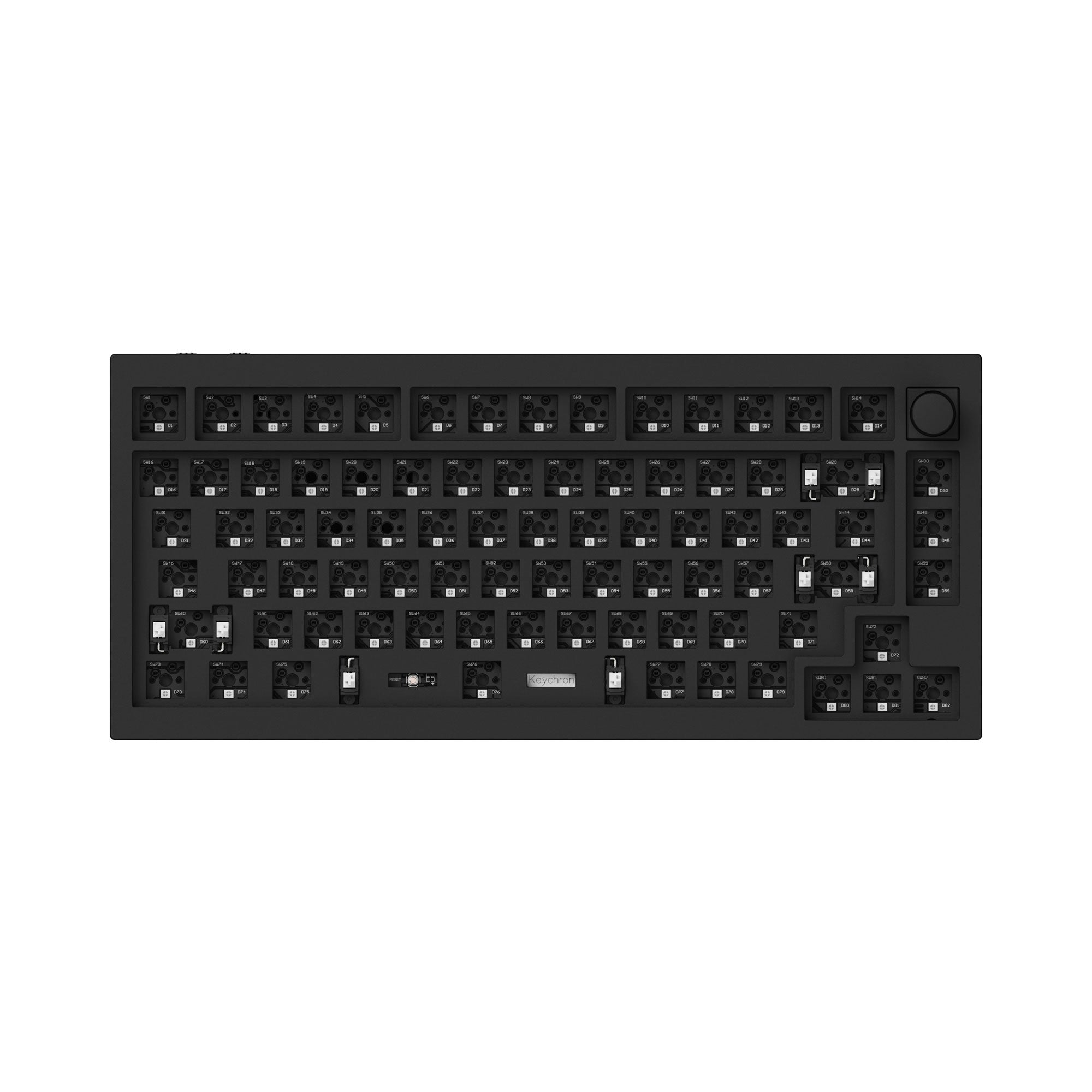
1. Keychron Q1 Pro — Best Overall
Best for: Most buyers who want one premium-feeling keyboard for typing, work, and gaming.
The Q1 Pro is the board to buy if you only want to buy once. Its CNC-machined aluminium case, double-gasket mount, and polycarbonate plate give it a solid, cushioned feel that cheaper plastic boards do not match. It is a 75% layout with 81 keys, keeping the function row and arrows while saving desk space. It is fully hot-swappable and programmable with QMK/VIA, and ships with double-shot PBT keycaps, south-facing RGB, a programmable knob, and screw-in stabilisers. Connectivity is triple-mode — Bluetooth 5.1, 2.4 GHz, and USB-C — with a 4,000 mAh battery. It works with Mac and Windows, with both keycap sets in the box.
Specs: 75%, 81 keys; CNC aluminium case; gasket mount, polycarbonate plate; hot-swappable; QMK/VIA; K Pro / Gateron Red, Brown, or Banana switches depending on configuration; double-shot PBT keycaps; knob; Bluetooth 5.1, 2.4 GHz, USB-C; 4,000 mAh battery.
Pros: Best build in this price range; hot-swappable and QMK/VIA programmable; triple-mode wireless; PBT caps and knob included.
Cons: Heavy at around 1.8 kg; at the top of this budget; no numpad.
Who it is best for: Anyone who types a lot and wants a board that feels like a custom build.
Check price on Amazon — Keychron Q1 Pro
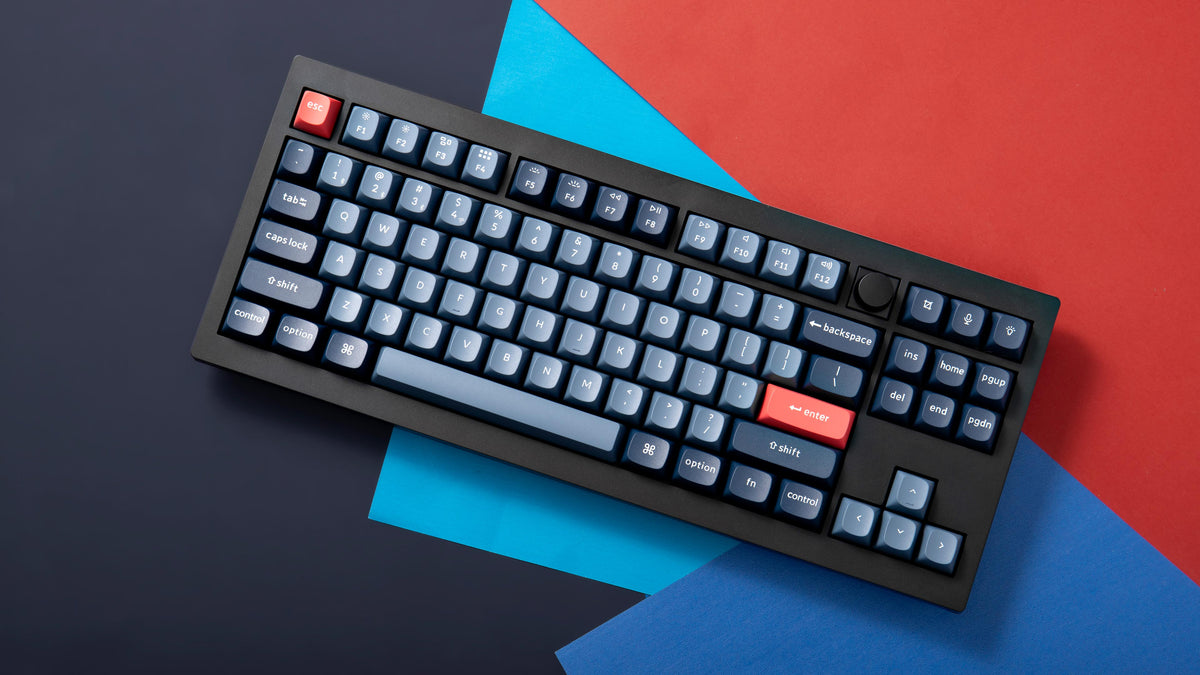
2. Keychron V3 Max — Best Value Wireless TKL
Best for: Buyers who want most of the Q1 Pro experience in a classic TKL layout for less money.
The V3 Max is the value pick. It is a TKL board with 87 keys, a gasket mount with a polycarbonate plate, sound-absorbing foam, and double-shot PBT keycaps in Keychron’s OSA profile. It ships with Gateron Jupiter switches, is hot-swappable, runs QMK/VIA, and connects over 2.4 GHz, Bluetooth 5.1, or USB-C at a 1,000 Hz polling rate in 2.4 GHz and wired modes. Note that VIA support has required a downloadable keymap file in the past, so check Keychron’s current instructions if VIA matters on day one.
Specs: TKL, 87 keys; gasket mount, polycarbonate plate; hot-swappable; QMK/VIA; Gateron Jupiter switches; OSA double-shot PBT keycaps; foam; 2.4 GHz, Bluetooth 5.1, USB-C; 1,000 Hz polling (2.4 GHz and wired).
Pros: Gasket mount, hot-swap, and QMK/VIA well under $200; classic TKL layout; triple-mode wireless.
Cons: Plastic case, so it feels lighter than the Q1 Pro; no knob on the standard version; VIA setup has needed an extra step.
Who it is best for: Typists and gamers who want a comfortable TKL board with room to experiment with switches.
Check price on Amazon — Keychron V3 Max
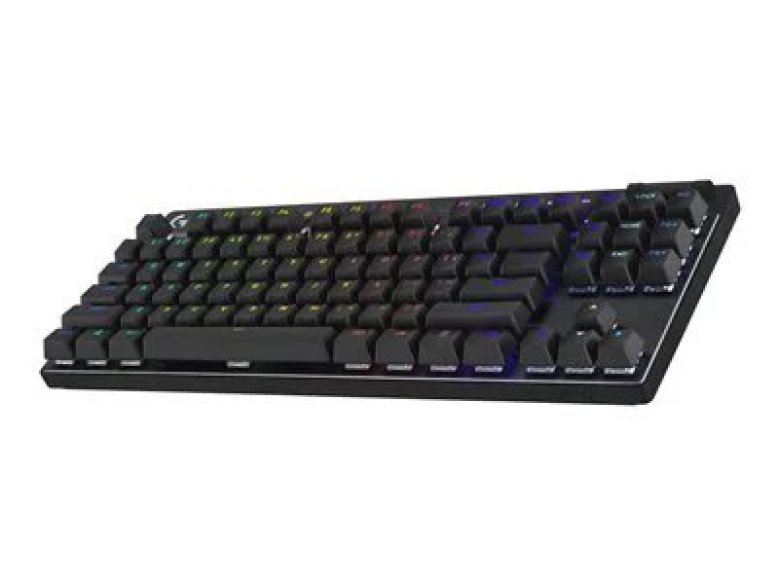
3. Logitech G Pro X TKL Lightspeed — Best for Competitive Gaming
Best for: Competitive gamers who want low-latency wireless and a tournament-proven TKL layout.
The G Pro X TKL Lightspeed earns its spot on wireless speed: LIGHTSPEED 2.4 GHz, rated at 1,000 Hz (1 ms), is effectively indistinguishable from wired for competitive play. It also connects over Bluetooth 5.1 and USB-C. It is a TKL board with GX switches — Red (linear, 45 g), Brown (tactile), or Blue (clicky) — plus dual-shot PBT keycaps and LIGHTSYNC RGB. Battery life is listed at around 35 hours with lighting on.
Two things to get right before you buy. First, this wireless model is not hot-swappable — choose carefully. Second, prices vary sharply by colour and switch: it was listed at about $150 on Amazon in early November 2026, against a $219.99 list price, and a white tactile version was listed at $154.99 in mid-November 2026. Check the exact variant.
Specs: TKL; GX Red, Brown, or Blue switches; LIGHTSPEED 2.4 GHz, Bluetooth 5.1, USB-C; 1,000 Hz report rate; dual-shot PBT keycaps; LIGHTSYNC RGB; not hot-swappable; plastic case.
Pros: Genuinely low-latency wireless; tournament-proven TKL layout; good GX switch options; PBT caps and RGB included.
Cons: Not hot-swappable; modest battery life with RGB on; price varies by variant and can exceed $200.
Who it is best for: Competitive gamers who play wirelessly and want a fast, no-fuss TKL board.
Check price on Amazon — Logitech G Pro X TKL Lightspeed
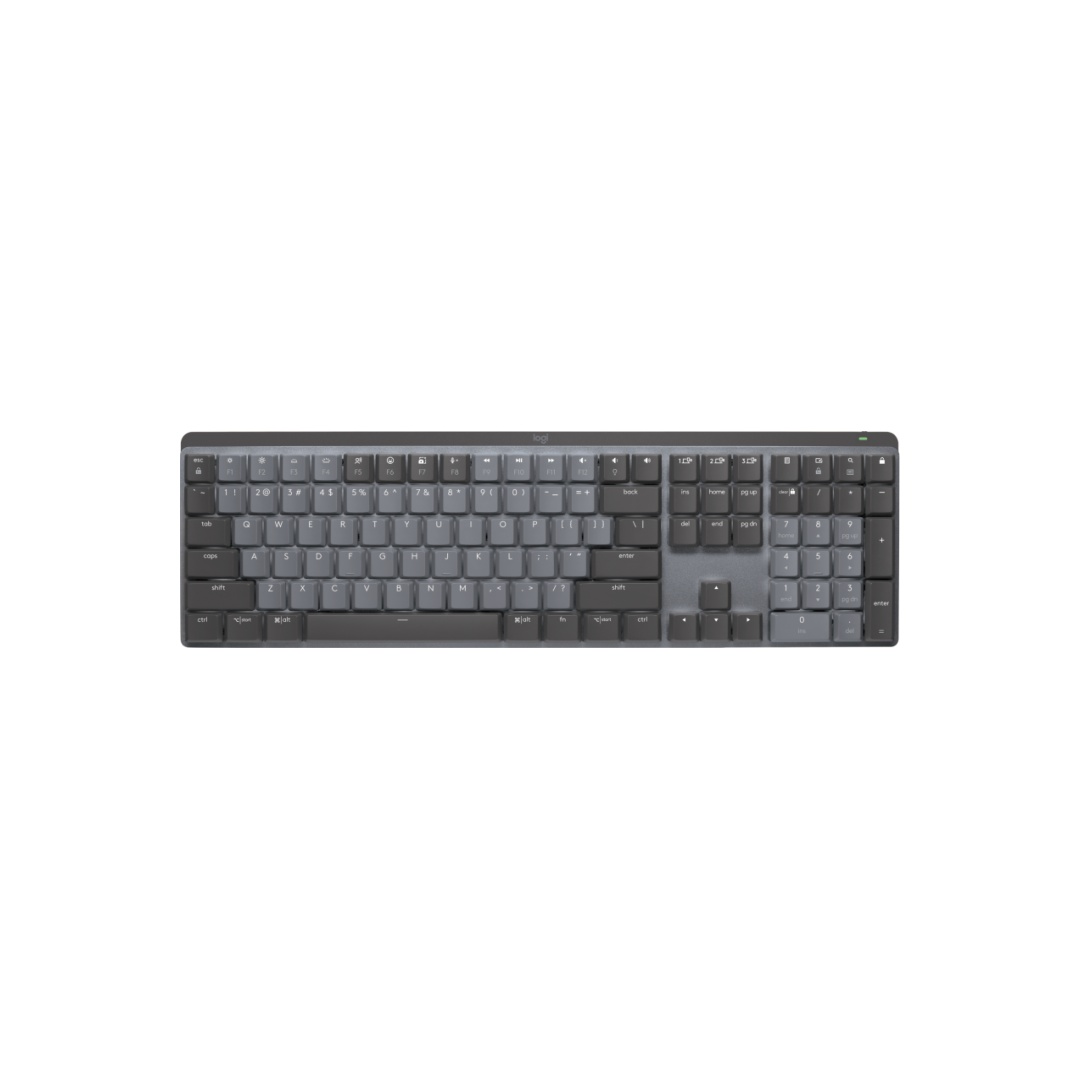
4. Logitech MX Mechanical — Best for Office Work
Best for: Office workers and writers who type all day in a shared space and want a quiet, full-size keyboard.
The MX Mechanical is the most office-oriented board here, and the only full-size one. It keeps a proper number pad for spreadsheets and uses low-profile switches — Tactile Quiet, Linear, or Clicky — that feel closer to a laptop keyboard than a tall gaming board. Choose Tactile Quiet for a shared office: it gives mechanical feedback without the click that carries across a room. It connects over Bluetooth or Logi Bolt, switches between up to three devices, and has smart backlighting and an aluminium top plate. Battery life is rated at up to 15 days with backlighting on, or up to 10 months with it off, in Logitech’s figures. The trade-off is customisation: it is not hot-swappable and does not run QMK/VIA. If you want to swap switches, buy a Keychron instead.
Specs: Full-size with numpad; low-profile Tactile Quiet, Linear, or Clicky switches; Bluetooth and Logi Bolt, USB-C; smart backlighting; aluminium top plate; up to 3 devices; battery up to 15 days (backlight on) / 10 months (off).
Pros: Quiet Tactile Quiet switches; full-size layout with numpad; excellent multi-device switching; long battery life with backlight off.
Cons: Not hot-swappable or QMK/VIA programmable; low-profile feel differs from standard switches; some variants list above $200.
Who it is best for: Office workers and writers who want a quiet, full-size, wireless keyboard across multiple computers.
Check price on Amazon — Logitech MX Mechanical
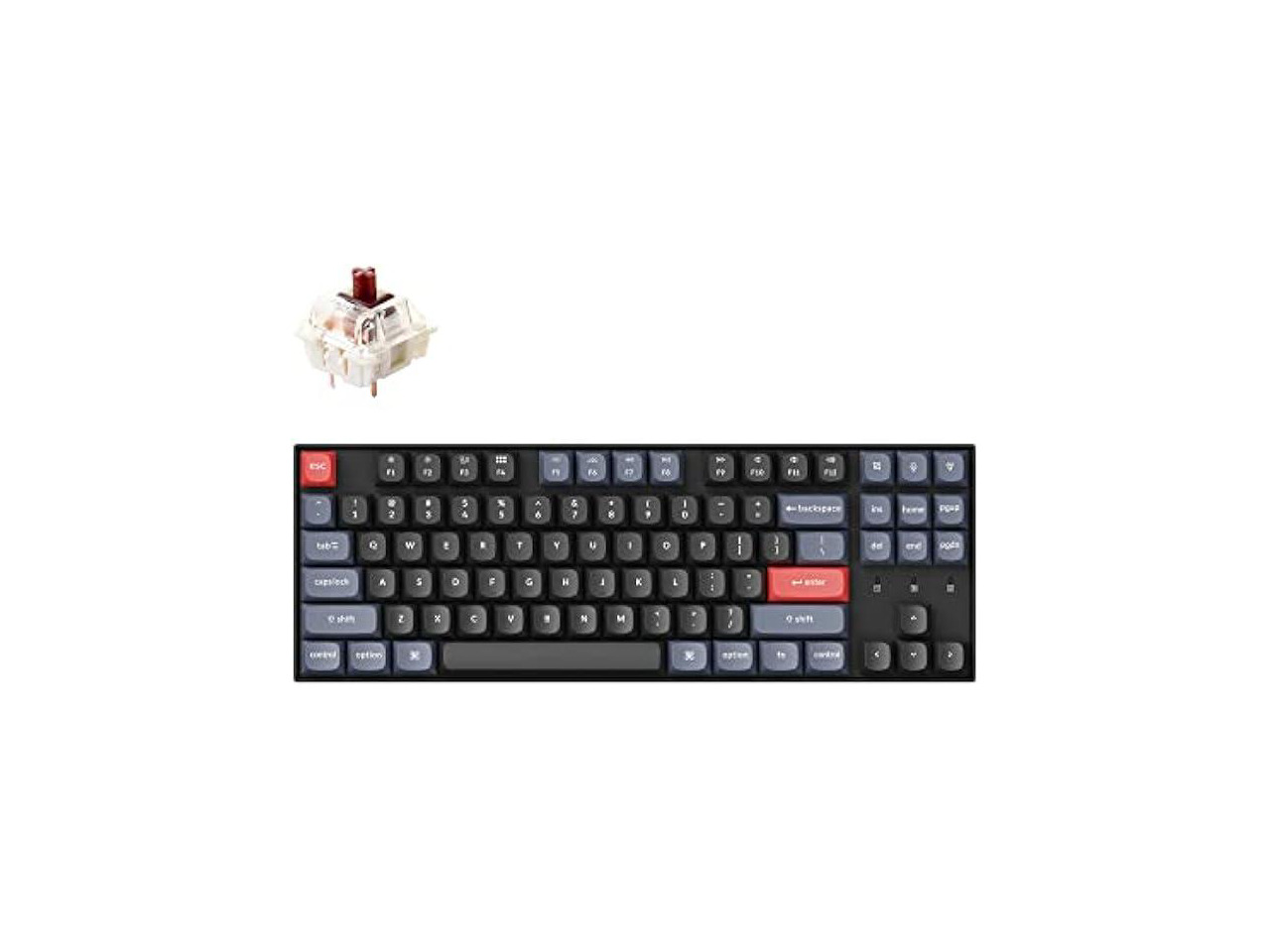
5. Keychron K8 Pro — Best Budget Tinkerer Pick
Best for: Buyers who want hot-swap and QMK/VIA for the least money on this list.
The K8 Pro is the cheapest way into the enthusiast checklist. It is a TKL board with 87 keys, an aluminium frame, hot-swappable Gateron G Pro switches, QMK/VIA programmability, and PBT keycaps — the same core features as the more expensive Keychron boards, minus 2.4 GHz wireless. It connects over Bluetooth 5.1 or USB-C, with foam and screw-in stabilisers fitted. There is no 2.4 GHz dongle, so competitive players should choose the G Pro X TKL Lightspeed or Q1 Pro instead. Prices in November 2026 ranged from about $80 to about $105, with a $104.99 Amazon listing for the Blue-switch version on 13 November 2026.
Specs: TKL, 87 keys; Gateron G Pro Red, Brown, or Blue switches; hot-swappable; QMK/VIA; PBT keycaps; aluminium frame; foam; Bluetooth 5.1, USB-C; no 2.4 GHz dongle.
Pros: Lowest price here for hot-swap and QMK/VIA; solid frame and PBT caps; foam and stabilisers included.
Cons: Bluetooth-only wireless; TKL footprint is larger than 75%.
Who it is best for: First-time buyers and tinkerers on a budget who want to try switch swapping without spending $150 or more.
Check price on Amazon — Keychron K8 Pro
What to Avoid
Buying for RGB alone. Prioritise switches, layout, and hot-swap support.
Choosing the wrong layout. A full-size board is wasted on someone who never uses a numpad, and a TKL board frustrates someone who lives in spreadsheets.
Assuming every board is hot-swappable. The wireless Logitech boards here are not, and low-profile boards only accept low-profile switches. Check the listing before buying extra switches.
Paying over $200 for an “under $200” board. Some variants list above $200 even when the standard version is well under it. Check the price on the exact variant in your cart.
Buying cheap switches to save $10. A scratchy switch will annoy you far more than a slightly higher price.
FAQ
What is the best mechanical keyboard under $200?
For most people, the Keychron Q1 Pro. For competitive gaming, the Logitech G Pro X TKL Lightspeed. For office work, the Logitech MX Mechanical.
Are hot-swappable keyboards worth it under $200?
Yes, for most buyers. Hot-swap lets you change switch feel without soldering and replace a single faulty switch instead of the whole keyboard. The Q1 Pro, V3 Max, and K8 Pro here are all hot-swappable.
Which switch is best for typing and gaming?
Tactile switches, such as Gateron Brown or GX Brown, are the best all-round choice — feedback for typing without clicky noise, and fast enough for most gaming. Linear switches suit competitive gaming and quiet typing. Clicky switches are loud, so save them for a room of your own.
Is a 75% or TKL keyboard better?
A 75% board like the Q1 Pro is more compact; a TKL board like the V3 Max or K8 Pro has a more standard spacing some typists prefer. Both are good. Choose full-size only if you use a number pad regularly.
Do I need wireless, or is wired enough?
Wired is enough if you only use one computer. Wireless is worth it if you switch between devices or want a clean desk. For competitive gaming over wireless, choose a 2.4 GHz board like the G Pro X TKL Lightspeed or Q1 Pro, not Bluetooth alone.
Verdict
If you buy one keyboard from this list, buy the Keychron Q1 Pro. It is the most complete board under $200: premium build, hot-swappable switches, full programmability, and wireless that works for both work and play. If the Q1 Pro is more than you want to spend, the Keychron V3 Max gives you most of the same features in a TKL layout for less. If you play competitive games wirelessly, get the Logitech G Pro X TKL Lightspeed and choose your GX switch carefully, because you cannot swap it later. If you type all day in an office, get the Logitech MX Mechanical in Tactile Quiet. And if you want to try the hobby for the least money, the Keychron K8 Pro is the budget pick that still lets you swap switches and remap keys. Whichever you choose, check the current price on Amazon before you buy — prices here are November 2026 snapshots, and the exact switch, colour, and seller can move the price by $20 or more.
As an Amazon Associate, we earn from qualifying purchases.
Suggested Internal Links for chartget.com
- /best-standing-desk-for-a-dual-monitor-setup-under-300/ — pair a new keyboard with a dual-monitor standing desk setup
- /best-ergonomic-office-chair-for-computer-work-under-300/ — complete a comfortable desk setup for long typing sessions
- /best-usb-c-docking-station-under-200/ — connect a wireless keyboard, monitors, and laptop through one dock
More from Amazon
Programs that pair well with the guide above. Offers and eligibility are set by Amazon and may change.
Free shipping on eligible items, Prime Video and more. Eligible new members can start with a free trial.
Start a Prime free trialAudiobooks and podcasts to listen to on the go. Eligible new members can start with a free trial.
Try Audible freeAd-free music streaming. Eligible new subscribers can start with a free trial.
Try Music Unlimited freeA free business account with business pricing and bulk-buying tools for work, shop or home office.
Create a business accountAs an Amazon Associate we earn from qualifying purchases.
Write Your Review
No reviews yet. Be the first to share your experience!