

Key takeaways
- Best 4K gaming monitor under $500 —
/best-4k-gaming-monitor-under-500/ - Best ultrawide monitor under $500 —
/best-ultrawide-monitor-under-500/ - Best USB-C docking station under $200 —
/best-usb-c-docking-station-under-200/
A 1440p gaming monitor used to be a mid-range luxury; in November 2026 it is the default sweet spot: 27-inch QHD panels at 165Hz or faster now regularly sell for under $300 on Amazon, and a 32-inch model can be had for under $200. This guide covers five real monitors sold on Amazon US in November 2026 that fit the under-$300 budget at the time of research. Prices change often, so treat prices below as snapshots; we have not bench-tested these units.
Top pick: the LG UltraGear 27GS75Q-B — a sharp 27-inch IPS panel, 180Hz native (200Hz overclocked), and a stand that actually adjusts, usually around $170–$200.
Quick Picks
| Product | Best for | Key specs | Price note |
|---|---|---|---|
| LG UltraGear 27GS75Q-B | Best overall | 27″ IPS, 1440p, 180Hz (200Hz OC), 1ms | Check current price |
| MSI MAG 274QF X24 | Fastest refresh | 27″ Rapid IPS, 1440p, 240Hz, 0.5ms | Check current price |
| ASUS TUF Gaming VG27AQ3A | Best for NVIDIA GPUs | 27″ Fast IPS, 1440p, 180Hz, 1ms, G-SYNC | Check current price |
| Samsung Odyssey G5 G51F | Best big-screen 32″ | 32″ QHD, 180Hz, 1ms MPRT, FreeSync | Check current price |
| Acer Nitro MG275U X2biippx | Best Mini-LED value | 27″ QD-MiniLED IPS, 1440p, 210Hz (DP), HDR1000 | Check current price |
How to Choose a 1440p Gaming Monitor Under $300
Size: 27 inches is the sweet spot, 32 inches is the value play. At 2560×1440, a 27-inch panel hits about 109 pixels per inch and looks sharp at a normal desk distance; a 32-inch panel is softer on text but feels much bigger.
Panel: IPS first, VA second. IPS gives wide viewing angles and consistent colors, which is why four of the five picks use it. VA offers deeper blacks but cheap VA panels can smear in fast motion.
Refresh rate: 165Hz is the floor, 180Hz is the norm, 240Hz is the upgrade. Every pick here runs at 180Hz or faster. The jump from 144Hz to 180Hz is visible; the jump to 240Hz is smaller and mostly benefits competitive players. A mid-range card like an RTX 4060 typically runs modern games at 80–120fps at 1440p.
Response time: read the fine print. Manufacturers quote 1ms or 0.5ms, but those figures come from different methods (GtG versus MPRT) and aggressive overdrive settings. In practice, the IPS panels here respond in around 3–5ms.
HDR: expect HDR10, not real HDR. A sub-$300 monitor cannot deliver true HDR — it usually just accepts an HDR signal and brightens the image a little. The Acer’s Mini-LED backlight with HDR1000 is the exception.
Ports: DisplayPort for full refresh, HDMI for consoles. Most 1440p monitors only reach their maximum refresh rate over DisplayPort; over HDMI, several cap at 144Hz, which is fine for a PS5 or Xbox Series X — both top out at 120Hz at 1440p.
The stand matters. A tilt-only stand forces you to stack books under the monitor. The LG and ASUS picks adjust for height, tilt, pivot, and swivel, and all five use the standard 100×100mm VESA mount.
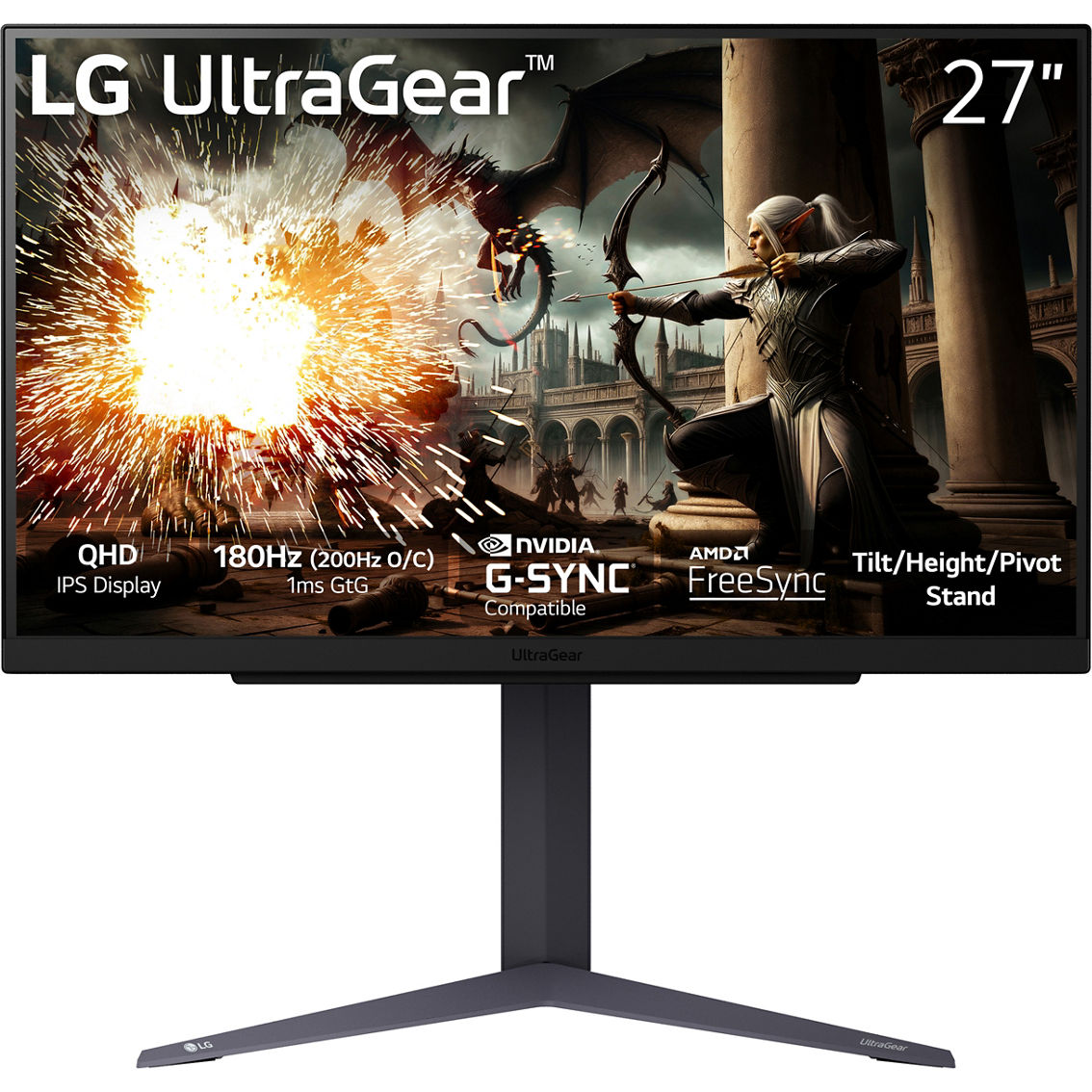
1. LG UltraGear 27GS75Q-B — Best Overall
Best for: Most buyers who want one 1440p gaming monitor that does everything well without a premium price.
The 27-inch IPS panel runs at 2560×1440 with a 180Hz native refresh rate and a 200Hz overclock you enable in the on-screen menu. LG rates the response at 1ms GtG, and independent measurements put real-world response around 3ms. It supports AMD FreeSync Premium and is NVIDIA G-SYNC Compatible, with a stand that adjusts for height, tilt, pivot, and swivel.
Roundups tracking Amazon US in November 2026 put it at $179 on November 8 and $168.49 on November 16, with a tracked low of $139.99 in October 2026 and a list price around $229–$236. Treat $170–$200 as the realistic street range, and check the exact suffix before checkout — the 27GS75Q-B and the 27GS75QX-B are different listings.
Specs: 27-inch IPS, 2560×1440; 180Hz native, 200Hz overclocked; 1ms GtG; HDR10; FreeSync Premium, G-SYNC Compatible; 2x HDMI 2.0, 1x DisplayPort 1.4; fully adjustable stand.
Pros: The best all-round panel, refresh rate, and stand under $300; the cheapest name-brand 180Hz 1440p panel; adaptive sync works with AMD and NVIDIA cards.
Cons: The 200Hz mode is an overclock, not the native refresh rate; HDR10 is basic, with no local dimming; HDMI is 2.0, so no 4K120 console mode.
Who it is best for: Buyers who want the obvious default 1440p gaming monitor.
Check price on Amazon — LG UltraGear 27GS75Q-B
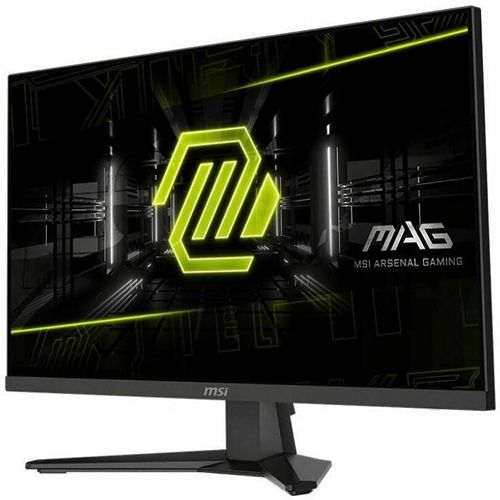
2. MSI MAG 274QF X24 — Best for Competitive Gaming
Best for: Competitive shooter players who want the fastest refresh rate available under $300.
The MAG 274QF X24 is the only 240Hz monitor in this guide. The 27-inch Rapid IPS panel runs at 2560×1440 and 240Hz with a quoted 0.5ms GtG response, plus HDR and adaptive sync. If your graphics card can push 200-plus frames per second at 1440p in esports titles on lowered settings, the extra refresh rate is genuinely noticeable next to a 180Hz panel. If it cannot, the LG above is the better buy.
Price tracking put this monitor at $219.99 on Amazon in late 2026, which is remarkable for a 240Hz 1440p IPS panel. One caveat: a price tracker showed the Amazon listing out of stock in October 2026, so availability has been uneven — check stock before you commit.
Specs: 27-inch Rapid IPS, 2560×1440; 240Hz; 0.5ms GtG; HDR; Adaptive-Sync; HDMI, DisplayPort; height-adjustable stand.
Pros: The fastest refresh rate in this price range by a clear margin; Rapid IPS keeps motion clean at high frame rates; roughly $220 for 240Hz 1440p is excellent value when in stock.
Cons: Availability has been patchy on Amazon; 240Hz only pays off if your GPU can feed it; the stand and feature set are more basic than the LG or ASUS.
Who it is best for: Competitive players whose graphics card is fast enough to use 240Hz.
Check price on Amazon — MSI MAG 274QF X24
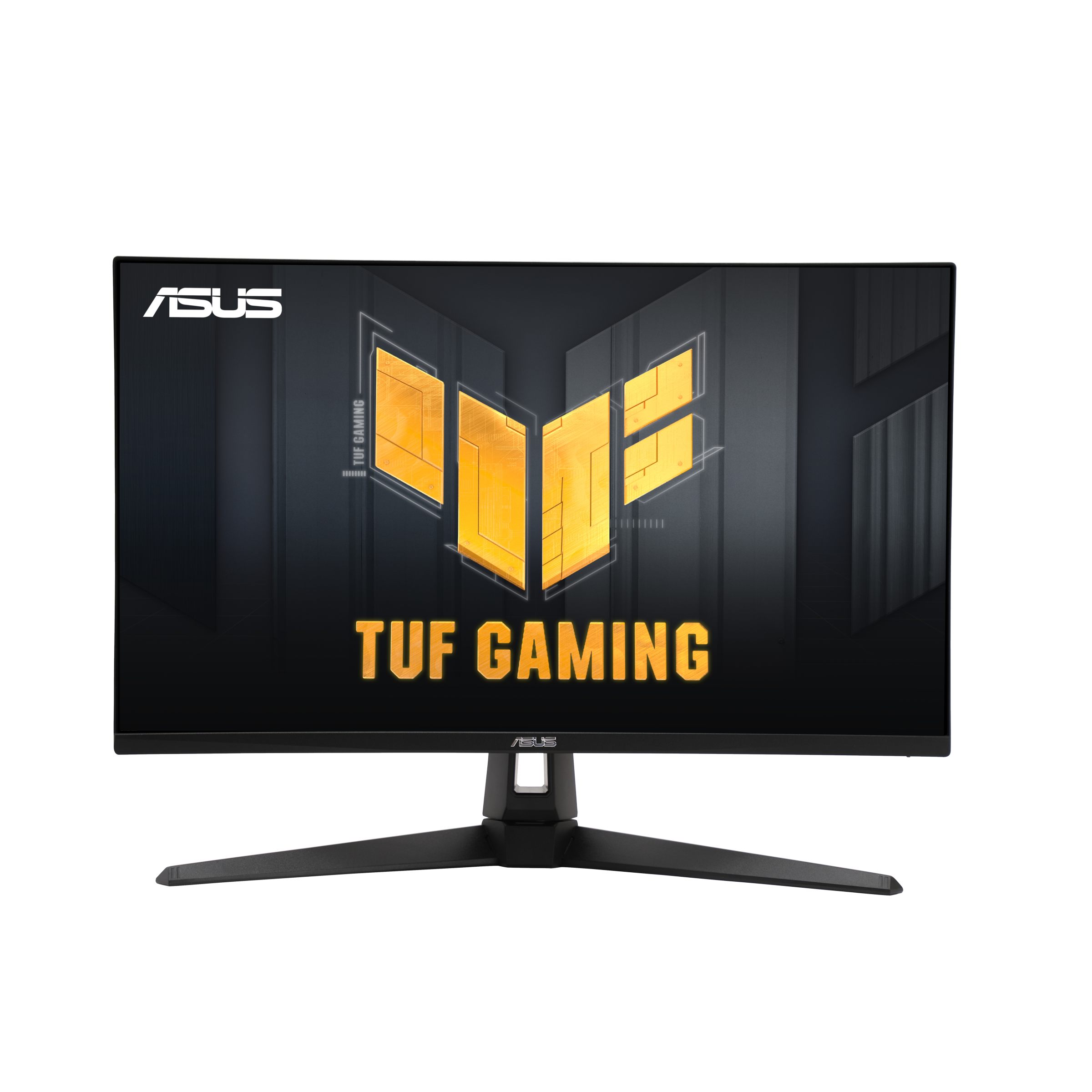
3. ASUS TUF Gaming VG27AQ3A — Best for NVIDIA GPUs
Best for: NVIDIA graphics card owners who want certified G-SYNC Compatible performance and a full-featured stand.
The 27-inch Fast IPS panel runs at 2560×1440 and 180Hz with a 1ms response, and it carries G-SYNC Compatible certification alongside FreeSync Premium, so variable refresh rate works cleanly on GeForce cards. ASUS adds ELMB Sync, which combines blur reduction with adaptive sync, 130% sRGB coverage, HDR10, built-in speakers, and a fully adjustable stand. It also comes with a three-year warranty, longer than most monitors in this price range.
Multiple trackers verified it at $183.00 on Amazon on November 6–15, 2026, down from a $209 list price, with a top-50 sales rank in the Monitors category — within a few dollars of the LG while adding G-SYNC certification, speakers, and the longer warranty.
Specs: 27-inch Fast IPS, 2560×1440; 180Hz; 1ms; ELMB Sync; G-SYNC Compatible, FreeSync Premium; 130% sRGB; HDR10; built-in speakers; HDMI, DisplayPort; height, tilt, pivot, and swivel stand; 3-year warranty.
Pros: G-SYNC Compatible certification for NVIDIA owners; ELMB Sync blur reduction; built-in speakers save desk space; three-year warranty; fully adjustable stand.
Cons: No USB-C input; HDR10 is basic, as on every other pick here; the gamer styling is not for everyone.
Who it is best for: GeForce owners who want certified adaptive sync, speakers, and a long warranty.
Check price on Amazon — ASUS TUF Gaming VG27AQ3A
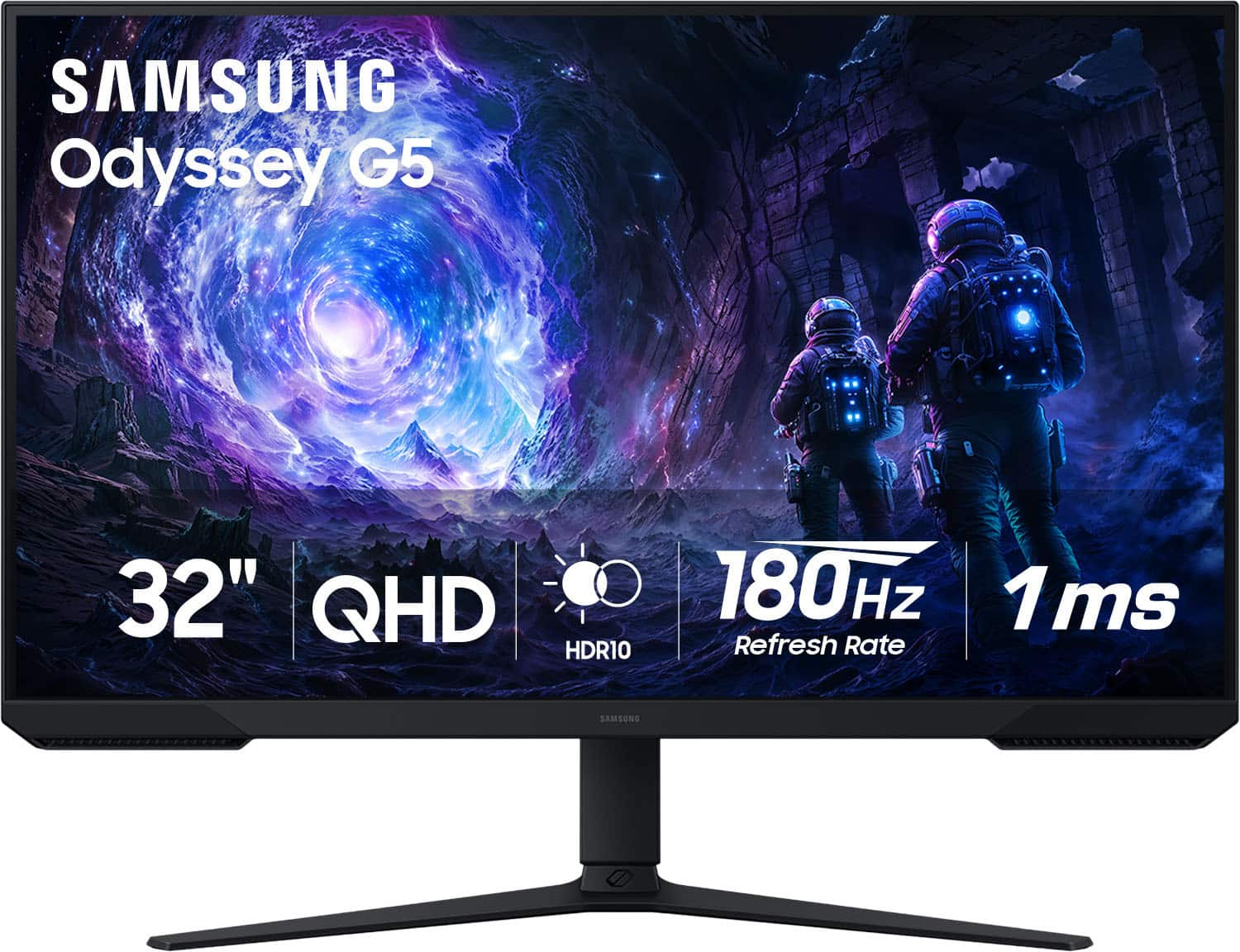
4. Samsung Odyssey G5 G51F — Best Big-Screen 32-Inch
Best for: Buyers who want the largest 1440p gaming screen under $300 and mostly play single-player or casual games.
The G51F is a 32-inch QHD monitor with a 180Hz refresh rate, a 1ms MPRT response rating, AMD FreeSync, and HDR10. In early November 2026 it was reported at $179.99 on Amazon, down 40% from its $299.99 list price — the lowest price trackers had seen for it.
Two things to get right before buying. First, the Odyssey G5 name covers a whole family of monitors, and the model codes matter: the G51F is the flat 180Hz 32-inch model. The older curved G55A is a different monitor — a 165Hz curved VA panel tracked at $369.99 on Amazon in November 2026, well above this budget. Check the listing title for G51F before checkout. Second, a 32-inch 1440p panel is less sharp than a 27-inch one, so text looks slightly softer — fine for games and movies.
Specs: 32-inch QHD, 2560×1440; 180Hz; 1ms MPRT; AMD FreeSync; HDR10; HDMI, DisplayPort; tilt-adjustable stand.
Pros: The biggest screen in this guide for under $200 on sale; 180Hz at 32 inches is rare at this price; HDR10 and FreeSync included.
Cons: Lower pixel density than 27-inch 1440p, so text is softer; the stand is tilt-only; the G5 naming is confusing — verify the G51F model code.
Who it is best for: Gamers who want maximum screen size and sit far enough back that pixel density does not bother them.
Check price on Amazon — Samsung Odyssey G5 G51F
5. Acer Nitro MG275U X2biippx — Best Mini-LED Value
Best for: Buyers who want real HDR on a budget and care about color accuracy as well as gaming.
The MG275U is a 27-inch QD-MiniLED IPS panel at 1440p, running at up to 210Hz over DisplayPort (144Hz over HDMI), with a quoted 0.5ms response, HDR1000 certification, and 95% AdobeRGB coverage. The Mini-LED backlight uses hundreds of dimming zones, so it shows bright highlights and dark shadows in the same scene far better than the edge-lit HDR10 panels here — the only pick where HDR is genuine rather than a checkbox. It also has DisplayPort 1.4, two HDMI 2.1 ports, and FreeSync Premium.
Pricing tracked in November 2026 put it at $199.99 on Amazon, down from a $279.99 list price, as of November 13, 2026 — an aggressive price for a Mini-LED panel, and the reason it makes the list despite being newer and less proven than the LG or ASUS. The trade-off: you only get the full 210Hz over DisplayPort.
Specs: 27-inch QD-MiniLED IPS, 2560×1440; 210Hz (DisplayPort), 144Hz (HDMI); 0.5ms GtG; HDR1000; 95% AdobeRGB; FreeSync Premium; 1x DisplayPort 1.4, 2x HDMI 2.1.
Pros: Mini-LED backlight with HDR1000 is a real step up in HDR for this price; 210Hz over DisplayPort; wide color gamut suits photo and video work as well as gaming; HDMI 2.1 ports.
Cons: A newer model with less long-term reliability history than the LG or ASUS; full refresh rate needs DisplayPort; the stand is basic for the price.
Who it is best for: Buyers who want the best HDR and color in this price range and will use DisplayPort.
Check price on Amazon — Acer Nitro MG275U X2biippx
What to Avoid
Do not buy a 144Hz panel at a 180Hz price. In November 2026, 180Hz 1440p panels routinely sell for $170–$200. If a 144Hz monitor costs the same, you are overpaying for older stock — only pick 144Hz at a steep discount, under $150 for a good 27-inch IPS panel.
Do not trust the HDR badge alone. HDR10 without local dimming is marketing, not picture quality. If HDR matters, the Acer MG275U with its Mini-LED backlight is the only pick here that delivers a visible difference.
Do not buy the wrong Samsung G5. The Odyssey G5 family includes flat and curved models, 165Hz and 180Hz versions, and 27-inch, 32-inch, and 34-inch sizes. The deal here is the 32-inch flat G51F at 180Hz. The curved 32-inch G55A at 165Hz was tracked at $369.99 on Amazon in November 2026 — a different monitor at a different price. Read the model code.
Do not ignore the return policy. Budget monitors have more panel lottery than premium ones: dead pixels, backlight bleed, and uneven brightness happen. Buy from a seller with a straightforward return window.
FAQ
Is 1440p worth it over 1080p for gaming under $300?
Yes, for most buyers. At 27 inches, 1440p is visibly sharper than 1080p, and the price gap has mostly disappeared — good 1440p 180Hz panels now sell for $170–$200. The cost is graphics performance: 1440p needs roughly 70–80% more GPU power.
What graphics card do I need for a 1440p 165Hz or 180Hz monitor?
For competitive games, an RTX 4060, RX 7600 XT, or better will do. For modern AAA games at high settings, expect 60–100 frames per second from a mid-range card, and 120-plus from something like an RTX 5070 or RX 9070.
Is 27 inches or 32 inches better for 1440p gaming?
27 inches is sharper, because the same pixels are packed into a smaller area. 32 inches is more immersive and better for movies, but text looks softer. If you do a lot of reading or office work on the same monitor, choose 27 inches.
Can I use a 1440p gaming monitor with a PS5 or Xbox Series X?
Yes. Both consoles support 1440p output at up to 120Hz — connect over HDMI and set the console to 1440p in its display settings. You will not get the monitor’s full 180Hz or 240Hz from a console.
Verdict
For most buyers, the LG UltraGear 27GS75Q-B is the best 1440p gaming monitor under $300 — a sharp 27-inch IPS panel, 180Hz native with a 200Hz overclock, a fully adjustable stand, and the lowest street price of any name-brand panel here, around $170–$200 on Amazon in November 2026.
If you play competitive shooters and your graphics card can feed it, the MSI MAG 274QF X24 is the only 240Hz option here, at about $220 when in stock. If you own an NVIDIA card and want certified G-SYNC performance with a three-year warranty, buy the ASUS TUF Gaming VG27AQ3A at around $183. If you want the biggest screen, the 32-inch Samsung Odyssey G5 G51F was $179.99 on Amazon in early November 2026 — check the listing says G51F. And if HDR is what you actually care about, the Acer Nitro MG275U X2biippx is the only Mini-LED pick here, with HDR1000 for about $200.
Whichever you choose, check the exact model code and current price on Amazon before you buy — monitor prices move weekly in November.
As an Amazon Associate, we earn from qualifying purchases.
Suggested internal links for chartget.com
- Best 4K gaming monitor under $500 —
/best-4k-gaming-monitor-under-500/ - Best ultrawide monitor under $500 —
/best-ultrawide-monitor-under-500/ - Best USB-C docking station under $200 —
/best-usb-c-docking-station-under-200/
Prices and availability were checked in November 2026 and are subject to change. Check the current price on Amazon before buying.
More from Amazon
Programs that pair well with the guide above. Offers and eligibility are set by Amazon and may change.
Free shipping on eligible items, Prime Video and more. Eligible new members can start with a free trial.
Start a Prime free trialAudiobooks and podcasts to listen to on the go. Eligible new members can start with a free trial.
Try Audible freeAd-free music streaming. Eligible new subscribers can start with a free trial.
Try Music Unlimited freeA free business account with business pricing and bulk-buying tools for work, shop or home office.
Create a business accountAs an Amazon Associate we earn from qualifying purchases.









Write Your Review
No reviews yet. Be the first to share your experience!