

Key takeaways
- /best-ultrawide-monitor-under-500/
- /best-gaming-monitor-under-300/
- /best-desk-setup-for-dual-monitors/
The best 4K gaming monitor under $500 for most buyers is the KOORUI S2741LM, a 27-inch QD-Mini LED panel that runs 4K at 160Hz and switches to 1080p at 320Hz for competitive games. If you want the best value instead, the Acer Nitro XV275K P5 offers the same 1,152-zone Mini-LED idea and dual-mode refresh rates for less.
A few years ago, a 4K gaming monitor meant a 60Hz panel well above $500. In 2026, several 27- and 28-inch models offer 4K at 120Hz–160Hz under $500, and a few add Mini-LED backlights. The catch: some need DisplayPort and compression for their top refresh rate, some lack real HDMI 2.1, and almost none deliver great HDR without local dimming.
This guide covers five real monitors sold on Amazon US in November 2026. Prices change often, so treat any price below as a snapshot and check the current price before you buy. We have not bench-tested these units.
Quick Picks
| Product | Best for | Key specs | Price note |
|---|---|---|---|
| KOORUI S2741LM | Best overall / best HDR | 27″ 4K 160Hz / FHD 320Hz, QD-Mini LED, 1,152 zones, HDR1400 per listing, 90W USB-C | Check current price; list price around $500 |
| Acer Nitro XV275K P5 | Best Mini-LED value | 27″ 4K 160Hz / FHD 320Hz, Mini-LED, 1,152 zones, 2x HDMI 2.1, USB-C 90W | Check current price; typically around $300–$350 |
| Gigabyte M28U | Best proven PC + console pick | 28″ 4K 144Hz IPS, HDMI 2.1, KVM, 94% DCI-P3 | Check current price; typically around $300–$400 |
| Samsung Odyssey G7 G70D 27″ | Best smart / console hybrid | 27″ 4K 144Hz IPS, 2x HDMI 2.1, Gaming Hub, HDR400 | Check current price; typically around $400–$500 |
| Dell S2725QS | Best value / best for mixed use | 27″ 4K 120Hz IPS, 2x HDMI 2.1, FreeSync Premium, built-in speakers | Check current price; typically around $230–$300 |
How to Choose a 4K Gaming Monitor Under $500
Size: 27 inches is the sweet spot. At 4K, 27 inches gives about 163 pixels per inch, so text looks sharp without heavy scaling. A 32-inch 4K monitor under $500 usually means a slower panel or weaker HDR, so we did not pick one.
Panel: IPS is the safe choice. Every pick here uses an IPS-type panel, which gives wide viewing angles and consistent color. Budget VA panels can smear in fast dark scenes, and 4K OLED still costs well above $500.
Refresh rate: 120Hz is the floor. A 4K monitor at 60Hz wastes the point of a gaming purchase. Driving 4K at 144Hz in demanding games needs a strong GPU — roughly an RTX 4070-class card or better — plus upscaling such as DLSS or FSR. With a mid-range card, use a dual-mode panel to drop to 1080p at 320Hz for esports: the KOORUI and Acer both run 4K at 160Hz, then switch to 1080p at 320Hz via pixel doubling.
HDR: only Mini-LED counts. An HDR400 badge means the panel can accept an HDR signal and reach 400 nits — not that HDR will look good. Without local dimming, bright highlights and dark shadows share one uniformly lit backlight. Mini-LED divides the backlight into zones that brighten and darken independently; the KOORUI and Acer both list 1,152 zones, which is why their HDR stands out. Expect some blooming around bright objects. If HDR matters, buy Mini-LED; if not, save the money.
HDMI 2.1: essential for consoles. HDMI 2.1 lets a PS5 or Xbox Series X output 4K at 120Hz; HDMI 2.0 caps a console at 4K 60Hz. All five picks here have HDMI 2.1, but check the exact model first. On PC, DisplayPort 1.4 is the usual connection for the top refresh rate, and 4K at 144Hz or 160Hz typically relies on Display Stream Compression (DSC).
Color and stand. For gaming, 99% sRGB is enough; the KOORUI lists 98% DCI-P3, the Acer 95%, and the Gigabyte 94%. All five picks have a height-adjustable stand and VESA 100×100 mounting.
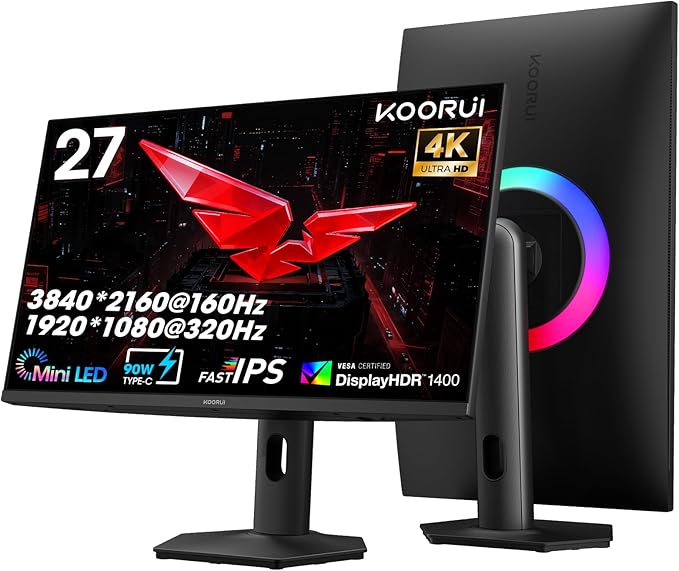
1. KOORUI S2741LM — Best Overall
Best for: Most buyers who want the best 4K gaming image under $500, including real HDR.
The S2741LM is a 27-inch QD-Mini LED monitor that runs 4K at 160Hz and switches to 1080p at 320Hz. Its backlight uses 1,152 dimming zones, and its Amazon listing claims DisplayHDR 1400, 98% DCI-P3, and a 90W USB-C port — the combination that earned it best-overall honors in multiple November 2026 roundups.
Specs: 27″ QD-Mini LED IPS, 3840×2160; 160Hz at 4K, 320Hz at 1080p; 1,152 zones; HDR1400 per listing; 98% DCI-P3; HDMI 2.1, DP 1.4, USB-C 90W; adjustable stand; VESA.
Pros: The only genuinely strong HDR in this guide; dual-mode covers AAA and esports; useful USB-C charging.
Cons: List price sits at the $500 ceiling — check the current price first; Mini-LED blooming around bright objects; some listings note a split warranty, so confirm the terms.
Who it is best for: One-monitor buyers willing to spend to the top of the budget for real HDR.
Check price on Amazon — KOORUI S2741LM 27″ 4K QD-Mini LED Gaming Monitor
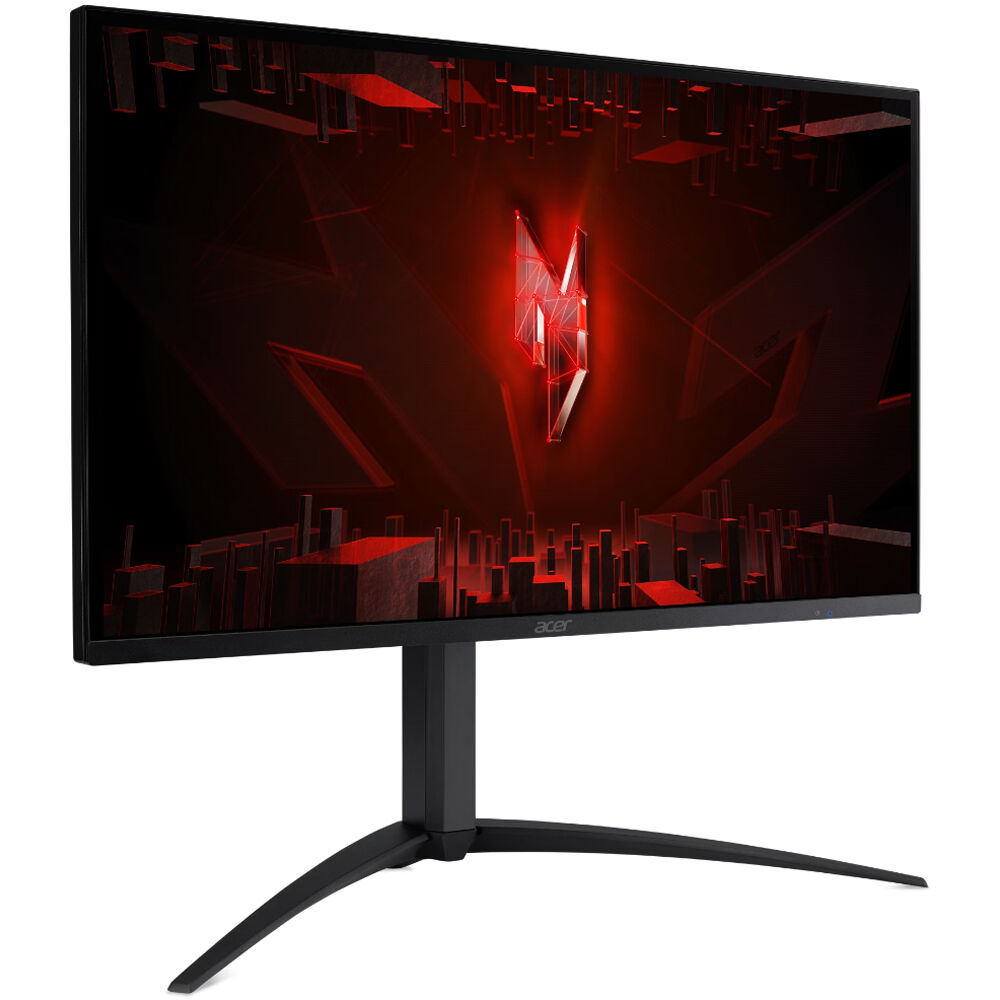
2. Acer Nitro XV275K P5 — Best Mini-LED Value
Best for: Buyers who want Mini-LED HDR and dual-mode refresh rates for less money than the KOORUI.
The XV275K P5 is the value twin of the top pick: also a 27-inch Mini-LED IPS panel with 1,152 dimming zones, 4K at 160Hz, a 1080p 320Hz mode, two HDMI 2.1 ports, and USB-C with 90W power delivery. The differences are brightness — Acer rates peak brightness at 1,000 nits rather than the KOORUI’s 1,400 — and price: typically around $300–$350 in November 2026. RTINGS confirmed PS5 4K at 120Hz with VRR, while flagging inverse ghosting and haloing from local dimming. Note that local dimming does not work in SDR mode.
Specs: 27″ Mini-LED IPS, 3840×2160; 160Hz at 4K, 320Hz at 1080p; 1,152 zones; 1,000 nits peak; 95% DCI-P3; 2x HDMI 2.1, DP 1.4, USB-C 90W, USB hub; 1ms GtG; adjustable stand; VESA.
Pros: Same zones and dual-mode as the top pick for less; confirmed PS5 4K/120Hz with VRR; strong ports; established brand.
Cons: Lower HDR peak brightness than the KOORUI; inverse ghosting and haloing noted in testing; no local dimming in SDR.
Who it is best for: Buyers who want real Mini-LED HDR and would rather keep $100+ of the budget.
Check price on Amazon — Acer Nitro XV275K P5 27″ 4K Mini-LED Gaming Monitor
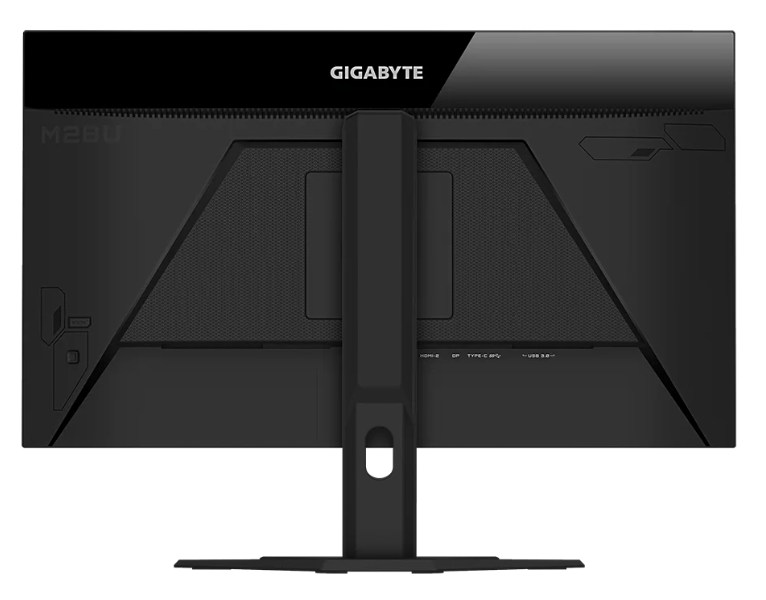
3. Gigabyte M28U — Best Proven PC + Console Pick
Best for: Buyers who want a tried-and-tested 4K 144Hz monitor with HDMI 2.1 and a KVM switch, without paying for Mini-LED.
The M28U has been the default recommendation for budget 4K gaming for years: a 28-inch 4K IPS panel at 144Hz, with HDMI 2.1, DisplayPort 1.4, USB-C, and a built-in KVM switch that lets two computers share one keyboard and mouse. Multiple 2026 roundups put its typical street price around $300–$400. What you give up versus the Mini-LED picks is HDR impact: it is DisplayHDR 400 certified, with no local dimming, so dark scenes look like a standard IPS panel. The 144Hz refresh rate works over DisplayPort and HDMI 2.1 with DSC, so a PS5 or Xbox Series X can use 4K at 120Hz.
Specs: 28″ IPS, 3840×2160; 144Hz; 94% DCI-P3; HDR400; HDMI 2.1, DP 1.4, USB-C, KVM; 1ms MPRT; adjustable stand; VESA.
Pros: Long track record; HDMI 2.1 and KVM in one package; usually the cheapest 4K 144Hz from a major brand.
Cons: HDR400 only, so HDR is modest; no dual-mode option for esports; basic stand.
Who it is best for: Buyers who want a safe, well-reviewed 4K 144Hz monitor and care more about refresh rate and ports than HDR.
Check price on Amazon — Gigabyte M28U 28″ 4K 144Hz Gaming Monitor
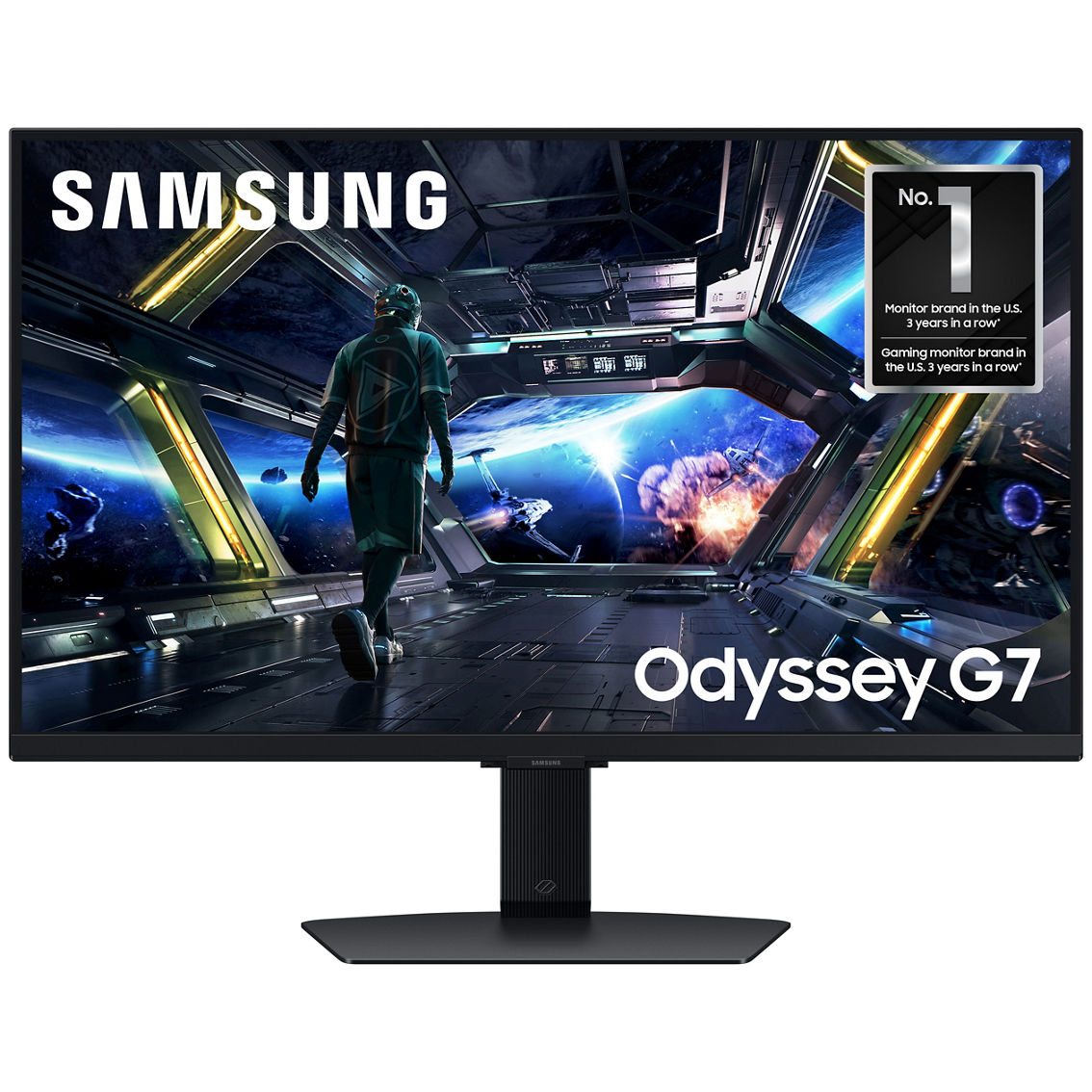
4. Samsung Odyssey G7 G70D 27″ — Best Smart / Console Hybrid
Best for: Console-first buyers who also want a monitor that works as a smart TV when the PC or console is off.
The G70D is Samsung’s 27-inch 4K 144Hz IPS gaming monitor (model LS27DG702ENXZA in the US), with two HDMI 2.1 ports, DisplayPort 1.4, a 1ms GtG response time, FreeSync Premium, and VESA DisplayHDR 400. What sets it apart is the smart layer: Samsung’s Tizen platform and Gaming Hub stream video and cloud games without a connected computer, plus built-in speakers and a remote. In US pricing checked in September–November 2026, it typically sat around $400–$500. As a gaming panel it is solid rather than spectacular: 4K at 120Hz from a PS5 works as expected, but HDR400 will not rival the Mini-LED picks in dark scenes.
Specs: 27″ IPS, 3840×2160; 144Hz; 1ms GtG; HDR400, HDR10+ Gaming; 2x HDMI 2.1, DP 1.4; FreeSync Premium, G-Sync compatible; Tizen + Gaming Hub; speakers; adjustable stand; VESA.
Pros: Good all-rounder for PC and console; smart TV features add everyday value; strong brand.
Cons: HDR400 only; typically the priciest non-Mini-LED pick here; smart features some buyers will never use.
Who it is best for: Console owners whose monitor doubles as a streaming screen.
Check price on Amazon — Samsung Odyssey G7 G70D 27″ 4K 144Hz Gaming Monitor
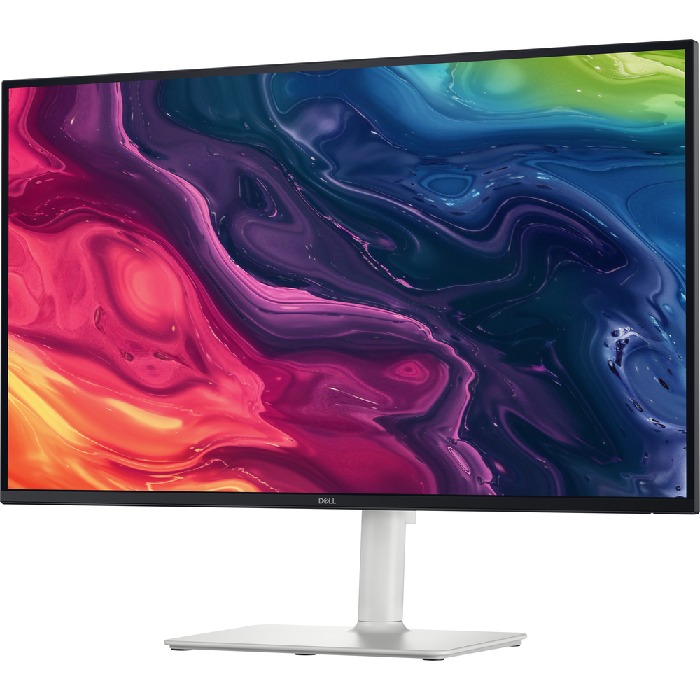
5. Dell S2725QS — Best Value / Best for Mixed Use
Best for: Buyers who want 4K and 120Hz for the least money, and who use the monitor for work as much as for games.
The S2725QS, sold as the Dell 27 Plus 4K Monitor, is the cheapest genuine 4K gaming monitor in this guide: a 27-inch 4K IPS panel at a true 120Hz, with two HDMI 2.1 ports, DisplayPort 1.4, AMD FreeSync Premium, and built-in 2x 5W speakers that reviewers describe as unusually good for a monitor. In November 2026 it typically sat around $230–$300, with Amazon listings around $280. Its 120Hz ceiling is lower than the other picks, and independent testing found relatively slow pixel response, so fast scenes can blur. HDR is basic compatibility only, with no VESA certification or local dimming, and there are no USB ports at all — the related S2725QC adds 65W USB-C for more money.
Specs: 27″ IPS, 3840×2160; 120Hz; 99% sRGB; 350 nits; 1,500:1 contrast; 2x HDMI 2.1, DP 1.4; FreeSync Premium; 2x 5W speakers; height / tilt / pivot stand; VESA.
Pros: Lowest price in this guide by a clear margin; genuine 120Hz at 4K over HDMI 2.1; sharp text for work; better-than-expected speakers.
Cons: Slower pixel response, so more motion blur in fast games; HDR is basic only; no USB ports or USB-C.
Who it is best for: Tight budgets, mixed work-and-gaming use, and console owners who want 4K 120Hz.
Check price on Amazon — Dell S2725QS 27″ 4K 120Hz Monitor
What to Avoid
A 4K monitor that is only 60Hz. At this budget there is no reason to accept 60Hz for gaming. The Dell at 120Hz costs little more than many 60Hz 4K panels, and the difference is obvious the first time you play a fast game.
Paying for HDR400 as if it were HDR. If a monitor’s main selling point is HDR400 and it has no local dimming, you are paying for a badge. Either buy Mini-LED or ignore HDR and judge the monitor on refresh rate, ports, and price.
The wrong variant. The Dell S2725QS has no USB-C; the S2725QC does. The Samsung G70D comes in 27- and 32-inch versions. The Acer XV275K line has older variants without Mini-LED. Always check the exact model number — S2741LM, XV275K P5, M28U, LS27DG702ENXZA, S2725QS — before you buy.
A GPU that cannot drive 4K. A 4K 160Hz monitor does not make your games run at 160 frames per second. If your graphics card is below roughly RTX 3060 / RX 6700 XT class, you will play most AAA games at 4K 60Hz or lower settings, or use upscaling. If your card is older, consider a 1440p high-refresh monitor instead and save the money.
FAQ
Is a 4K gaming monitor under $500 worth it in 2026?
Yes, for most buyers. 4K at 120Hz or higher is genuinely available under $500 in 2026, and dual-mode panels add a 1080p high-refresh option — as long as your GPU can drive 4K, or you play on a PS5 or Xbox Series X at 4K 120Hz.
Do I need HDMI 2.1 for a 4K gaming monitor?
You need it for a PS5 or Xbox Series X at 4K 120Hz — HDMI 2.0 caps consoles at 4K 60Hz. On PC, DisplayPort 1.4 is the usual connection for the top refresh rate. All five monitors here have HDMI 2.1, but verify the exact model.
Is 27 inches big enough for 4K gaming?
Yes. At 27 inches, 4K gives about 163 pixels per inch, sharp for games and text. A 32-inch 4K monitor is more cinematic, but under $500 it usually means giving up refresh rate or HDR quality.
What is dual-mode on a 4K gaming monitor?
Dual-mode means the panel switches between 4K at 160Hz and 1080p at 320Hz. Use 4K for single-player games where detail matters, and 1080p for competitive shooters where frame rate matters more. The 1080p mode uses pixel doubling, so it is less crisp than a native 1080p panel.
Is Mini-LED better than OLED for a budget 4K gaming monitor?
At this price, Mini-LED is the practical choice because a 4K OLED gaming monitor still costs well above $500. Mini-LED gives much better HDR contrast than a standard IPS panel, with no burn-in risk. OLED still wins on true blacks, but you will pay roughly double.
Verdict
The best 4K gaming monitor under $500 is the KOORUI S2741LM: the only pick here combining 4K at 160Hz, a 1080p 320Hz mode, 1,152-zone Mini-LED dimming, and USB-C charging at the top of the budget. Its HDR is the only one here that changes how games look.
If the KOORUI is at full list price, buy the Acer Nitro XV275K P5 instead: same zone count, dual-mode refresh rates, and port selection for noticeably less money, with only a step down in peak HDR brightness.
If you do not care about HDR, the Gigabyte M28U remains the safest buy — a proven 4K 144Hz panel with HDMI 2.1 and KVM for around $300–$400. If your budget is tight, the Dell S2725QS at around $230–$300 is the smartest way into 4K at 120Hz.
Whichever you choose, check the exact model number and the current Amazon price before you buy — prices here are November 2026 snapshots.
As an Amazon Associate, we earn from qualifying purchases.
Suggested Internal Links
- /best-ultrawide-monitor-under-500/
- /best-gaming-monitor-under-300/
- /best-desk-setup-for-dual-monitors/
Note for the editor: verify these slugs exist on chartget.com, and replace the Amazon search links with the site’s Associates links.
More from Amazon
Programs that pair well with the guide above. Offers and eligibility are set by Amazon and may change.
Free shipping on eligible items, Prime Video and more. Eligible new members can start with a free trial.
Start a Prime free trialAudiobooks and podcasts to listen to on the go. Eligible new members can start with a free trial.
Try Audible freeAd-free music streaming. Eligible new subscribers can start with a free trial.
Try Music Unlimited freeA free business account with business pricing and bulk-buying tools for work, shop or home office.
Create a business accountAs an Amazon Associate we earn from qualifying purchases.









Write Your Review
No reviews yet. Be the first to share your experience!