

Key takeaways
- Seat depth matters more than most spec sheets admit: you want roughly two to three fingers of space between the seat edge and the back of your knees, so a chair with a depth slider (or the right size) beats a thicker cushion.
- Mesh backs stay cooler for sessions of eight hours or more, while thick molded foam seats are kinder to your sit bones; the best long-hours chairs pair a mesh back with a firm, 3.5 to 4 inch seat.
- Maker warranty length is a decent proxy for the 24-hour or multi-shift duty a chair is built for; the premium picks here come with warranties of seven years or more, the mid-range ones around five.
- No chair replaces movement. Plan a posture change or a short walk every 30 to 60 minutes, whatever you buy.
The best chairs for long hours share three traits: a seat you can fit to your leg length (adjustable depth or the right size), a recline that moves with you instead of locking you upright, and a seat cushion that does not flatten by the third hour. For most home offices that points to the Branch Ergonomic Chair Pro for adjustability, the Steelcase Series 1 for all-day durability, and the CASASIO ergonomic chair as the mid-range pick for people who sit for eight hours or more.
Key takeaways
- Seat depth matters more than most spec sheets admit: you want roughly two to three fingers of space between the seat edge and the back of your knees, so a chair with a depth slider (or the right size) beats a thicker cushion.
- Mesh backs stay cooler for sessions of eight hours or more, while thick molded foam seats are kinder to your sit bones; the best long-hours chairs pair a mesh back with a firm, 3.5 to 4 inch seat.
- Maker warranty length is a decent proxy for the 24-hour or multi-shift duty a chair is built for; the premium picks here come with warranties of seven years or more, the mid-range ones around five.
- No chair replaces movement. Plan a posture change or a short walk every 30 to 60 minutes, whatever you buy.
This guide is built for people who are searching for the best chairs for long hours of sitting, whether that means a remote worker at a desk for eight hours, a programmer in deep-focus blocks, or a student with a marathon study session. It compares seven main picks and three alternatives by the specs that actually decide comfort over time: seat depth, cushion thickness, recline, armrest range, weight capacity, and what the maker promises on durability. Tiers are described in words (budget, mid-range, premium) because listings change often.
| Pick | Best for | Key spec 1 | Key spec 2 | Tier |
|---|---|---|---|---|
| Branch Ergonomic Chair Pro | Fine-tuned fit | Seat depth slider | 5D armrests | Premium |
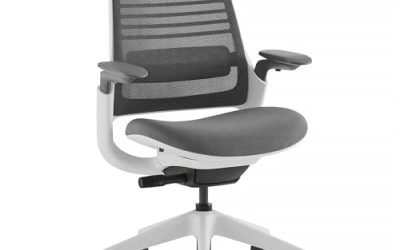
| Steelcase Series 1 | Long-term durability | Up to 400 lb capacity | 12-year warranty (maker page) | Premium |
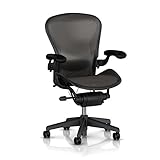
| Herman Miller Classic Aeron (Size B) | Classic mesh comfort | Three body sizes | Fixed seat depth by size | Premium |
| ProtoArc EC200 | Adjustable seat depth for less money | Seat depth adjustment | High-back mesh | Mid-range |
| CASASIO Ergonomic Office Chair | Eight-hour comfort at a mid-range tier | 3.5 in. cushion | 330 lb capacity | Mid-range |
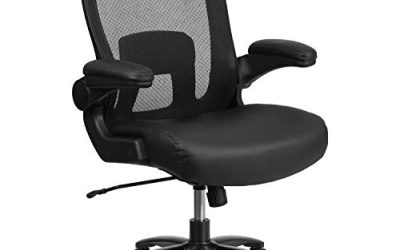
| MAHOMICO Big and Tall Chair | Larger bodies | Wide thick seat | 750 lb listed capacity | Budget to mid-range |
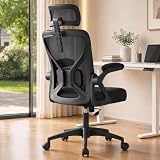
| SONGMICS Ergonomic Mesh Chair | Tight budgets | Headrest included | 90-105 degree tilt | Budget |
How we chose these chairs
This is a research-based guide, not a product diary. We compared current listings, maker pages and published spec sheets, then favored chairs whose specs map to the problems people report after long sessions: numb thighs from a seat that is too deep, a sagging seat, hot backs, and armrests that cannot clear the desk. We did not use any of these chairs ourselves, so where something could not be confirmed on a listing or a maker page, the text says to check it before buying. We limited the list to two chairs per brand where possible, excluded renewed and used units, and spread the picks across price tiers so you can match the chair to your budget and body.
1. Branch Ergonomic Chair Pro: Best for fine-tuning your fit
- Seat depth adjustable, roughly 16.7 to 19.7 inches per retailer and review pages
- Seat height roughly 17 to 19.9 inches (a taller cylinder is optional)
- 5D armrests, forward seat tilt, and a removable lumbar support that moves in height and depth
- Mesh back with a smooth recline; optional headrest on some configurations
- Listed capacity of 275 lb; check the maker page for the current warranty term
The Branch Ergonomic Chair Pro is the chair on this list that asks you to do the most setup and gives the most back. Its seat depth slider is the headline for long sessions: shorter people can pull the seat edge back so the front does not press behind the knees, and taller people can slide it forward to support more of the thigh. The lumbar piece adjusts in both height and depth, which matters because a lumbar curve that sits two inches too high is nearly as unhelpful as none at all. Forward tilt is a useful extra for the first hour of a task where you lean in, and the recline lets you lean back for reading or calls.
The trade-off is capacity: at roughly 275 lb it is the lowest on this list, so larger users should look to the Steelcase or MAHOMICO instead. Warranty figures conflict between retail and review pages (seven years is common, but one open-box listing shows three), so confirm the exact term on the maker page for the unit you buy.
Best for: remote workers who want a chair they can dial to their exact proportions. Skip if: you need more than a 275 lb capacity or want a chair that needs no adjustment.
Pros:
- Seat depth slider plus 5D armrests cover a wide range of body sizes
- Removable lumbar with height and depth adjustment
- Forward tilt suits focused desk tasks
Cons:
- Lowest listed capacity among the main picks
- Many adjustments take time to set up properly
- Warranty details vary by source, so verify before purchase
As an Amazon Associate we earn from qualifying purchases at no extra cost to you.

2. Steelcase Series 1: Best for durability and heavier users
- Capacity up to 400 lb for the chair, per the maker page
- Seat adjustable in height and depth, with flexible foam edges
- 4D arms (height, width, depth, pivot) as the standard configuration
- Choice of 3D Microknit back or Air Back; weight-activated controls
- Maker lists a limited lifetime warranty of 12 years, multi-shift, 24/7 parts and labor
Steelcase is a commercial furniture maker, and the Series 1 is its entry into the line-up. That shows up in the paperwork more than the styling. The maker page describes a multi-shift, 24/7 warranty of twelve years, which is the clearest signal on this list that the chair is built for people who sit in it all day, every day. The weight-activated controls mean the recline tension adjusts by itself to your body weight, so there is no knob to forget. The seat depth is adjustable, and the foam has flexible edges that reduce pressure behind the knees.
It comes in more than one configuration: you can pick a fabric, leather or vinyl seat, and a 3D Microknit or Air Back, so read the listing for the exact build. Casters also differ for carpet and hard floors, which is a small detail that matters: rolling the wrong caster on the wrong surface wears both. The usual trade-off is that styling choices and adjustability are more restrained than on a chair like the Branch.
Best for: people who want the chair to last years and who may be heavier than 275 lb. Skip if: you want a headrest or lots of fancy adjustments.
Pros:
- Capacity up to 400 lb, per the maker
- Long, multi-shift warranty term
- Weight-activated recline with no knobs to set
- Seat depth and 4D arms
Cons:
- No headrest in the base design
- Several back and seat options, so listing choices need checking

3. Herman Miller Classic Aeron (Size B): Best classic mesh chair
- Classic Aeron design with an aluminum base, listed as Size B
- Available in three sizes (A, B and C); size B is aimed at roughly 5 ft 2 in. to 6 ft per a retailer size guide
- Seat depth is fixed by size rather than adjustable
- Classic-model capacity reported as 300 lb across most sources
The Classic Aeron is a long-running design that many people picture when they think of a mesh office chair. It is sized rather than infinitely adjustable: you pick A, B or C according to your body, then fine-tune the rest. That is why the size is part of the listing title, and why you should check a size chart rather than guess. A size that is too large leaves the seat edge pressing on the back of your legs; too small and the thighs are under-supported. Fixed seat depth is the main limit compared with the Branch or ProtoArc.
Sources disagree on the capacity of the classic range versus the current remastered line, and the warranty on a specific listing depends on the seller, so use the listing and the maker’s own page rather than a review site for those two details. If you want an Aeron for decades of service and can confirm the size, it is a safe long-hours option; if you want the most adjustability for the budget, a chair with a seat depth slider fits more bodies.
Best for: people who know their size and want a proven mesh design. Skip if: you are between sizes or need a depth slider.
Pros:
- Three sizes cover a wide height range
- Mesh seat and back for airflow
- Long-established design
Cons:
- No seat depth adjustment
- Size selection is critical
- Capacity and warranty vary by source and seller, so verify
4. ProtoArc EC200: Best mid-range chair with seat depth adjustment
- High-back mesh design with adjustable seat depth
- Lumbar support built into the backrest
- Marketed at 8+ hours of daily sitting for remote workers and programmers
- Available in black and grey finishes
The ProtoArc EC200 is the pick for readers who like the Branch’s seat depth slider but want a less formal, less expensive chair. Its listing leads with the claim that it is designed for sessions of eight hours or more, and the adjustable seat depth is the feature that backs the claim up: it lets a shorter or taller user avoid the pinched-thighs problem that causes many people to abandon a chair after a month. The high-back mesh design supports the upper back and shoulders for people who work with a laptop at a desk.
The details the listing does not make obvious are weight capacity and armrest range, so check those against your body before you buy. Compared with the Branch, expect fewer micro-adjustments and a less finished feel in exchange for a lower price tier.
Best for: programmers and remote workers who want depth adjustment without a premium price. Skip if: you need a verified high capacity or a wide armrest range.
Pros:
- Seat depth adjustment at a mid-range tier
- High-back mesh for upper-back support
- Designed with long sessions in mind
Cons:
- Capacity and armrest details need checking on the listing
- Less customization than premium chairs

5. CASASIO Ergonomic Office Chair: Best mid-range chair for an eight-hour day
- 4-way lumbar adjustment
- 3.5 inch seat cushion with breathable mesh back
- 330 lb capacity and tilt-and-rock mechanism
- Listing mentions BIFMA compliance, a 5-year warranty and 90-day returns
The CASASIO is one of the few mid-range chairs whose listing leads with long-duration use, and the specs back it up: a 3.5 inch cushion is thick enough to cushion your sit bones without feeling like a sofa, and the four-way lumbar can be moved up, down, in and out to match your lower back. The five-year warranty and 90-day return window, as stated in the listing, lower the risk of finding out at week six that the seat is too firm for you.
The BIFMA reference on the listing is useful but not a guarantee of comfort: it relates to structural standards, not fit. Treat the listing’s claims as the maker’s statements and check the exact terms on the product page. The seat is fixed in depth, so people under about 5 ft 4 in. should check the seat depth figure before buying.
Best for: an eight-hour workday at a mid-range tier. Skip if: you are short and need seat depth adjustment.
Pros:
- Four-way lumbar adjustment
- Thick 3.5 inch cushion
- Five-year warranty stated on the listing
- Return window longer than the typical trial
Cons:
- Fixed seat depth
- 330 lb capacity is lower than the big-and-tall picks

6. MAHOMICO Big and Tall Office Chair: Best for larger bodies
- Listed capacity of 750 lb
- Wide, thick seat cushion with mesh back
- 4D armrests and adjustable lumbar support
- Marketed for 8-hour days
Plenty of chairs advertise a high weight capacity but offer a narrow seat. The MAHOMICO leads with a wide, thick seat and four-way arms, which makes it more relevant for larger users than a standard chair with a higher number on the label. The 750 lb figure is the listed capacity, and for any heavy-use chair it is worth checking the gas lift class and base material in the listing, since those components take the load.
Wide seats come with a trade-off: armrests can sit further apart, so check that you can still reach the desk surface with your elbows near a right angle. The seat is thick, and the listing does not list a depth slider, so sizing relies on the stated seat dimensions.
Best for: larger users who need a wide seat and a high capacity. Skip if: you are under 5 ft 5 in. and want a compact fit.
Pros:
- Very high listed capacity
- Wide, thick cushion
- 4D armrests
Cons:
- Larger footprint
- No seat depth slider listed

7. SONGMICS Ergonomic Mesh Chair: Best budget pick
- Mesh back with adjustable lumbar support
- Headrest included
- 90 to 105 degree tilt function
- Aimed at a budget tier
The SONGMICS is the budget pick for readers who want ergonomic features at a low price. A headrest, lumbar support and a tilt range are on the spec list, and the 90 to 105 degree tilt gives a modest lean-back that works for reading and calls. Keep expectations realistic: budget chairs tend to use thinner foam and simpler mechanisms, so the seat is the first thing to inspect after a few months.
If you sit for four to six hours a day, this is a sensible entry point. If you regularly sit for eight or more, the mid-range CASASIO’s thicker seat and longer warranty may be worth the step up.
Best for: students and part-time desk workers on a tight budget. Skip if: you sit eight hours or more daily.
Pros:
- Headrest and lumbar support included
- Mesh back for airflow
- Low price tier
Cons:
- Narrow tilt range
- Simpler mechanism than premium chairs
Also consider
Autonomous ErgoChair Ultra 2
A premium-leaning mesh chair with adjustable lumbar support, built as a more design-forward alternative to the established office brands. It suits people who want the mesh look and a long list of adjustments. Check the listing for capacity and the seat details before buying, since those are not spelled out in the headline.

QLTPLUS Ergonomic Office Chair for Long Hours
A mid-range chair with a 4 inch molded foam cushion, 350 lb capacity, flip-up arms and a five-year warranty per the listing. The thicker foam suits people who find mesh seats too firm. It is a close alternative to the CASASIO if you prefer a slightly thicker, softer seat.

Jurkosp Ergonomic Massage Office Chair with Footrest
A comfort-first option with a 3.2 inch cushion, 20 inch wide seat, 155 degree recline, retractable footrest and lumbar massage. It is better suited to relaxed work and breaks than to focused typing, as the footrest and recline invite a reclined posture. Treat the massage feature as a comfort extra rather than a health feature.

How to choose the best chairs for long hours
Most chair guides list features. For long hours, it is more useful to match each feature to the problem it solves, with a number you can check against your body.
Seat depth: the first measurement to make
Sit back fully and check the gap between the front edge of the seat and the back of your knee. About two to three fingers is the usual guide. A seat that is too deep presses on the back of the legs and makes people perch forward away from the backrest; too shallow and the thighs lose support. If a chair has no depth slider, look for the seat depth figure in the listing and compare it to the length from your hips to the back of your knee. Shorter users (under about 5 ft 4 in.) and taller users (over about 6 ft 1 in.) benefit most from a depth slider.
Seat height and desk height
With feet flat on the floor, your knees should sit at about a right angle and your thighs roughly parallel to the floor. Most task chairs cover a range of around 17 to 21 inches in seat height. If your desk is fixed and high, you may need a taller gas cylinder or a footrest. Elbows should sit near a right angle when your hands are on the keyboard, which is where armrest height and width range matter.
Cushion thickness and foam
Cushion thickness is not a quality score. Thin foam under a mesh seat can feel supportive for hours, while a thick but low-density foam may feel plush for the first hour and then compress. Mid-range chairs that list 3.5 to 4 inch molded foam, such as the CASASIO and QLTPLUS, tend to cushion the sit bones; mesh seats distribute pressure differently and stay cooler. If you run warm, mesh seat and back is the safer choice.
Recline and tilt
Long-session comfort depends on being able to change position without leaving the chair. A recline of 90 to 105 degrees is a modest lean; chairs that allow around 120 degrees or more give a real rest position. A tilt lock lets you fix a position, while a free-floating tilt lets the chair move with you. Weight-activated mechanisms, like the one on the Steelcase Series 1, remove the tension knob.
Lumbar support that you can actually place
Lumbar support only works if it fits the curve of your lower back, which is typically a few inches above the seat. Fixed lumbar that sits too high is a common complaint. Look for adjustable height, and for chairs where the lumbar can also be moved in and out.
Armrests
Flip-up arms let you slide close to a desk, and 3D or 4D arms adjust in height, width, depth and pivot. For long hours the key test is that your shoulders stay relaxed when your forearms are supported. If you often work with the chair pushed under the desk, flip-up arms matter.
Weight capacity and the 24-hour question
Capacity is not just about weight: a chair rated for more load generally has a stronger base and gas lift. For multi-shift or 24-hour use, look for explicit commercial rating or warranty language, like the Steelcase multi-shift warranty. If you see “24 hour chair” in a search, it usually means a chair meant for continuous seating rather than a chair you should sit in for 24 hours.
Materials: mesh, foam and leather
| Material | Strengths | Weak spots | Best for |
|---|---|---|---|
| Mesh back and seat | Airflow, even pressure, light | Can feel firm; mesh can loosen over years | Warm rooms, long sessions |
| Mesh back, molded foam seat | Cool back with a cushioned seat (3.5 to 4 in.) | Foam can compress with heavy daily use | Eight-hour days, bony sit bones |
| Fabric or vinyl seat | Easy to wipe or replace | Warmer than mesh | Shared or commercial settings |
| Faux or bonded leather | Executive look | Traps heat, may peel with age | Short sessions, formal rooms |
Decision matrix: which chair for which situation
| Your situation | Start with | Why |
|---|---|---|
| Short or tall and between sizes | Branch Ergonomic Chair Pro or ProtoArc EC200 | Seat depth slider |
| Heavier than 275 lb | Steelcase Series 1 or MAHOMICO | Higher capacity |
| Sit eight or more hours daily | CASASIO or Steelcase Series 1 | Cushion and warranty |
| Run hot | Aeron Classic or Branch Pro | Mesh seat |
| Tight budget, four to six hours | SONGMICS | Core features at a low price |
| Want a rest position and footrest | Jurkosp | 155 degree recline and footrest |
Care, durability and what wears first
Seat foam compresses first, usually noticeable after a year or two of daily eight-hour use. The gas lift is the second part to fail, and the better chairs make it a replaceable standard part. Casters pick up hair and debris: pull them out and clean the axles every few months. Mesh can loosen but is rarely a quick failure. Tighten the bolts under the seat and the armrest screws every six months, because loose bolts cause a lot of the creaking people blame on the chair itself. Use hard-floor casters on hard floors and standard casters on carpet, as chair mats and wrong casters shorten life.
A simple long-hours routine
Whatever chair you choose, give your body variety. A rough pattern many ergonomics guides suggest: change posture every 30 to 60 minutes, stand or walk for a couple of minutes each hour, use the recline for reading and calls, and keep the feet flat or on a footrest. A chair that makes those changes easy will be used better than one that locks you into a single position.
Frequently asked questions
What is the best chair for sitting 8 hours a day?
A chair with adjustable seat depth or the right size, a firm 3.5 to 4 inch seat or a mesh seat, adjustable lumbar and a warranty of five years or more. The Branch Ergonomic Chair Pro, Steelcase Series 1 and CASASIO are the picks here that fit that description at different tiers.
Is a mesh chair better for long hours?
Mesh stays cooler and distributes pressure evenly, which many people prefer over long sessions. A thick foam seat can be kinder to sit bones if the foam is dense. Many of the best long-hours chairs combine a mesh back with a foam seat.
Are gaming chairs good for long hours of sitting?
Some are, but many racing-style chairs have fixed bucket seats and limited lumbar or armrest range. Look at the same features you would check on any office chair: seat depth, lumbar adjustment and arm range. A gaming chair that offers those is fine; one that does not may tire you out sooner than an ergonomic office chair.
What does a 24 hour chair mean?
It generally refers to a chair rated for continuous or multi-shift use, as in control rooms or dispatch centers. Look for the maker’s wording on duty cycle and warranty, such as the Steelcase multi-shift, 24/7 warranty. It does not mean a chair is safe to sit in for 24 hours straight.
How long should a good office chair last?
Premium chairs with seven to twelve year warranties are built to last many years; mid-range chairs commonly come with around five years. Seat foam and gas lifts are the parts to expect to wear first with daily heavy use.
Do I need a headrest?
Only if you recline often or work with a monitor at a reclined angle. A headrest does not help when you sit upright at a keyboard. The Branch Pro offers one as an option, and several budget chairs include one.
Can the right chair fix back or neck pain?
A better-fitting chair can make sitting more comfortable, but it is not a treatment. If you have pain that persists, talk to a clinician or physical therapist, and check the maker’s guidance for the chair.
Which chair should you buy?
- Want the most adjustable chair: Branch Ergonomic Chair Pro.
- Want a chair that is built to last and handles a higher capacity: Steelcase Series 1.
- Know your size and want a classic mesh design: Herman Miller Classic Aeron.
- Want depth adjustment in the mid-range: ProtoArc EC200.
- Sit eight hours daily: CASASIO.
- Need a wide seat and a high capacity: MAHOMICO.
- Need a budget chair for four to six hours: SONGMICS.
Sources
- Steelcase Series 1 product page (maker specifications and warranty)
- Branch Furniture Ergonomic Chair Pro product pages and published reviews
- Herman Miller Aeron size and warranty information from retailer and review pages
- Current product listings for ProtoArc, CASASIO, MAHOMICO, SONGMICS and the alternatives
Last updated: November 2026
More from Amazon
Programs that pair well with the guide above. Offers and eligibility are set by Amazon and may change.
Free shipping on eligible items, Prime Video and more. Eligible new members can start with a free trial.
Start a Prime free trialAudiobooks and podcasts to listen to on the go. Eligible new members can start with a free trial.
Try Audible freeAd-free music streaming. Eligible new subscribers can start with a free trial.
Try Music Unlimited freeA free business account with business pricing and bulk-buying tools for work, shop or home office.
Create a business accountAs an Amazon Associate we earn from qualifying purchases.
Write Your Review
No reviews yet. Be the first to share your experience!