

Key takeaways
- The right calculator for college math and science is the one your instructor's exam policy allows.
The right calculator for college math and science is the one your instructor’s exam policy allows, that covers the functions your courses actually use, and that you can operate quickly under time pressure. For most students that means a scientific model for chemistry, physics and introductory statistics, and a graphing model only when calculus, linear algebra, or a data-heavy course explicitly calls for one.
Getting this wrong is expensive in two ways: you either pay for power you never touch, or you arrive at a midterm holding a device the proctor will not let you use. The sections below walk through how to read a syllabus, match a calculator class to your major, and judge the small usability details that decide whether a device feels fast or frustrating by week three.
Start With the Syllabus, Not the Store
Before comparing anything, find the calculator policy in each course syllabus or on the department page. Policies vary widely even inside one university. A first-semester calculus section may require a graphing model, while the organic chemistry course next door may ban anything with a graphing screen. Some instructors name an approved list; others only prohibit devices with wireless communication, a full keyboard, or stored text.
Write down three things for every course: whether a calculator is required, which classes of device are banned, and whether a specific model is assumed in lectures and homework. That last point matters more than students expect. If your professor demonstrates every problem on one family of calculators, following along with a different menu layout slows you down during every lesson, not just on exam day.
Also check standardized exams you may sit later, such as entrance tests for graduate programs or professional licensing. Their lists are separate from course policies, and buying once for both saves money.
The Three Calculator Classes and What Each Does
Scientific Calculators
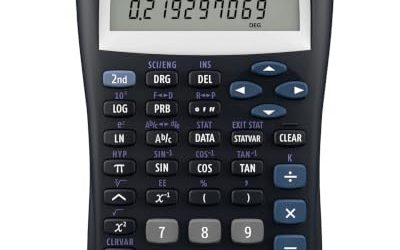
A scientific calculator handles trigonometry, logarithms, exponents, roots, factorials, unit and angle conversions, and basic statistics. Most also support fractions and scientific notation. They are light, run for years on a small solar panel or a single battery, and are the most widely permitted type on exams. For general chemistry, physics, biology labs, and algebra-based statistics, this class is usually enough.
Graphing Calculators
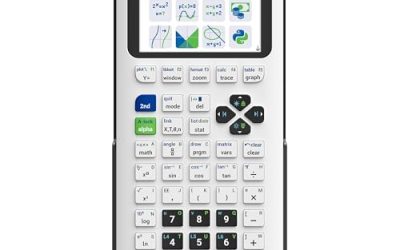
Graphing models plot functions, solve equations numerically, run regressions, handle matrices, and often include programming. They suit calculus, differential equations, linear algebra, and engineering courses where visualizing a function speeds up understanding. The trade-offs are higher cost, a steeper learning curve, a heavier body, and tighter exam restrictions in some departments.
Computer Algebra System Models
Some graphing calculators can manipulate symbols, meaning they can factor, differentiate, or solve an equation algebraically rather than only numerically. That is powerful for checking homework and equally the reason many instructors ban them from exams. Never buy this type without written confirmation that your courses allow it.
Match the Calculator to Your Major
The table below is a qualitative starting point. Always let the course policy overrule it.
| Course area | Typical need | Usual class | Watch for |
|---|---|---|---|
| College algebra, precalculus | Functions, logs, trig values | Scientific or entry graphing | Some sections require plotting |
| Calculus I to III | Graphing, numeric derivatives and integrals | Graphing | Exams may restrict symbolic features |
| Linear algebra, differential equations | Matrix operations, numeric solvers | Graphing | Matrix size limits, program memory |
| General chemistry, physics | Scientific notation, logs, trig, unit work | Scientific | Equation-recall bans on exams |
| Statistics | Distributions, regression, hypothesis tests | Scientific with stats mode or graphing | Required test menus differ by course |
| Engineering core | Complex numbers, matrices, fast entry | Scientific or graphing | Licensing exams have separate lists |
Features That Matter Day to Day
Display and Entry Style
A natural-textbook display shows fractions, roots, and exponents the way they appear on paper, which makes typos easy to spot. Older single-line displays force you to count parentheses, a common source of lost points. A multi-line screen that keeps previous entries visible lets you recheck a step without retyping the whole expression.
Key Layout and Menu Depth
Pick up a floor model if you can. Check whether the functions you use most, such as the fraction key, exponent key, and mode switch, are reachable without a long menu trip. Shift-key labels should be legible in dim lecture halls. Mushy or crowded keys cause entry errors when you are rushed.
Power, Durability, and Cover
A hard slide-on cover protects the keys in a backpack. Solar-plus-battery models rarely die mid-exam; rechargeable graphing models need a charge habit and a backup plan. Check whether the battery is user-replaceable, since a dead unit during finals week is a bad time to wait on shipping.
Memory, Connectivity, and Updates
Graphing models can store programs and data sets, but exam rules sometimes require clearing memory. Connectivity ports are handy for classroom software and file transfer, yet wireless features can disqualify a device. If you plan to keep the calculator through a degree, look for models with a long, stable product history so tutorials and classmates’ advice still apply.
Before You Buy Checklist
- Read each syllabus for allowed and banned calculator types.
- Ask the instructor or teaching assistant which model the lectures use.
- Check upper-level courses in your major, not just this semester’s.
- Decide whether a scientific model covers everything before paying for graphing power.
- Confirm the exam policy on symbolic features, wireless, and stored programs.
- Handle the keys in person or read detailed layout descriptions.
- Confirm battery type and whether a protective cover is included.
- Plan to learn the device before the first exam, not during it.
Common Mistakes to Avoid
The most frequent error is buying the most advanced device available on the theory that more features equal more safety. In practice, a calculator you know intimately beats one you only half understand. The second error is buying before the first class meeting; policies and lecture habits become clear within a week, and returns are easier then. A third is ignoring used or older models. Many courses only need functions that have existed for decades, so a gently used device from a graduating student often serves just as well, as long as the keys and screen work and the model is still permitted.
Finally, avoid relying on a phone app as your plan. Apps are almost always prohibited in exams, and they do not build the muscle memory you need on the real device. They can supplement practice at home, nothing more.
Learning Your Calculator Before the First Exam
Treat the first two weeks as a training period. Work a few homework problems entirely on the device, then redo them by hand to confirm you trust the output. Learn the mode settings first: degree versus radian angle mode is the classic trap in trigonometry, physics, and calculus, and a wrong setting quietly ruins every answer on a page. Next, memorize the keystrokes for your most repeated operations, such as stored values, exponents, logarithms with different bases, and statistics entry. Finally, keep the manual or a quick-reference sheet handy for functions you use rarely, like matrix inversion or regression. A calculator you can drive without looking at the keys saves minutes per exam, and minutes are often the difference between finishing the last problem and leaving it blank.
Related guides
Frequently Asked Questions
Do I need a graphing calculator for every college math class?
No. Many algebra, trigonometry, and statistics courses only require a scientific model, and some departments ban graphing devices on exams. Confirm each syllabus before buying anything.
Can I use one calculator for both math and science courses?
Often yes, provided the model satisfies the strictest course policy you face. A permitted scientific model usually serves chemistry, physics, and introductory math. Calculus and linear algebra are where a graphing model tends to enter.
Is it worth buying a computer algebra model?
Only if your courses explicitly allow it. Because symbolic solving can bypass the work an exam is meant to assess, many instructors prohibit it, and an unusable calculator is wasted money.
When should I buy, and should I buy used?
Wait until you have seen your syllabi, ideally in 2026 before the first quiz. Used models are fine when the screen, keys, and battery compartment are in good shape and the model is still on your instructors’ approved lists.
More from Amazon
Programs that pair well with the guide above. Offers and eligibility are set by Amazon and may change.
Free shipping on eligible items, Prime Video and more. Eligible new members can start with a free trial.
Start a Prime free trialAudiobooks and podcasts to listen to on the go. Eligible new members can start with a free trial.
Try Audible freeAd-free music streaming. Eligible new subscribers can start with a free trial.
Try Music Unlimited freeA free business account with business pricing and bulk-buying tools for work, shop or home office.
Create a business accountAs an Amazon Associate we earn from qualifying purchases.
Write Your Review
No reviews yet. Be the first to share your experience!